Part 2 - Conguration
43
Text-In
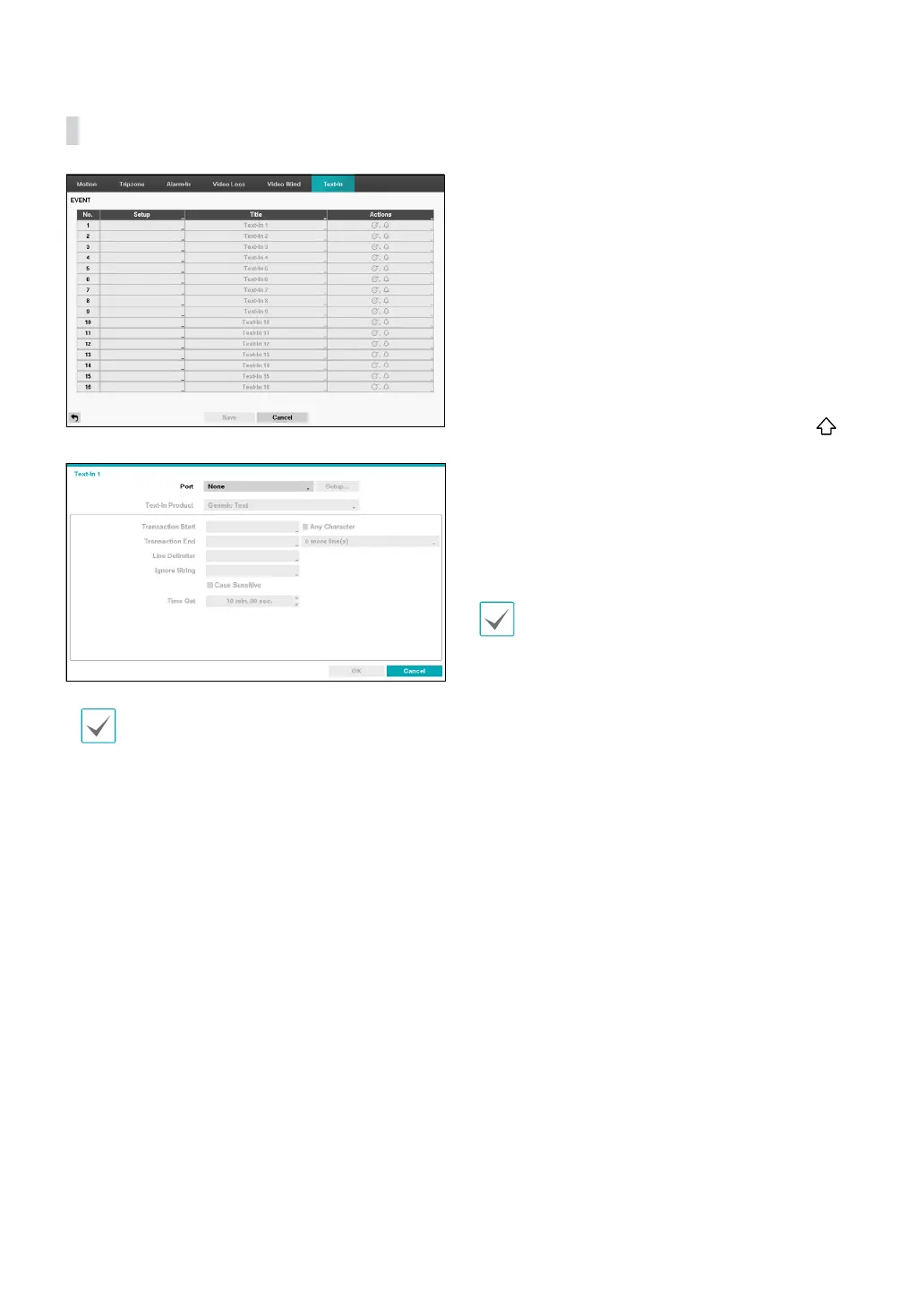
• Setup: Congure text-in devices.
• It's possible to batch congure all text-in devices
with the exception for port settings.
• An inux of large amounts of text-in data
from multiple channels can hinder system
performance.
• Text-In Product: The setup window is updated so
that the portion below the port setting matches the
corresponding text-in device. Displayed screenshot
illustrates Generic Text settings.
• Transaction Start: Once Transaction Start has been
designated, the system will recognize the specied
string as the beginning of a transaction. You can
choose the Any Character setting. Under this setting,
any character will trigger the system into recognizing
the start of a new transaction.
• Transaction End: Once Transaction End has been
designated, the system will recognize the specied
string as the end of a transaction. Select 0 more
line(s) next to Transaction End and specify a value
between 1 and 10. The system will recognize the
specied Transaction End string plus the number of
lines as being the end of a transaction.
• Line Delimiter: Designate a string to mark the end of
a line. You can enter control strings by selecting
and then entering ^, followed by a letter. For example,
Carriage Return is ^M and Line Feed (new line) is ^J.
• Ignore String: Specify a string to ignore from
transaction records.
• Case Sensitive: Ignores case in strings designated
under Transaction Start, Transaction End, Line
Delimiter, and Ignore String.
Case Sensitive does not apply to control strings.
• Time Out: Once Time Out has been enabled, the
system will assume the end of a transaction if no new
string is entered within the specied duration of time.
Select between 5 secs and 15 mins.



 To Next Page