Part 2 - Conguration
51
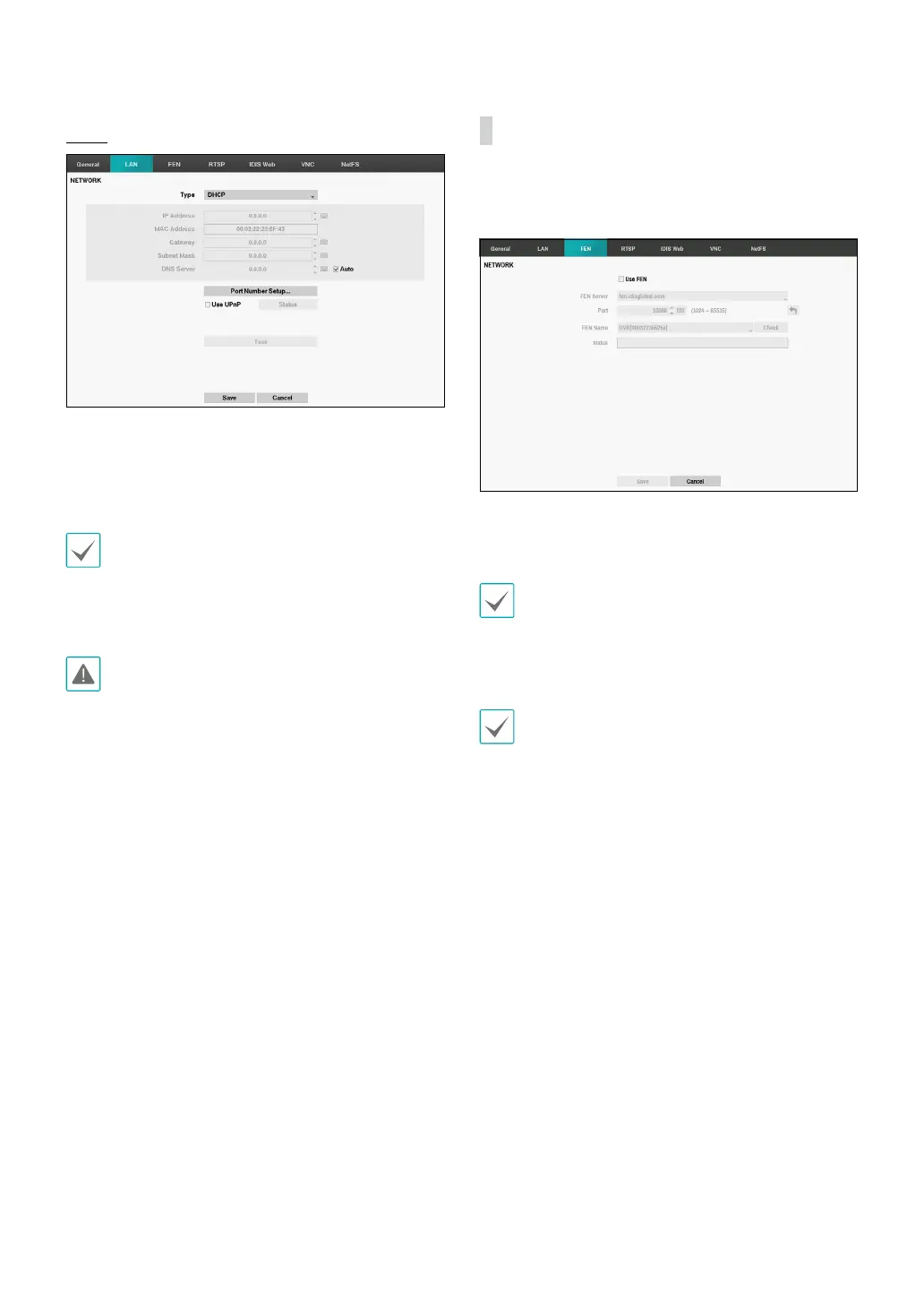
DHCP
Select DHCP and then Save to retrieve IP address and
other network settings automatically from the DHCP
server. Once the network settings have been retrieved,
the DVR’s current IP address is displayed in the IP
Address eld.
• It may not be possible to retrieve the IP address if
there is no DHCP server. If this is the case, contact
your network administrator.
• With DHCP, the DVR's IP address might change with
each startup.
There is a limit to the number of users allowed to
connect remotely at the same time. Contact the
service center for more information.
FEN
If using a dynamic IP address, FEN service makes it easy
to connect to the DVR from a remote program without
having to congure dynamic IP or router settings.
• Use FEN: Check if you wish to use FEN service.
• FEN Server: Enter the FEN server’s IP address or
domain name.
If you have congured the DNS Server setting under
Network - IP Address, you can enter the FEN server's
domain name instead of its IP address in the FEN
Server eld.
• Port: Specify the FEN server’s port number.
If using an IP router (or NAT), port conguration and
other network functions will depend on the usage
method of the IP router (or NAT).



 To Next Page