Part 3 - Search
66
• The Zone setting can be congured in the identical
manner as the Zone setting under System Setup -
Motion Detection. For more information, refer to the
Motion on page 38.
Museum Search may not function properly if the
edge of the object is included in the Zone. For more
accurate search results, set the inside of the object's
edge as the detection zone.
• Sensitivity: Set to between 1 (Low) and 5 (High).
• Min. Blocks: The Min. Blocks option is available with
Motion Search only.
Once all the options have been congured, select
Search. Select search results entry to display the video
recording on the left. To play the recording, exit the setup
window by selecting Close.
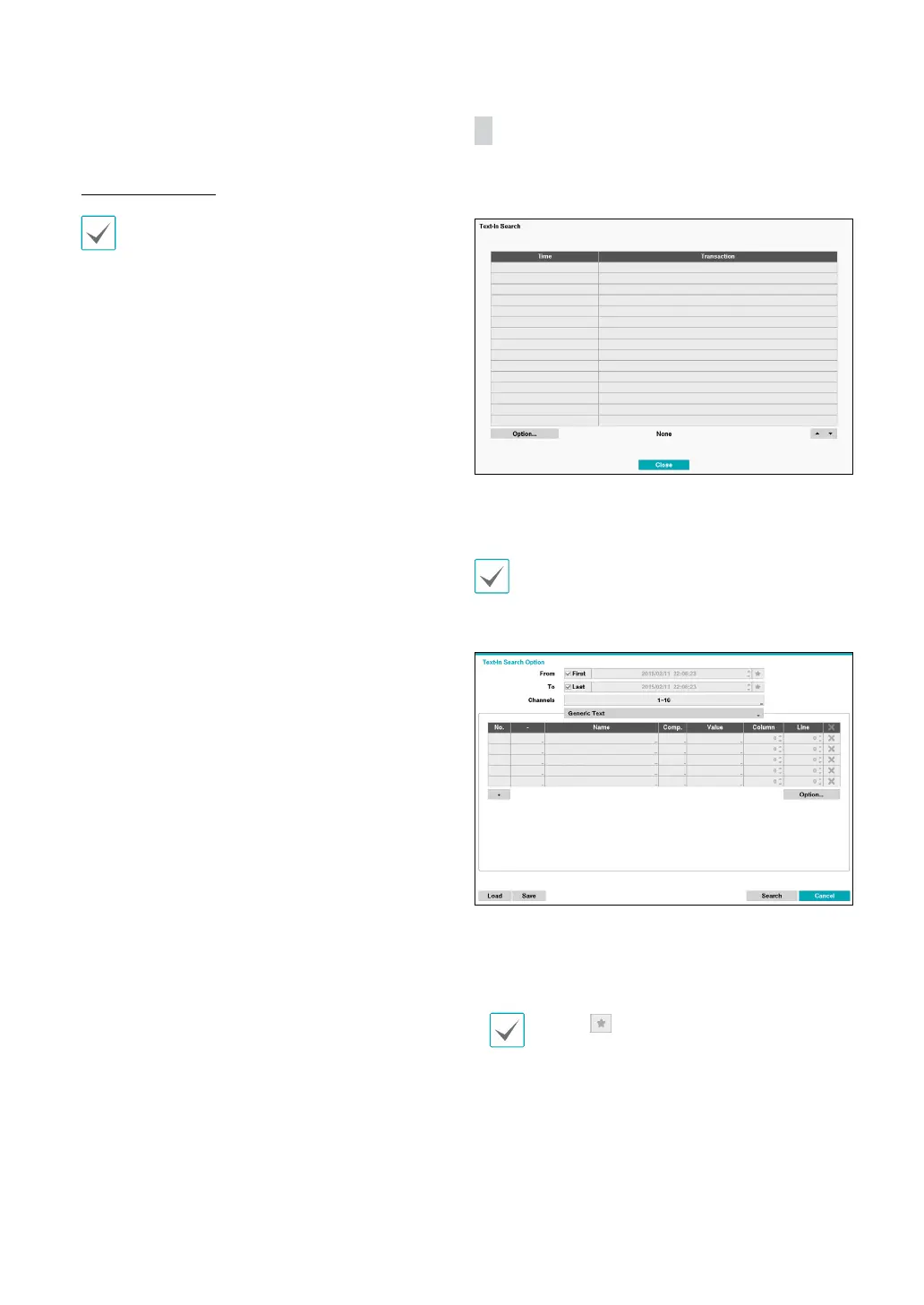
Text-In Search
Select Text-In Search from the Search menu to bring up
the Text-In Search window.
Select a Transaction to display the video recording
that corresponds to the selected time and date (paused
state).
Text-in information is superimposed on the screen at
normal playback speed. The information is not shown
under any other playback speed.
Select Option... to congure Text-In Search options.
• Select First under From and Last under To to search
the recording from start to nish. Alternatively, you
can uncheck the First and Last options and specify the
search time frame manually.
Selecting button, the bookmark list displays
and the bookmark point you selected will be the
starting date and time.
• Channels: Select a channel.
• Select Any Text-In Product to select a device type.
• + : Add a search variable.



 To Next Page