Part 3 - Search
63
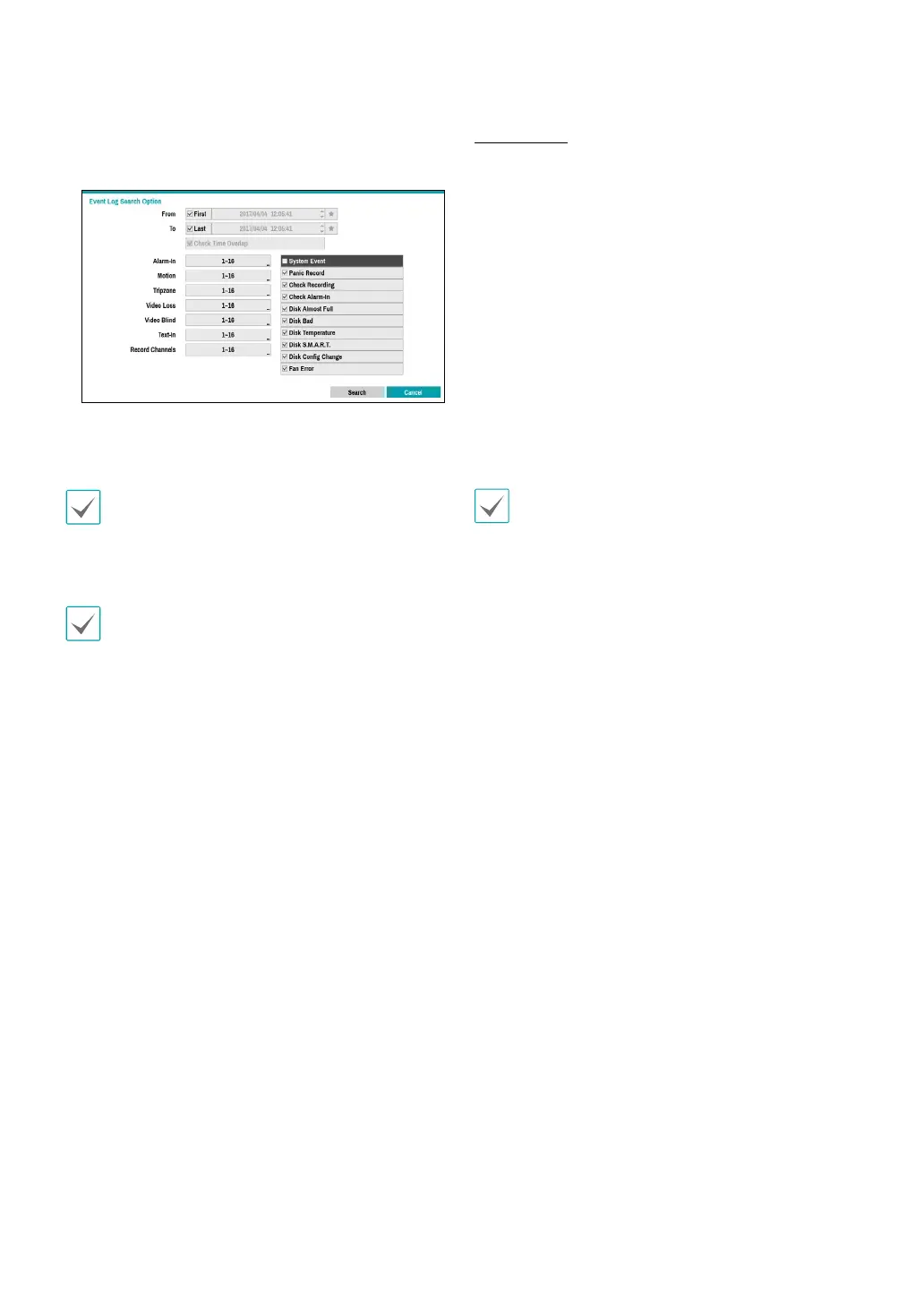
You can also narrow your event search by selecting
the Option… button and setting up the new search
condition.
You can uncheck the First and Last options at the top
of the Event Log Search window and specify the search
time frame manually.
Select First for From and Last for To to select the entire
recording from start to end.
If designating From or To settings manually, you will be
able to enable/disable the Check Time Overlap option.
If the system's clock has been changed and the
designated From or To point exists at more than one
location, you will have to choose one. Only the events
that took place between the selected From and To
points will be searched. If Check Time Overlap has
not been selected, events from the entire From and To
range will be searched.
Camera Filter
• Alarm-In: Select which channels to search alarm-in
events in.
• Motion: Select which channels to search motion
detection events in.
• Tripzone: Select which channels to search tripzone
detection events in.
• Video Loss: Select which channels to search video loss
events in.
• Video Blind: Select which channels to search video
blind events in.
• Text-In: Select which channels to search text-in events
in.
• Record Channel: Select which record channels to
search events in.
Selected record channels are searched for events with
at least one linked recording. If no camera is selected,
only the events with no linked recording camera are
searched.
• Use event lters to include/exclude specic system
events such as Panic Record, Check Recording,
Check Alarm-In, Disk Almost Full, Disk Bad, Disk
Temperature, Disk S.M.A.R.T., Disk Cong Change,
and Fan Error from the search.



 To Next Page