Platinum™ VX
Installation and Operation Manual Faults
© 2016 Imagine Communications Corp. Proprietary and Confidential. Version 1.2 | Page 133
Faults
Module Faults
Module faults can be viewed by doing the following:
1. Click the Go to Frame button on the main navigation page
2. Click the Open Module button against a Module
3. Click the Faults button to open the module specific Faults tab
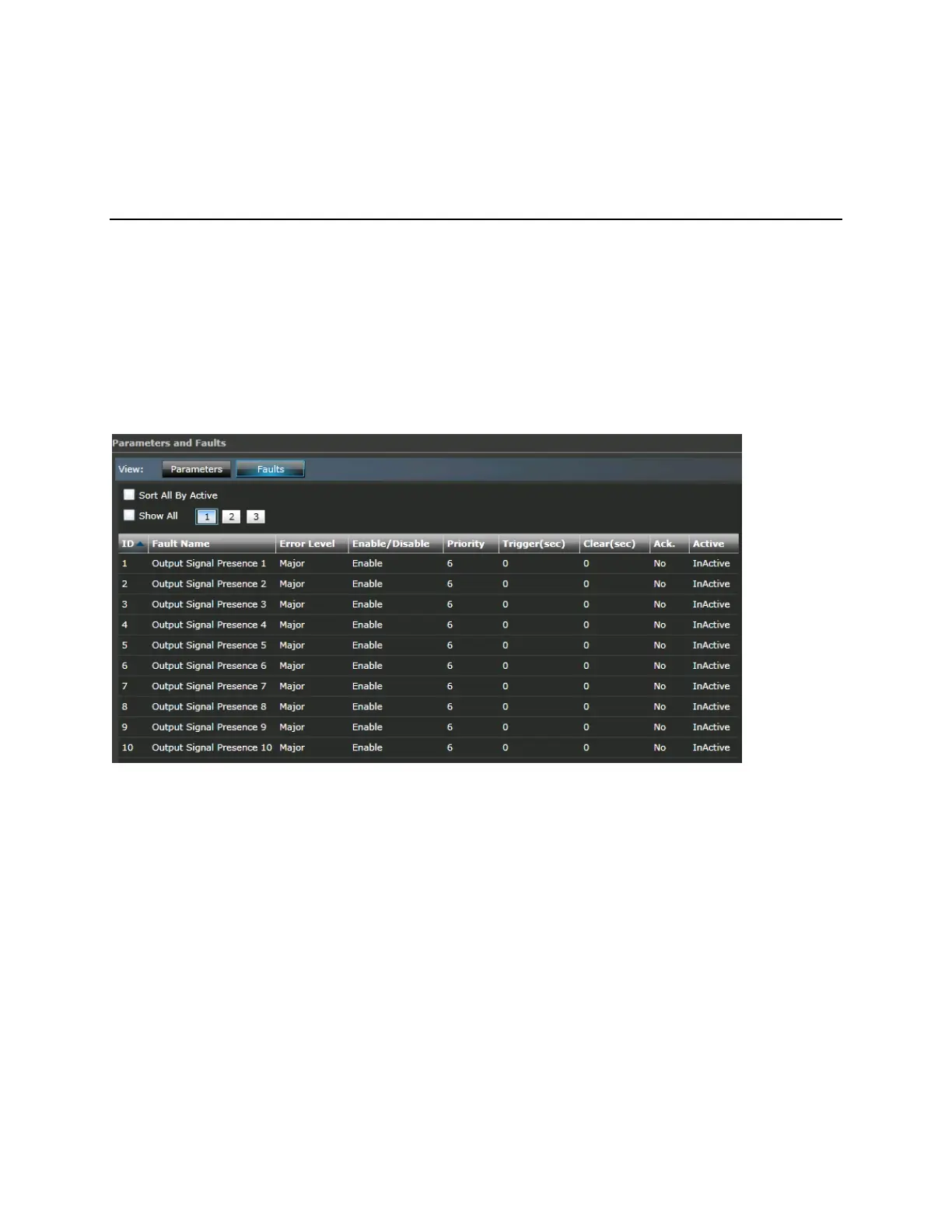
Module faults are displayed with the following details:
Figure 77: Module Faults
ID: The Fault ID
Fault Name: The Fault Name, for example, Output Signal Presence
Error Level: Major or Minor
Enable/Disable: Whether the fault has been enabled or disabled
Priority: The priority level of the fault (1-10)
Trigger:
Clear (sec):
Ack: Whether the fault has been acknowledged
Active: Whether the fault is active
Also see System Fault Descriptions (on page 137).



 To Next Page