Platinum™ VX
Installation and Operation Manual Faults
© 2016 Imagine Communications Corp. Proprietary and Confidential. Version 1.2 | Page 136
You can group Disable/Acknowledge Faults by either selecting all, or multiple selecting using the CRTL or
SHIFT key and then clicking Disable Faults or Acknowledge Faults beside Multi-Row Edit at the top.
Note: Once you disable a fault, to re-enable it, you will need to go to that Module’s Faults view and
enable the fault from there.
Fault Log
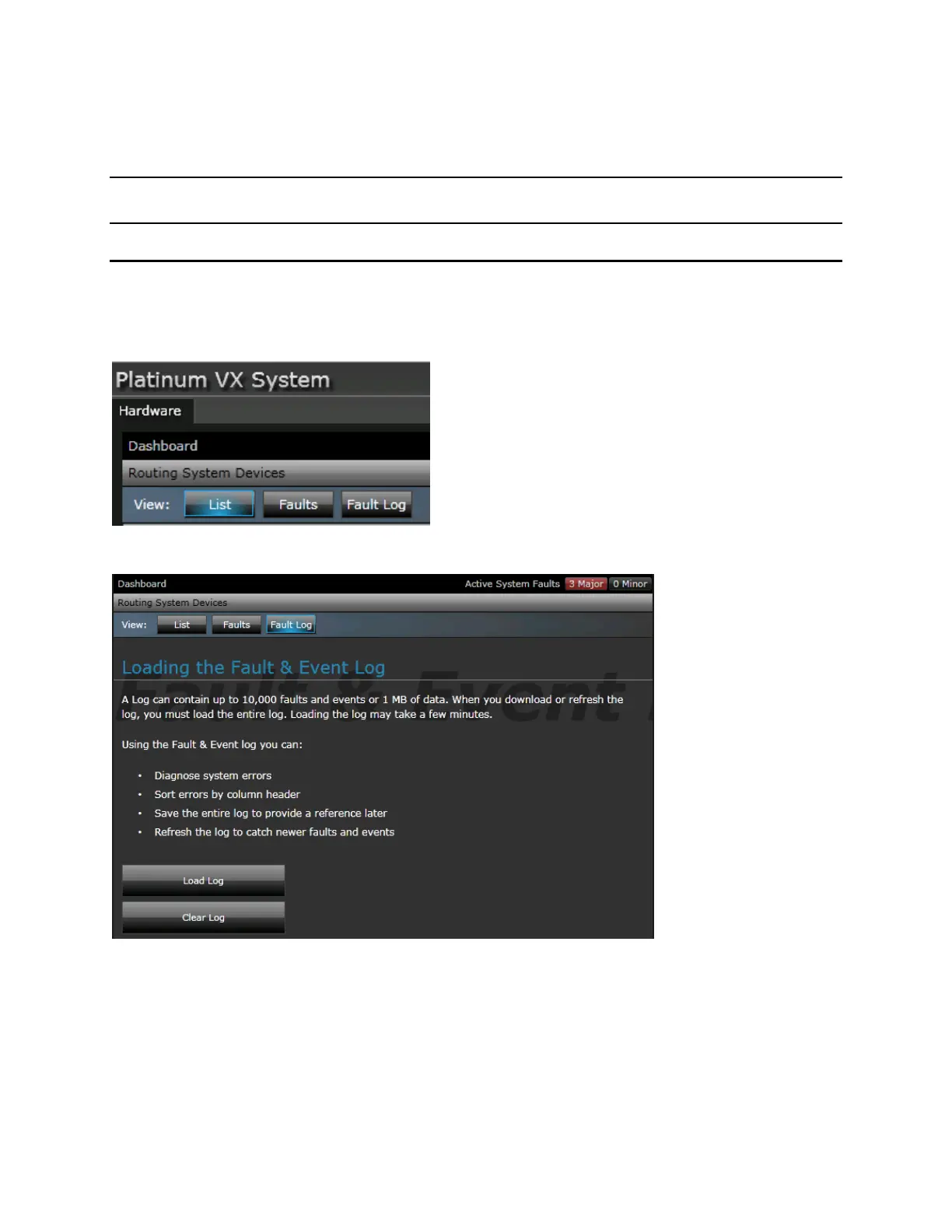
The Fault Log is accessible in the main Navigation dashboard, by clicking the Fault Log button.
The log contains data on faults and events. Click Load Log to load the log contents.
Fault Log Contents
The Fault Log contains detailed information in a spreadsheet format. Data is classified by Time Issued,
Fault/Event Name, Data, Priority, Count, Acknowledgment, Triggered (status), Fault/Event ID.
The Fault/Event name column provides details on whether it is a Fault or an Event. If an Event, details
are provided in the adjacent Data column, for example Frame Booted Up.



 To Next Page