Platinum™ VX
Installation and Operation Manual System Configuration
© 2016 Imagine Communications Corp. Proprietary and Confidential. Version 1.2 | Page 140
Frame Control Mode
Platinum VX Routers can be set to System Mode or Standalone Mode.
System Mode
The System Mode is intended for use when you want your Platinum VX frame to be controlled by a
Platinum IP3 Controller (that's also controlling other devices such as Platinum IP3 15/28 RU routers,
third party routers, and legacy routers).
You can set your Platinum VX to System Mode by going to Configure System > Manage Controller
Settings in the Platinum VX Web UI.
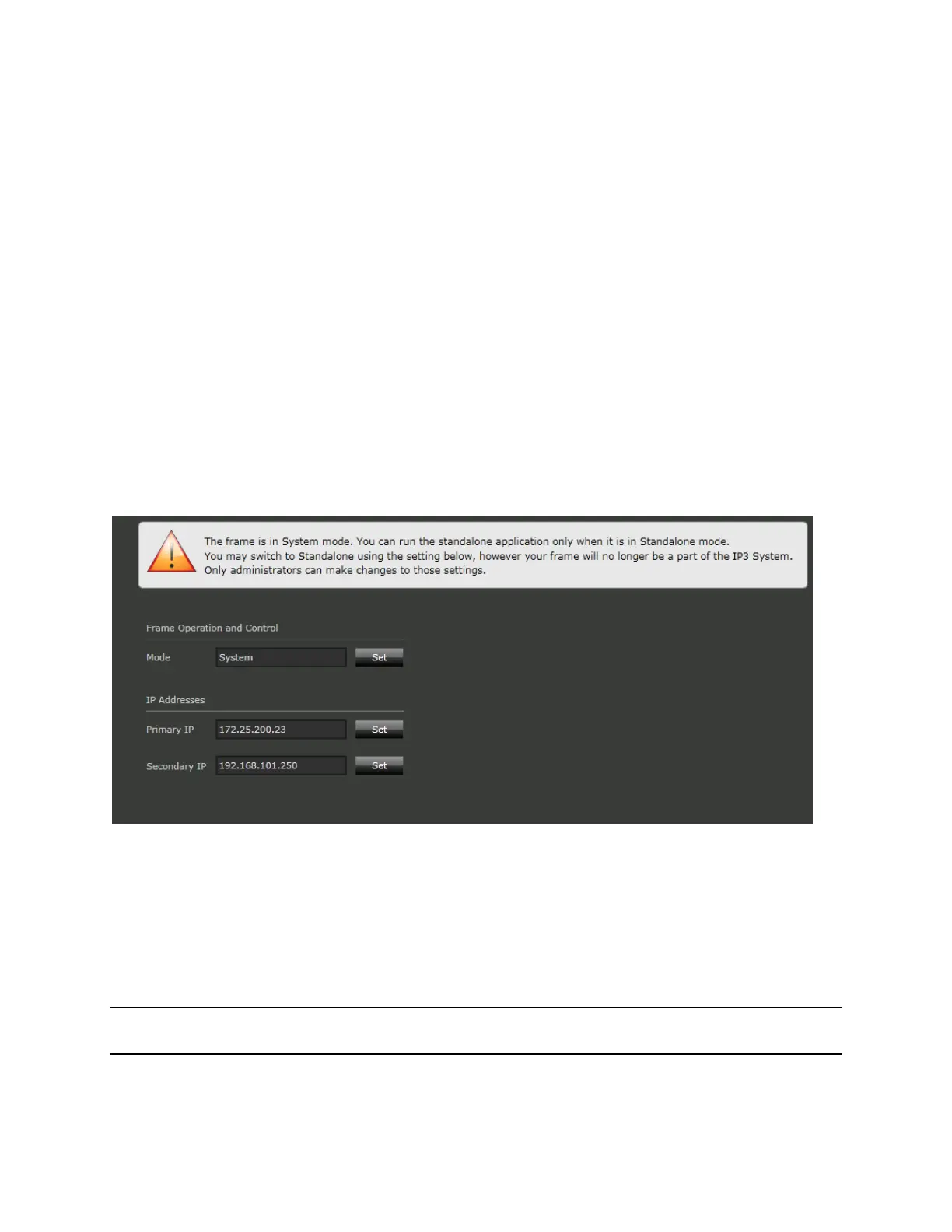
When you set the Frame Operation and Control Mode to System, the system prompts you to refresh the
browser and you see the following screen indicating that the system is in System mode and cannot be
accessed via the Platinum VX web interface. It will be accessible if you switch to Standalone mode, but
then the frame will not be controllable by the IP3.
Once a Platinum VX system is in System mode, it cannot be accessed via the Platinum VX web interface.
Standalone Mode
Use the Standalone mode for standalone operation of the Platinum VX. When a Platinum VX is in
Standalone mode, you can only access it via its own web interface and it cannot be controlled by an IP3
Controller.
You can change a Platinum VX's mode from Standalone to System via the Web UI.
Note: Every time you change the Platinum VX's mode, the router will be rebooted and video outputs will
be lost. The signal will be restored once the router is up and running.



 To Next Page