Platinum™ VX
Installation and Operation Manual System Configuration
© 2016 Imagine Communications Corp. Proprietary and Confidential. Version 1.2 | Page 148
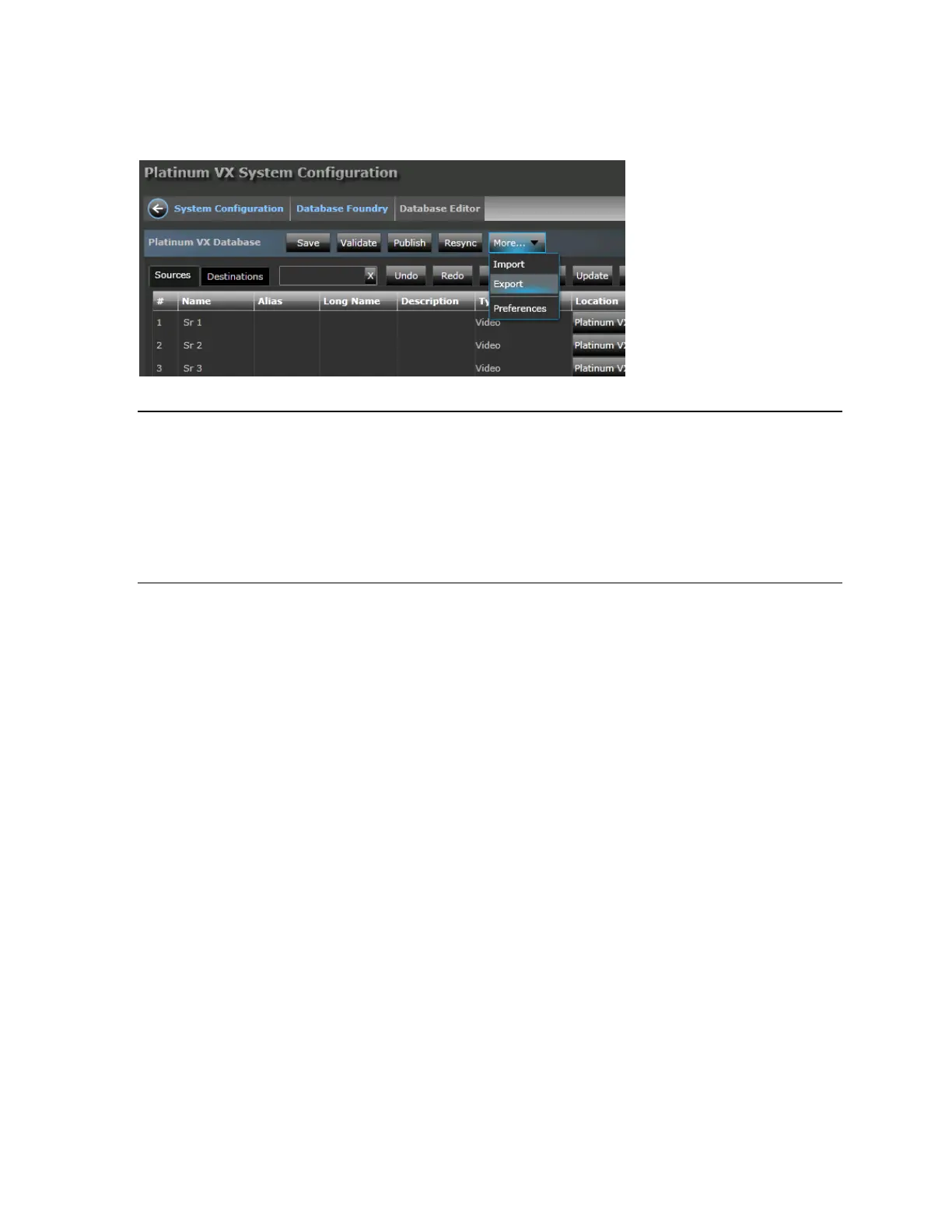
1. In the Source Platinum VX router's Database Editor, click the More button and select Export
2. Enter a filename and select a location to export the database file to.
The database is exported in .pvx format and it contains the following files:
- CategoryIndex.xml
- DeviceMapping.xml
- DeviceTypes.xml
- LogicalDB.xml
- names.txt
Note that you cannot see these files directly; to do so, rename the exported .pvx to zip and then
extract the files.
To import a database:
1. In the target Platinum VX router's Database Editor, click the More button and select Import
2. Select a valid .pvx file that was created by exporting the Database from a Platinum VX router
Device Types
Device types are an important part of the signal definition and are used in routing systems to identify
and organize all of the separately routable parts of a signal.
In case of the Platinum VX, device types are built-in, and you can just select the appropriate one from
the Device Type drop down list when adding (see Add (on page 143)), inserting (see Insert (on page
144)), or updating (see Update (on page 145)) a source or destination. You can choose from Video,
SD/HD Video, and QL Video depending on what you need.



 To Next Page