Platinum™ VX
Installation and Operation Manual Platinum VX Modules
© 2016 Imagine Communications Corp. Proprietary and Confidential. Version 1.2 | Page 40
Fan Alarms
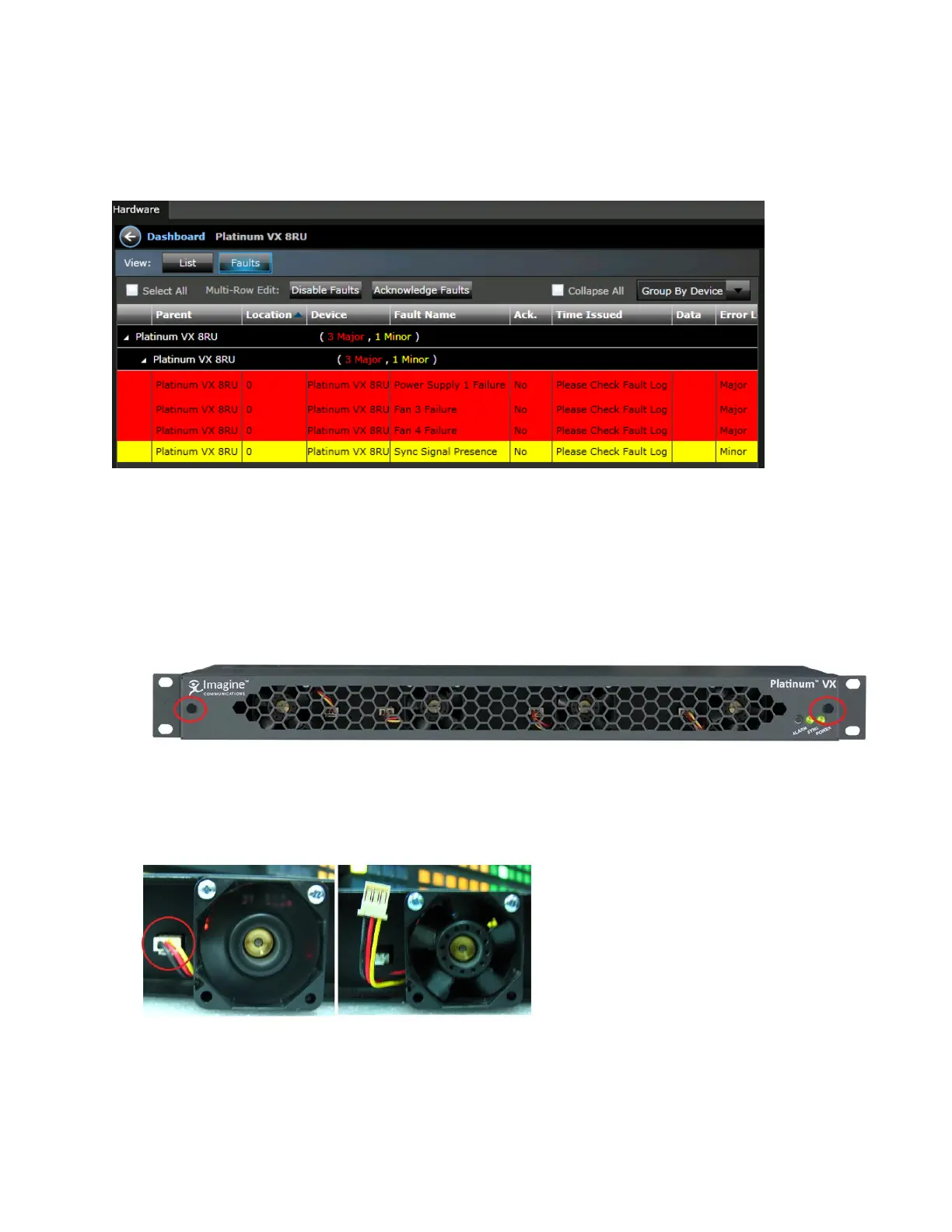
If a fan fails, an alarm is asserted and details are displayed in the Faults View.
Figure 27: Fan Failures in the Faults View
Servicing/Replacing Fan Modules in 1/2 RU Frames
1 and 2 RU frames have four individual fans. To replace a fan in a 1 or 2 RU frame:
1. First unscrew the front panel and remove the two captive screws.
Figure 28: Unscrewing the front of a 1 RU frame
2. Once the front comes off, you can remove any of the 4 individual fans by first unplugging the fan
connector
Figure 29: Disconnecting the Fan connector from a fan in a 1 RU frame



 To Next Page