Platinum™ VX
Installation and Operation Manual Navigation
© 2016 Imagine Communications Corp. Proprietary and Confidential. Version 1.2 | Page 97
2 RU SFP Frame (PV-72SFP-FR-2)
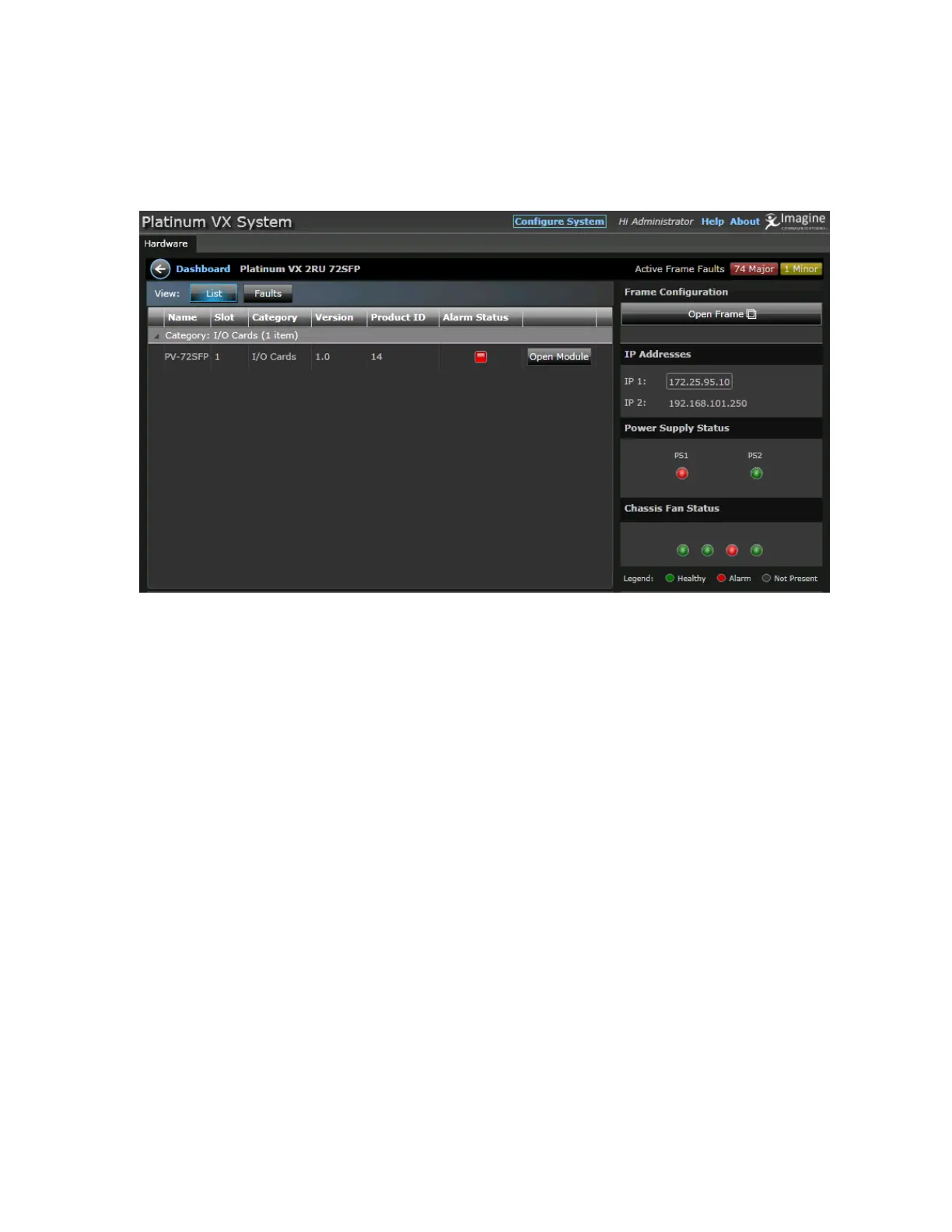
2 RU SFP frames (PV-72SFP-FR-2 frame) display 1 module: the main board (See PV-72SFP Modules (2
RU SFP frame) (on page 101).
For all frame types, a complete snapshot of the frame content is displayed, including:
Modules in the Frame (see "Modules/Components in the Frame" on page 97)
Module Faults
Frame Specific Parameters (on page 121)
Frame Faults
Power Supply and Chassis Fan Status
Modules/Components in the Frame
Module specific details are displayed in the main area. The following details are displayed per
component:
Name: The type of card. For example, BNC or SFP or CQS
Slot: The slot the card resides in
Category: The type of card - Input/Output, Crosspoint, Control
Version: The firmware version running on the card
Product ID: The ID for the module
Alarm Status: Red (major), Yellow (minor), Blank (healthy)
Open Module: Click to go to a specific card/module and view details. See Module Details (on page
98).



 To Next Page