Platinum™ VX
Installation and Operation Manual System Configuration
© 2016 Imagine Communications Corp. Proprietary and Confidential. Version 1.2 | Page 153
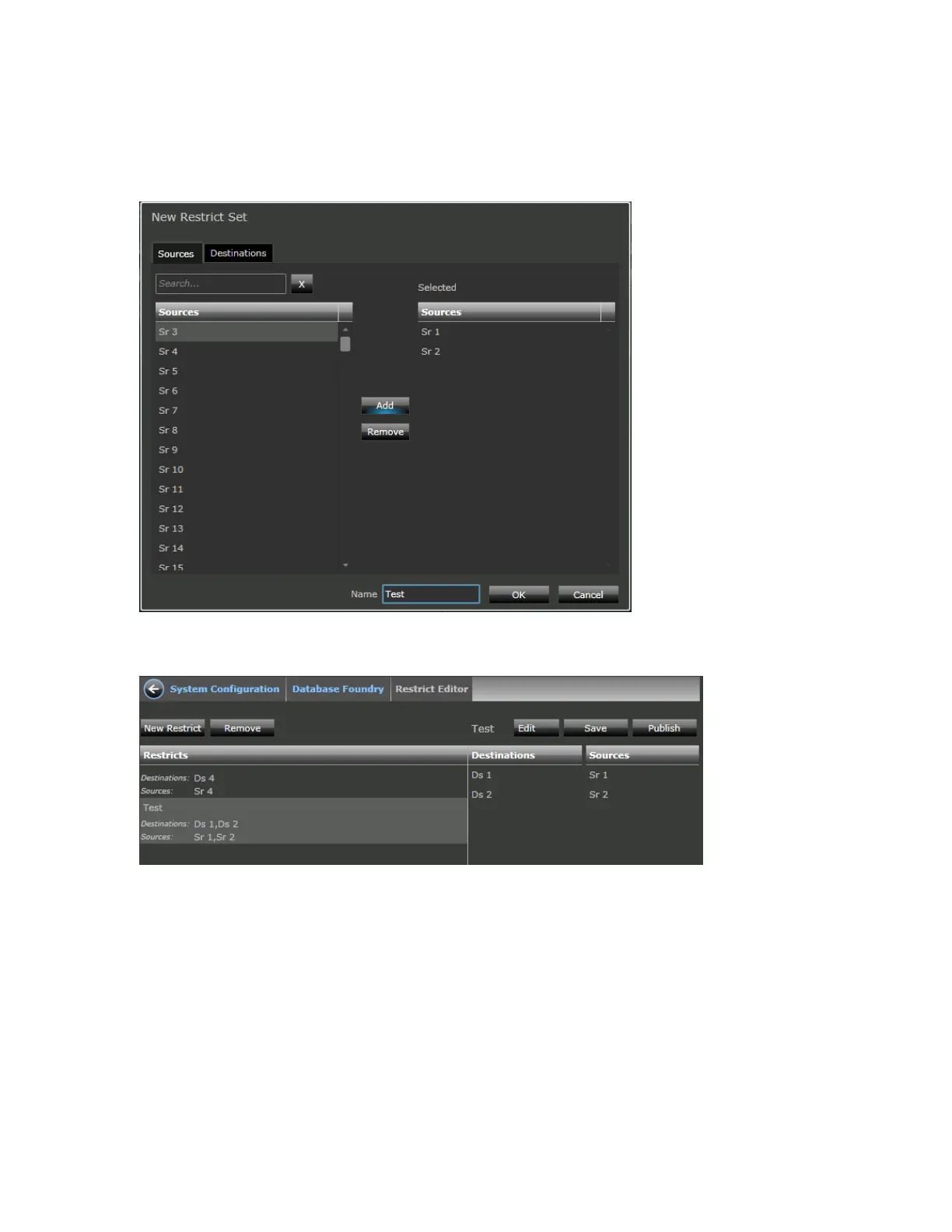
3. In the Sources tab, define the list of logical sources that you want to restrict from being routed to
each destination defined in the previous step by selecting from the available logical sources (in the
database) and clicking Add.
4. Optionally, name the restrict set (at the bottom of the screen) and click OK.
Once the dialog closes the new restrict set will appear in the list of restrict sets.
5. Click the Save button to save changes, and then click Publish.



 To Next Page