Platinum™ VX
Installation and Operation Manual Platinum VX Modules
© 2016 Imagine Communications Corp. Proprietary and Confidential. Version 1.2 | Page 36
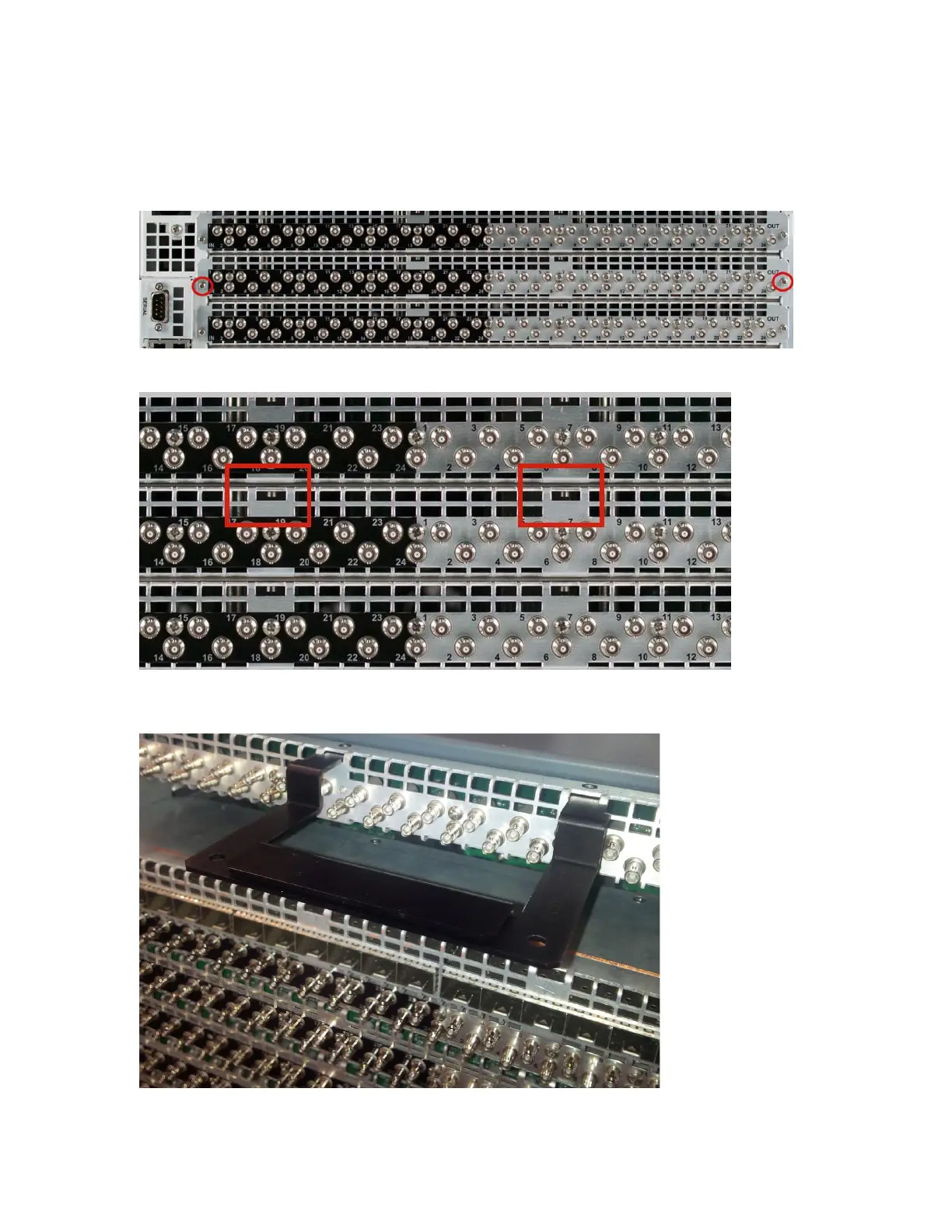
To use the extractor to remove a back module:
1. Loosen the screws on both sides of the module to be removed.
2. Note the two guide holes at the top (center) of the module that the extractor needs to go into.
3. Place the back module extractor into the guide holes and then hold and firmly pull the extractor
handle to remove the module from the frame.



 To Next Page