Platinum™ VX
Installation and Operation Manual Clean and Quiet Switching
© 2016 Imagine Communications Corp. Proprietary and Confidential. Version 1.2 | Page 67
The Preview Output acts as the preview of the source which will be switched to the program
output. There may be disruptions in the stream. Any video or audio processing such as frame delay,
audio gain, etc. applied to the program output will also apply to the preview output.
When the Resource Module (PVX-RES) receives a command to route a source to the program
output, it routes the source to the preview output first and then starts the transition of the source
to the program output.
When the Program Output destination button is selected, sources change immediately on the preview
bus as they are selected on the panel. Once the desired source has been located, pressing "take" on the
control panel initiates the predetermined transition from the source selected as the current output on
the program bus to the newly selected source. The state of the preview output is selectable in the setup
menus (CQS 1/2 Transition Mode Setup parameter) to continue to display the last selected source (set
to Copy) or it can be programmed to change to indicate the source that was formerly on the program
output before the transition (set to Swap).
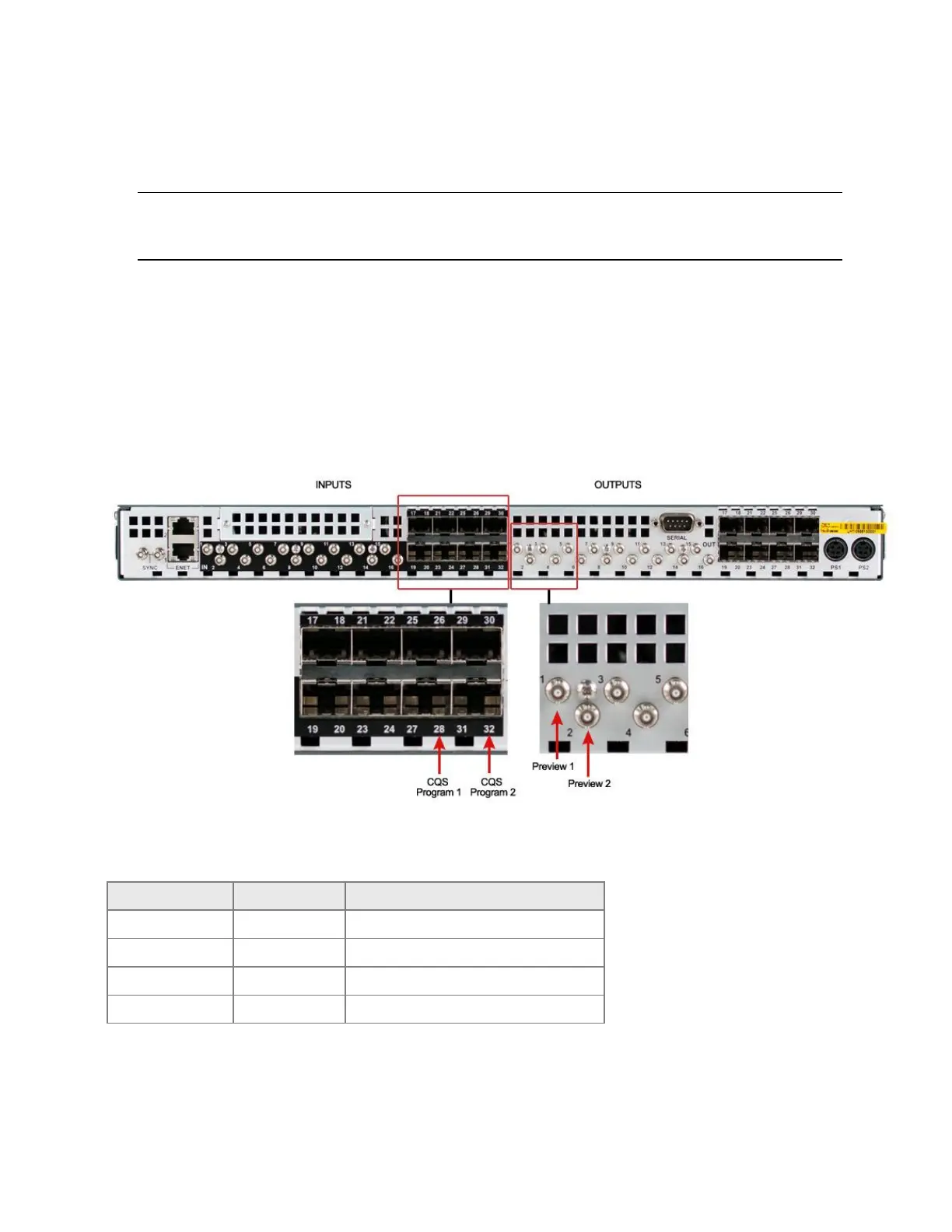
The clean/quiet switch on the Platinum VX CQS frame can be achieved on two program outputs
(Program 1 on SFP output 28 and Program 2 on SFP output 32).
Figure 52: Program and Preview outputs on the Platinum VX CQS
Internally, the 1 RU Platinum VX CQS module has the following default Output to Program assignments.



 To Next Page