This document contains proprietary and confidential information of Integra LifeSciences Corporation. Integra’s confidential information may not be used, disclosed or reproduced without the prior wrien consent of Integra LifeSciences Corporation.
CUSA® Clarity System Service and Maintenance Manual Page 31 of 117 0645403-2-EN
Chapter 5 - System Setup in the Non-Sterile Environment
5.1 Overview
This section describes the steps for seing up the CUSA® Clarity System in the non-sterile environment.
5.2 Assembling the Handpiece
Assemble the handpiece in a non-sterile environment - see System Setup in the Sterile Field (Section 4.2).
5.3 Powering Up the System
Press the System Power On/Off buon on the console (Classification and Console Symbols). The console sounds a startup tone.
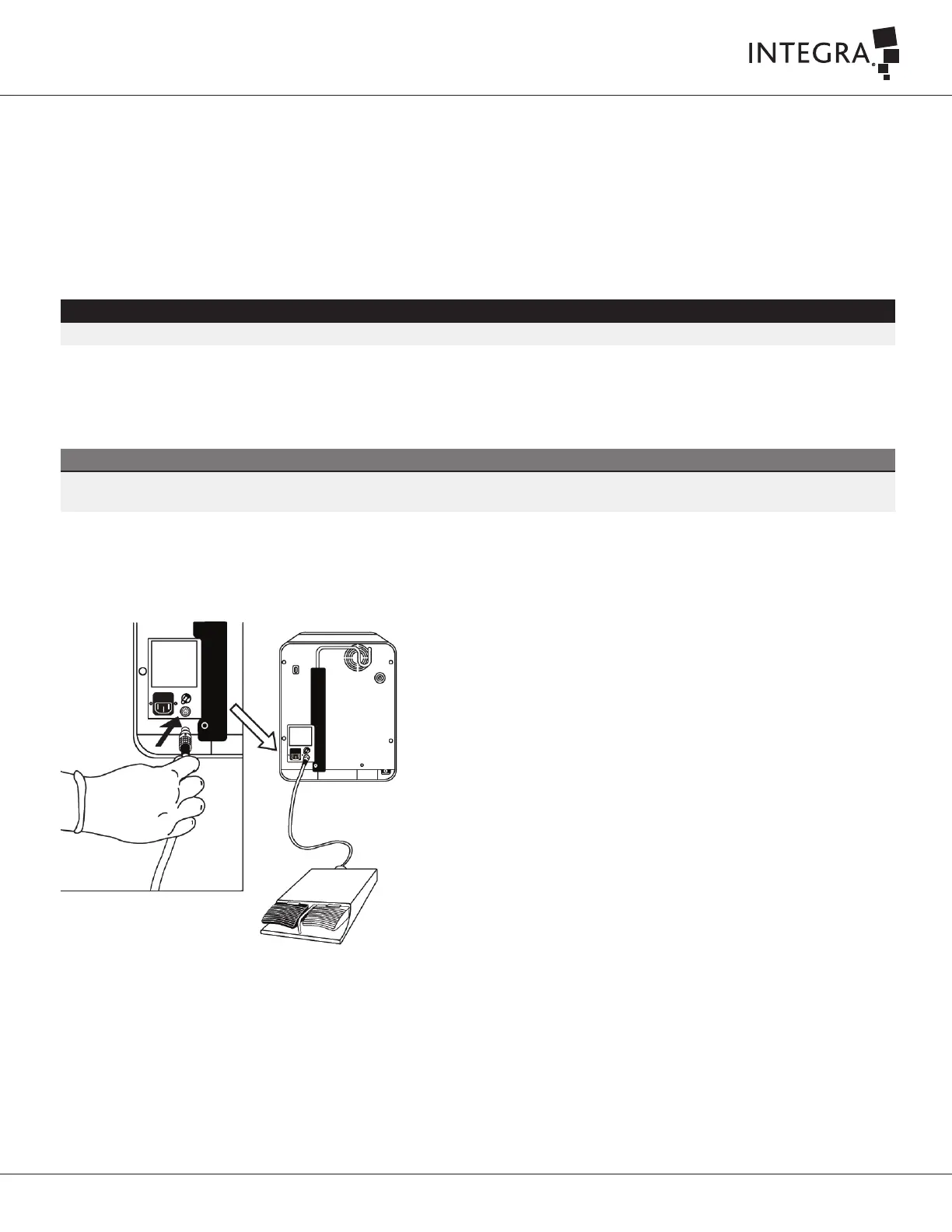
5.4 Aaching the Footswitch
Align the red dot on the footswitch cable connector with the red dot on the footswitch port on the rear of the console and plug in the footswitch cable.
WARNING
To ensure sterility, assemble handpiece and tip in a sterile environment.
Note
The purpose of the startup tone verifies that the audio alarms are functioning correctly. If this tone does not sound during the startup process,
contact Integra for service.



 To Next Page