EasyManua.ls Logo

Integra CUSA Clarity System - General Troubleshooting

Integra CUSA Clarity System
117 pages
Print Icon
To Next Page IconTo Next Page
To Previous Page IconTo Previous Page
Loading...
This document contains proprietary and confidential information of Integra LifeSciences Corporation. Integra’s confidential information may not be used, disclosed or reproduced without the prior wrien consent of Integra LifeSciences Corporation.
CUSA® Clarity System Service and Maintenance Manual Page 65 of 117 0645403-2-EN
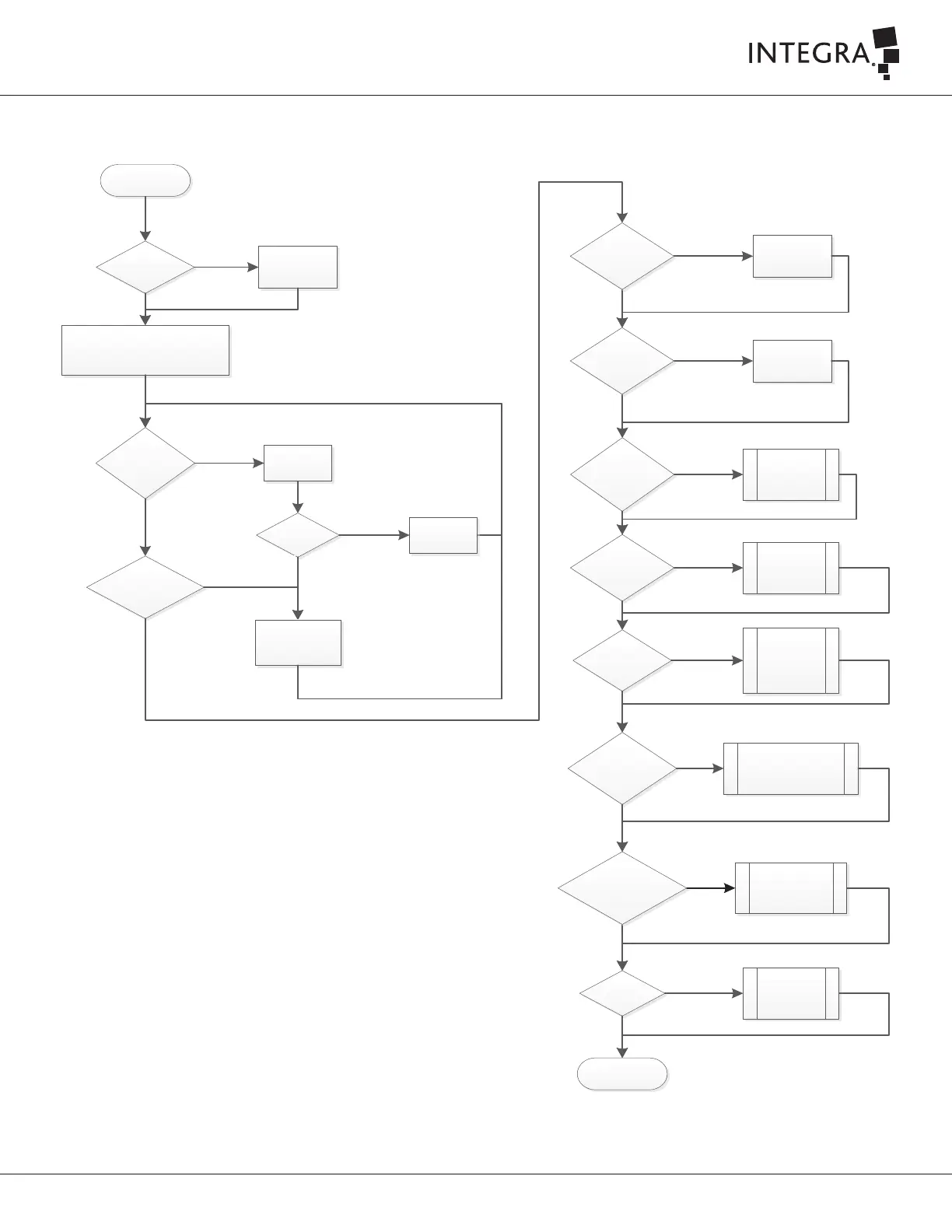
8.5 General Troubleshooting
Troubleshooting
Is a critical part
damaged?
Setup the console with main power
cord, known working handpiece, tubing
set and footswitch.
Turn on the console.
No
Call Integra for
assistance.
Yes
Does the unit power
up? (Fan turning)
Does the GUI
provide a failure
code?
Yes
Check Mains
fuses
No
Does power
button illuminate
when pressed?
Yes
No
Fuses
damaged?
No
Call Integra for
assistance.
Yes
Low Aspiration at
the hanpiece tip?
No
Yes
Yes
No
Explore Error
codes matrix
root causes &
solutions
Explore Low
Aspiration at
the hanpiece
tip root causes
& solutions
Explore Excessive
misting at the
handpiece tip
causes & solutions
Yes
No or low
Ultrasonics?
Explore
Ultasonics root
causes &
solutions
No
Yes
End
No
Yes
No
Does the touch
panel respond?
Yes
No
Does the
screen light up
Replace Mains
fuses
No irrigation
flow from the
handpiece
Flue?
No
Excessive misting
at the handpiece tip?
Explore No irrigation
flow from the handpiece
Flue root causes &
solutions
Yes
Call Integra for
assistance.
Call Integra for
assistance.
Does the GUI
report a message in
the Status Bar?
Explore Status
Bar root causes
& solutions
Yes
No
Figure 8-1

Table of Contents

Related product manuals