This document contains proprietary and confidential information of Integra LifeSciences Corporation. Integra’s confidential information may not be used, disclosed or reproduced without the prior wrien consent of Integra LifeSciences Corporation.
CUSA® Clarity System Service and Maintenance Manual Page 59 of 117 0645403-2-EN
(b) IT-System (Alternative Method AC)
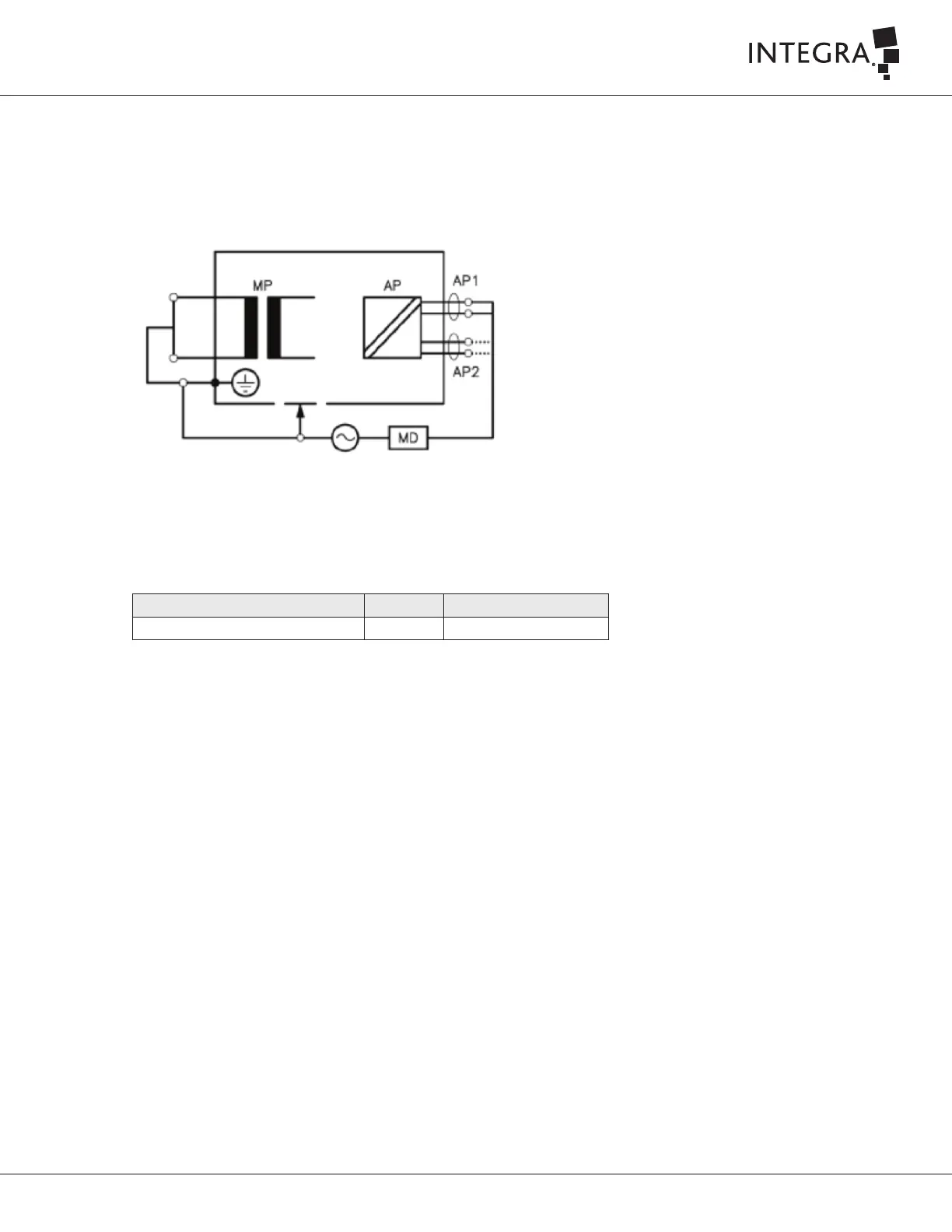
1. Connect the Safety Analyzer to the main power source for an IT-System.
2. Connect the console to the main socket of the Safety Analyzer.
3. Aached the crocodile clip from the Safety Analyzer lead (Applied Part module port 1) to the proximal end of the tip (without the flue). As
shown in Figure 7-5.
Figure 7-5
Test Description Unit Acceptance Criteria
Applied Part Leakage Current µA ≤ 50 µA
Table 7-8 Equipment Leakage Current Acceptance Criteria (Alternative Method AC)
4. Connect a handpiece.
5. Select Applied Part Leakage Current measurement on the safety Analyzer.
6. The console stays off.
7. Obtain the Applied Part Leakage Current measurement, and normalize the value according to Section 7.8.3 Normalization Instructions.
8. Record values in the Electrical Safety Test Datasheet (IT0738A in Appendix A)
7.8.5 Electrical Safety Test Record Assessment
Take previously measured values into consideration when assessing the results of this electrical safety test. A significant increase from previous values
may indicate a future problem. The equipment is safe if the value is below the limit despite a significant increase. An increased value is not a leading
indicator of pending failure; however, it is advisable to conduct the next test at a six-month interval rather than waiting one year.
If the system fails the electrical safety test, mark the console as failed, document the results, and arrange to repair the device by an authorized service
technician.
7.9 Functional Tests
7.9.1 Test Conditions
Refer to Integra Global Service and Repair Procedure IT0739 for instructions to complete the tests. This Integra Global Service and Repair Procedure
IT0739 and Test Datasheet are located in Appendix A



 To Next Page