Version V1.0
10
---End
After the configuration, you can select the SSID on your wireless devices such as smartphones
and enter your wireless network password to connect to the wireless network of the AP and
access the internet through the AP.
If you do not know the SSID and key of the AP, you can check the SSID and key of the AP on the Wireless >
SSID page.
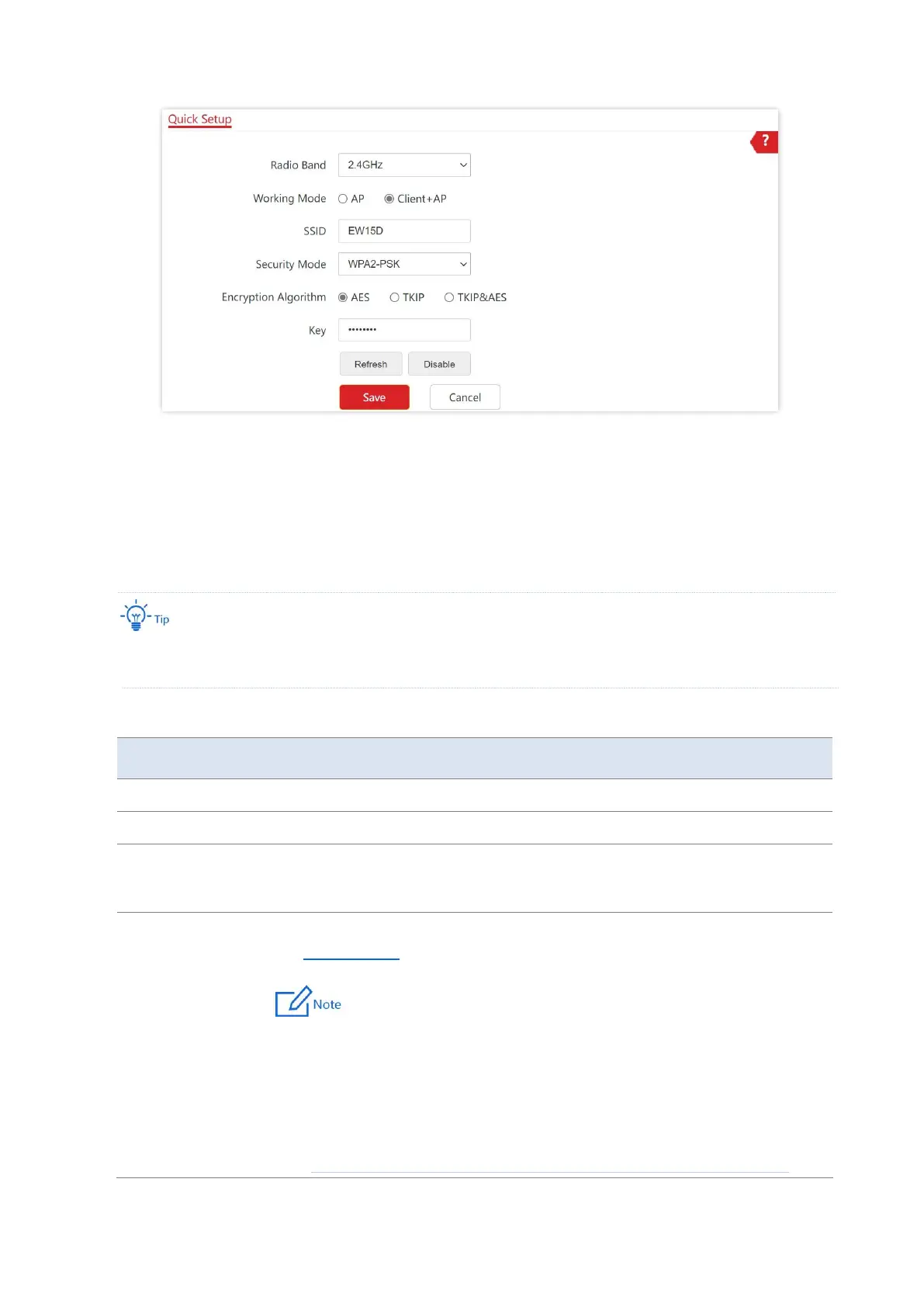
Parameter description
It specifies the radio band for configurations.
Choose the Client+AP mode to bridge the upstream WiFi network.
It specifies the WiFi network name (SSID) of the WiFi network to be bridged. After
you select the upstream WiFi network from the scanned wireless network list, this
parameter will be populated automatically.
It specifies the security mode of which the upstream WiFi network adopted.
See Security Mode for details.
− If the wireless network to be bridged adopts the WEP security
mode, Authentication Type, Default Key, and Key x (x ranges from
1 to 4) need to be entered manually.
− If the wireless network to be bridged adopts the WPA-PSK,
WPA2-PSK or Mixed WPA/WPA2-PSK security mode, Encryption
Algorithm will be populated automatically and you only need to
enter the Key.



 To Next Page