iPECS UCM
Installation Manual Issue 1.1
61
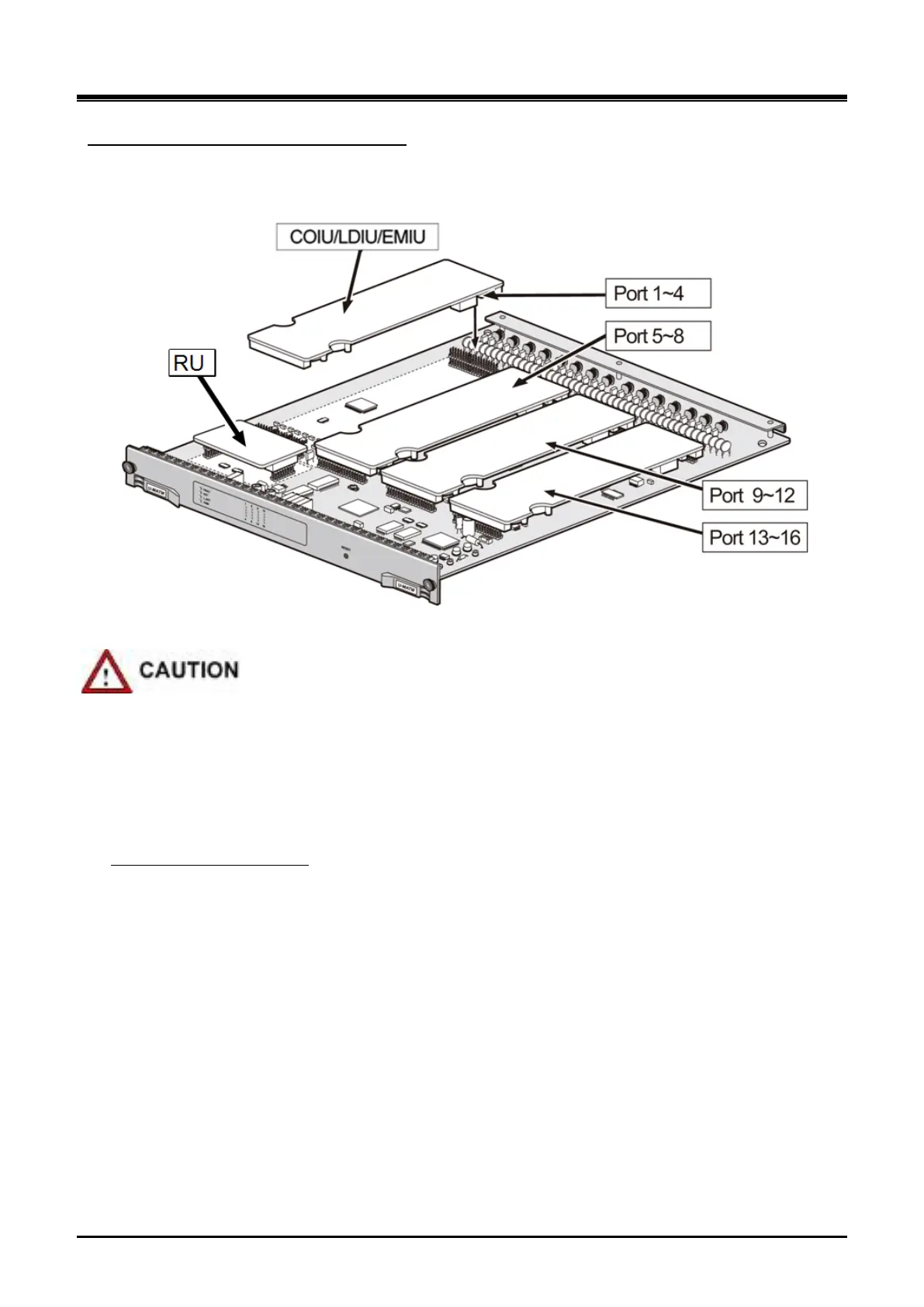
Each module must be installed at the specified location on the MATM and each option module must be
matched with each S/W data
COIU/LDIU/EMIU option Module installation
Figure 3-31 MATM Option Module Installation
To avoid damage to Gateway Module from electricity and static discharge, install or remove an option
Module without power supplied to the MA TM and under an antistatic environment.
Be careful not to be pricked or scratched by pins of the option Module when you insert or remove an
option Module.
Check the option Module is properly inserted (Pay attention not to make the Gateway Module
overturned or the connector thrust aside.)
Hold the two round groove parts located on the left of the Gateway Module in your left hand and slowly
take out the Gateway Module while twisting it little by little, by holding the PCB edge on the right of the
Gateway Module.
To remove an option Module



 To Next Page