iPECS UCM
Installation Manual Issue 1.1
69
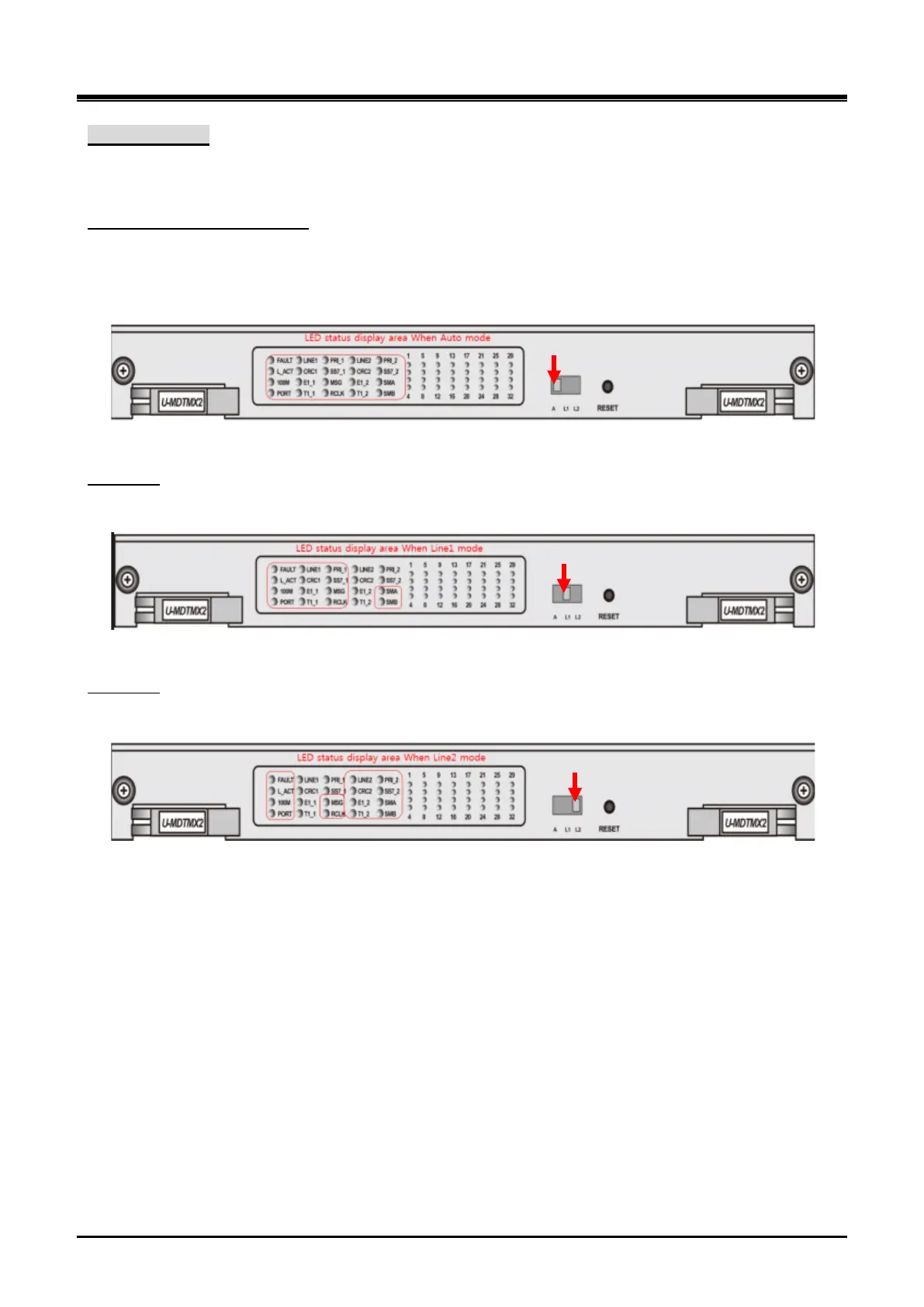
MDTMX2 have a lot of LED, because of supporting 2 LINK and many channels. Using the SLIDE switch, you
can recognize the LINK STATUS separately.
SLIDE SWITCH
The status information of Line1 and Line2 is always displayed, and the channel occupancy information of each
Line is alternately displayed every 4 seconds. Here Line status can be seen by the Port LED. (On : Line1, Off :
Line2)
Auto mode [Default mode] set
SLIDE switch A: Auto mode [Default mode] set
Displays status information and only if it occupied Channel
Line 1 se t
SLIDE switch L1: Line 1 set
Displays status information and only if it occupied Channel
Line 2 set
SLIDE switch L2: Line 2 set



 To Next Page