iPECS UCM
Installation Manual Issue 1.1
79
8. LANU IP display
9. LANU F/W version display
10. Server IP display
11. LANU alarm status display: Critical, Major, Minor Diagnostic status
12. Power/FAN Alarm display
- Power/FAN Alarm is displayed in the event of power/fan fault.
- The initial screen is displayed when the alarm is cleared.
- PWR: PSUD Alarm
- FAN: FAN Alarm
- 1, 2: PSUD, FAN indication
- Blinking in the event of an alarm
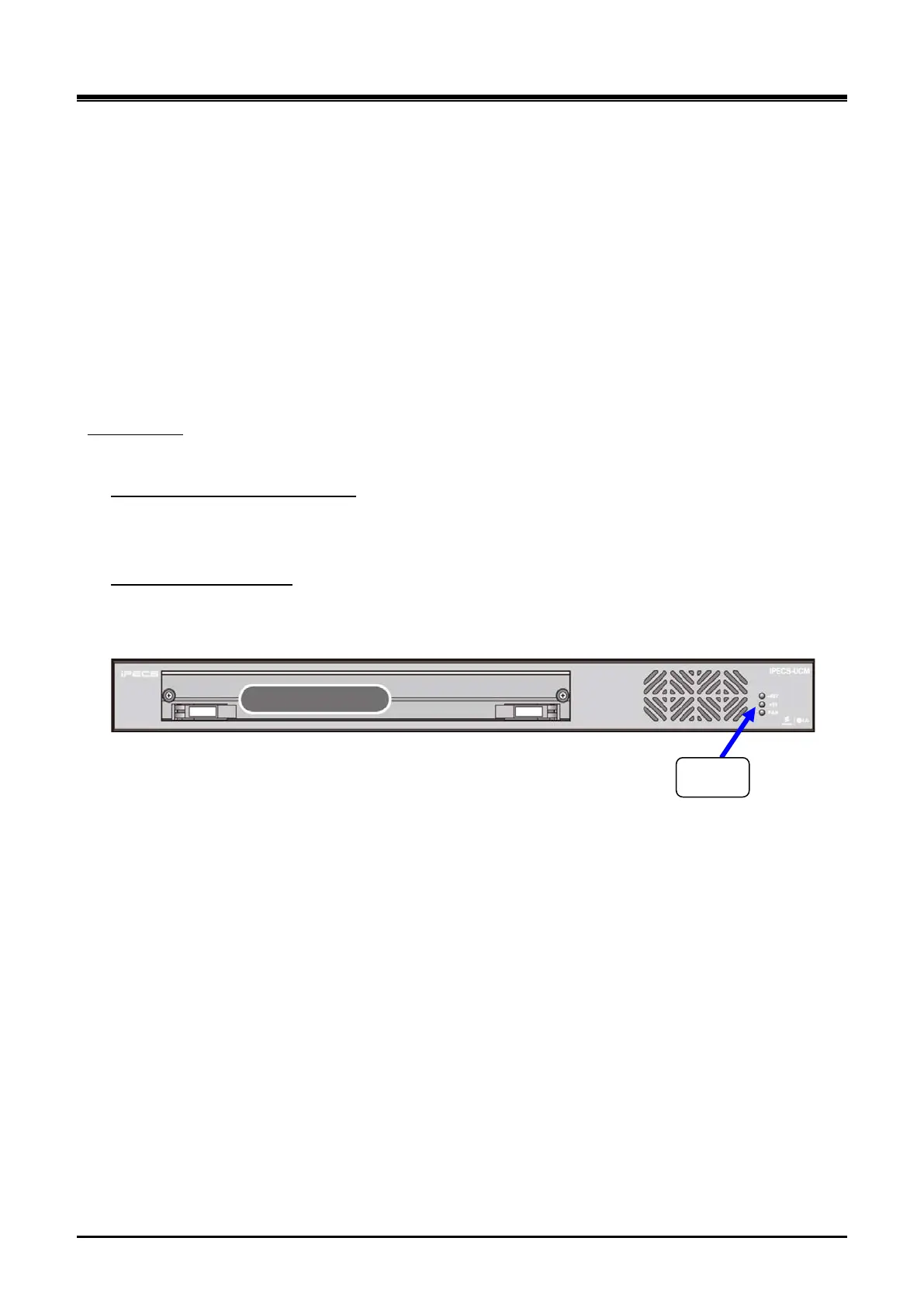
Turn on the UCM-1URMC power switch and check from the front LED whether power is normally supplied.
UCM-1URMC
1) Turn on the AC input switch (AC SW) on the rear panel of the UCM-1URMC
Check the UCM-1URMC power on
2) Check the -48V LED and +5V LED are lighted on the front panel.
1) Turn on the AC input switch (AC SW) on the rear panel of the UCM-1URMC
Check the FAN operation
12) Check the fan runs and check the FAN LED turn on.



 To Next Page