iPECS UCM
Installation Manual Issue 1.1
78
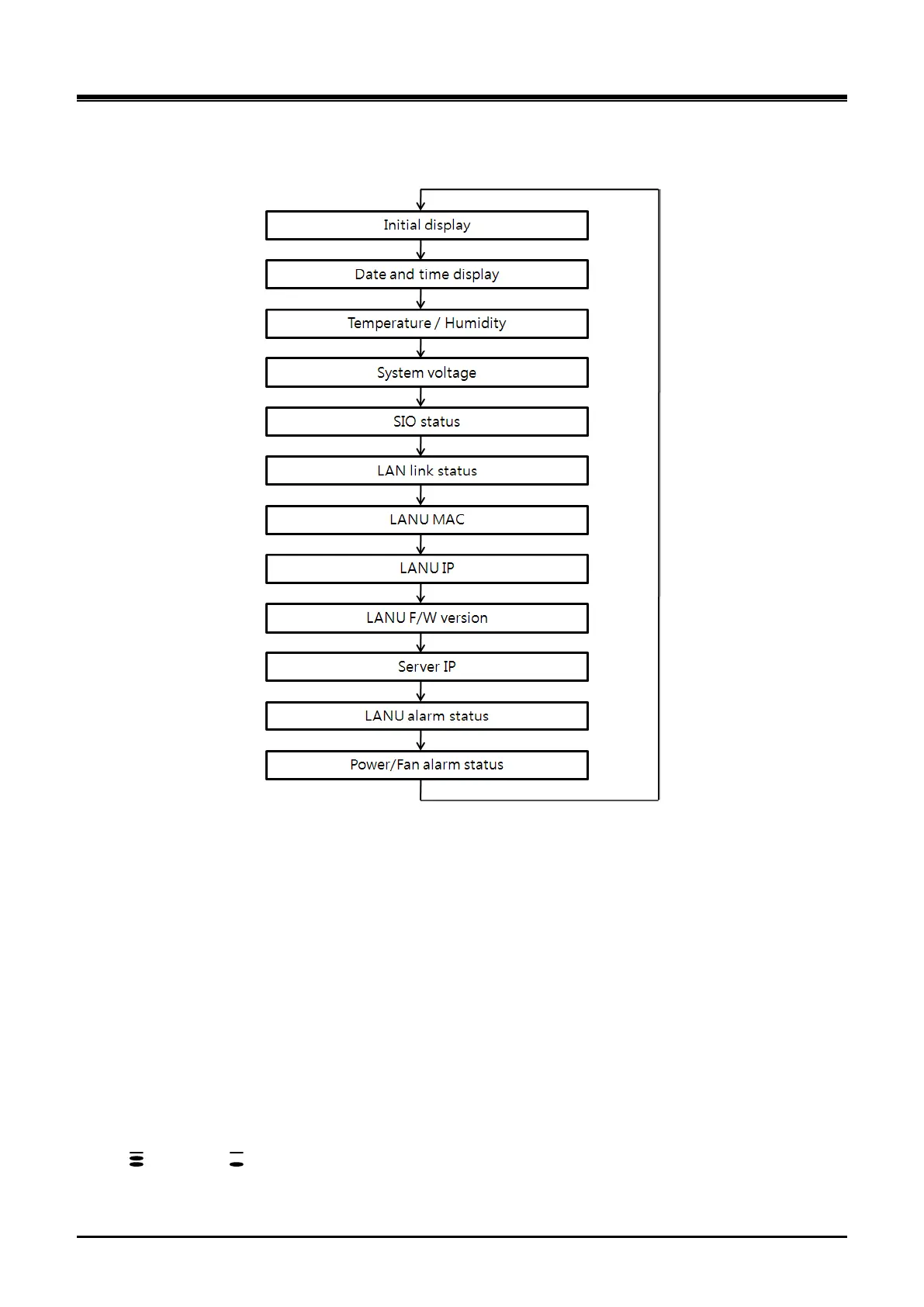
Check the status of the LCDU of UCM-MGC3 in accordance with the work order. If you want to go next step,
press the MENU button
Figure 3-44 UCM-LCDU Display Output Flow
Initial display
- Before Call Server access: iPECS-UCM Connecting
- After Call Server access (blinking 3~4 times): iPECS-UCM Connected
Date and time display: Displays current date and time
Temperature/humidity display (Temperature in ℃ (Celsius), relative humidity)
System voltage display
SIO status display
- Displays the Gateway Module monitored through SIO1 and SIO2 on the rear panel.
- Default: SIO1:GW1, SIO2: LANU
- 1~B: Slot1~Slot11 (Slot10: A, Slot11: B), L: LANU
6. LAN Link (Ethernet Link) status display
- Displays link status of each Gateway Module and LAN1 and LAN2 on the rear panel
- LAN1, LANU – 10/100/1000Mbps
-
:100Mbps, :10Mbps, G:1000Mbps (Gigabit Link)
7. LANU MAC display



 To Next Page