IPETRONIK PlugIn X V02.14.00
The PlugIn IPETRONIK-X also supports a data acquisition from the CAN modules by the CAN
interface only. This means it can be used as an alternative to the PlugIn IPETRONIK-CAN.
If you do so, please take care that the respective firmware (≥ V04.00) is loaded on the modules.
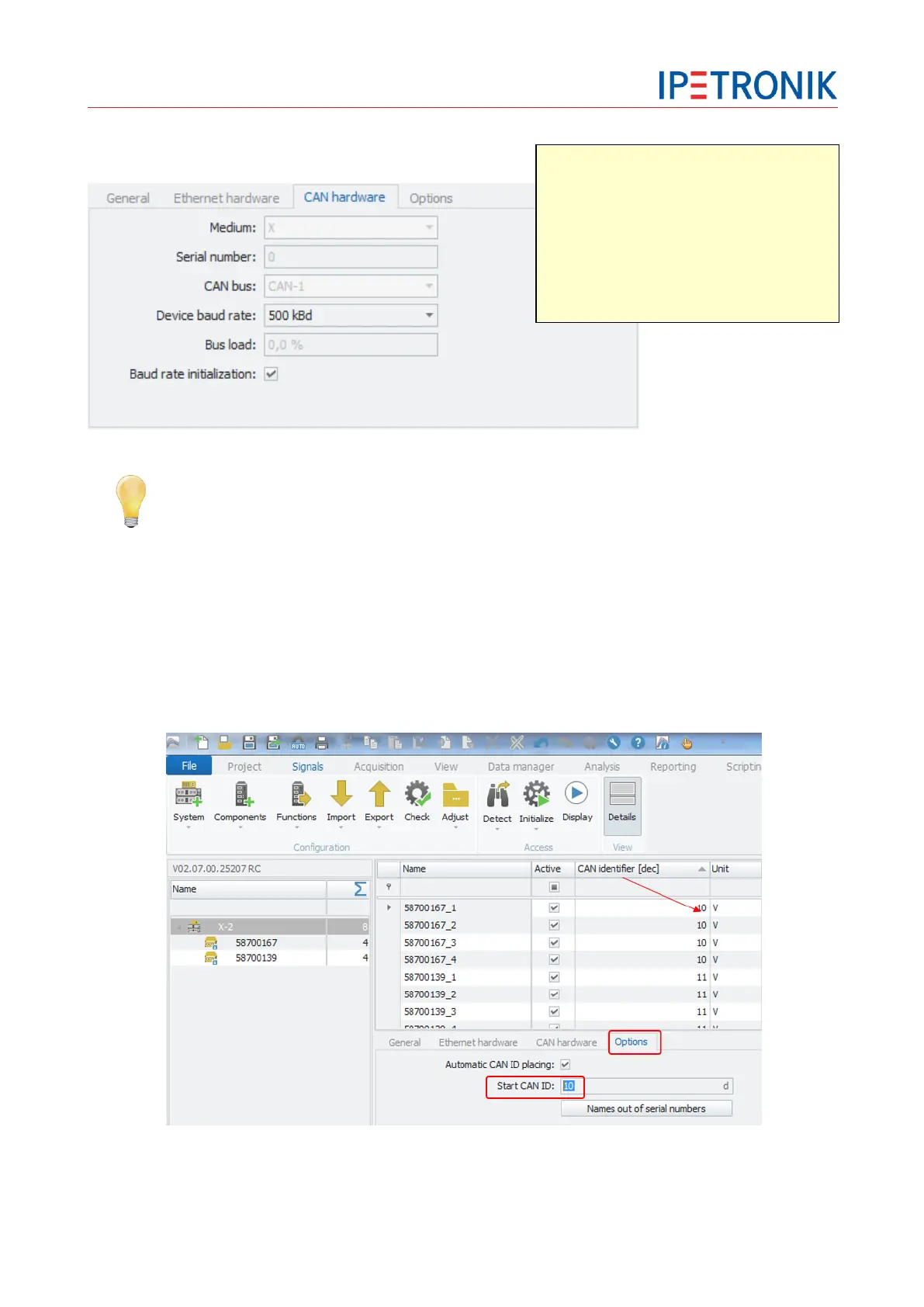
Options – Define start CAN ID
On interface level the start CAN ID can be defined. You can use the column chooser to add the column CAN
ID the channel grid to get an overview of the defined CAN IDs. By default the first module will get CAN ID A.
In the example below the start CAN ID was set to 100. You can witch the CAN ID format from Hex. To
decimal or binary format.
Data communication between modules
and PC:
Medium: X
via X-LINK system and LAN interface
Medium: CAN
via CAN interface


 To Next Page