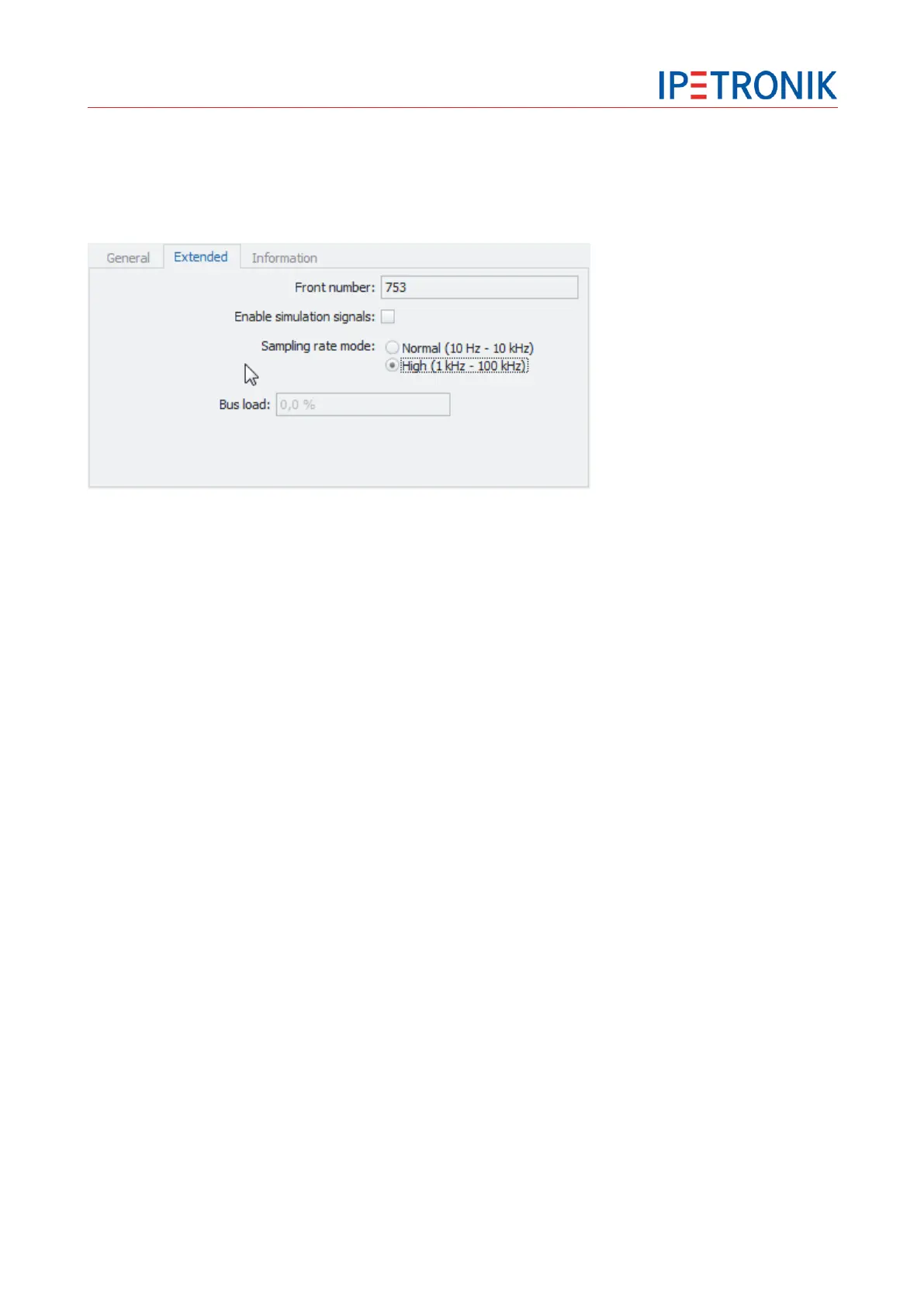
5.3.2 Extended module settings
Switch to the main tab Signals.
Select the respective module at the left-hand system structure.
Enter the Extended tab from the configuration area at the right-hand down area.
Front number
The front number defines the last 5 digits of the device number.
Enable simulation signals
This simulation tests the connected measurement chain including all devices. During simulation, a ramp of
all signals is generated and an acquisition with all available sampling rates is run. Please note that this
simulated test of the complete hardware does not include the AD converter.
Sampling rate mode (Sx-STG, Mx-STG2, Mx-SENS2 4)
Normal
Sampling rates 1 Hz to 10 kHz supported
up to 4 different sampling rates per module
A2L-Export of the current settings supported to output measurement data to
external software (CANape, INCA)
High
Sampling rates 1 kHz to 40 kHz (100 kHz with Mx-SENS2 4, Mx-STG2) supported (IPEmotion)
a single sampling rate valid for all channels of the module


 To Next Page