SECTION 3 - MACHINE CONTROLS, INDICATORS, AND MACHINE OPERATION
31217162 3-23
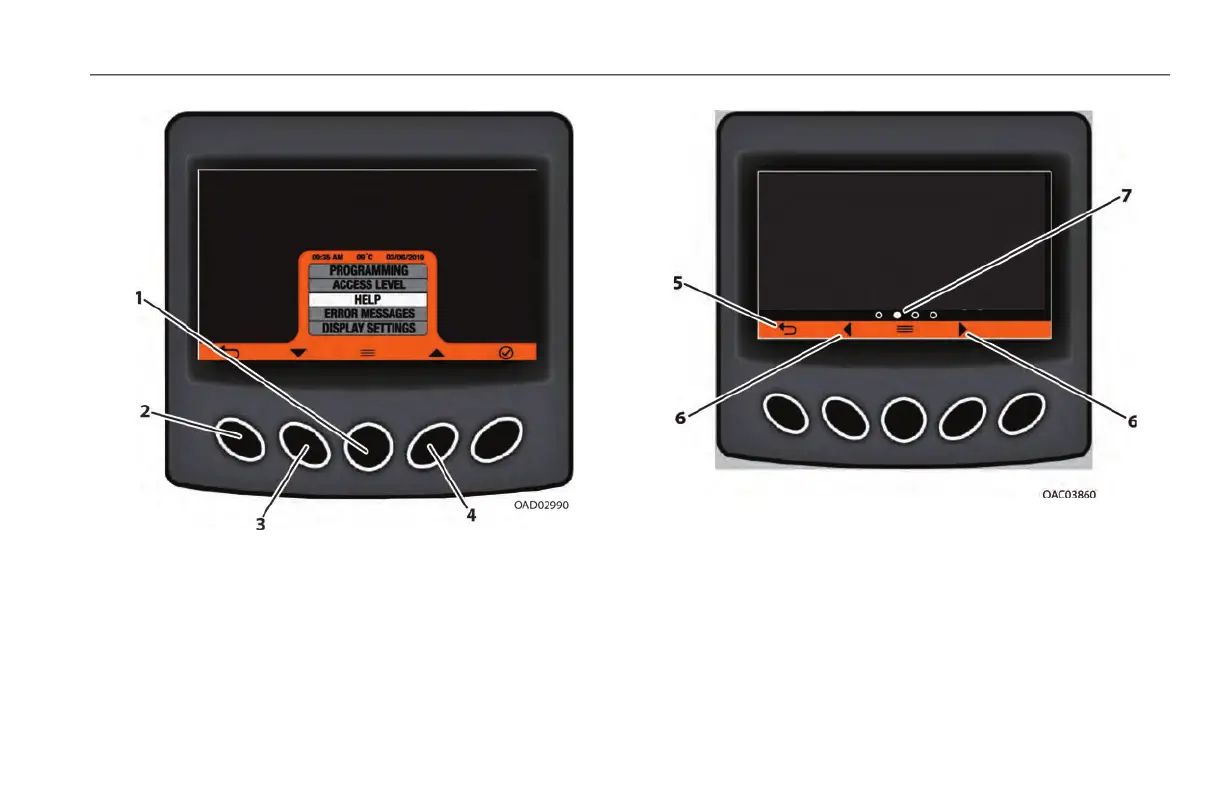
2. To view the submenus, press the Menu Select button (1).
3. Use the Left and Right Navigation buttons (3) to move
through the menu items. When the desired option is high-
lighted (4), press the Menu Select button (1).
4. To return to the Home Screen, press the Left Navigation but-
ton (2).
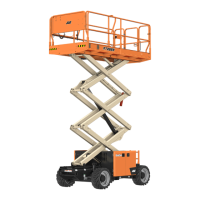
5. Use the Scroll Page Left and Scroll Page Right buttons (6) to
cycle through the different pages of the menu selection.
6. The page icon (7) will inform what page is currently being
viewed.
7. To return to the Home Screen, press the Left Navigation but-
ton (5).



 To Next Page