SECTION 3 - MACHINE CONTROLS, INDICATORS, AND MACHINE OPERATION
31217162 3-35
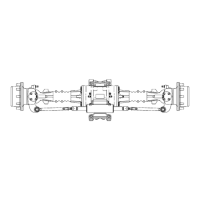
Manual Level Adjustment (Trim)
NOTE: There is an override feature on the QuikLevel Advanced system
that allows the operator to adjust (trim) the level of the machine
to the left or right when the platform is completely lowered. Use
the following instructions to adjust the level of the machine.
1. With the machine in the stowed position, turn the power on,
start machine.
2. Press the dual oscillating axle button on the front of the plat-
form control box.
3. To adjust (trim) the machine to the right, activate the steer
switch on the top of the joystick to the right until the desired
position is reached.
4. To adjust (trim) the machine to the left, activate the steer
switch on the top of the joystick to the left until the desired
position is reached.
NOTE: Anytime the trim function is used there is a possibility that the
machine may become out-of-level. At this time the machine will
no longer lift but the machine can be lowered.
NOTE: The machine must be in the stowed position before the trim
function is operable.
3.15 PARKING AND STOWING
Park and stow the machine as follows:
1. Drive the machine to a reasonably well-protected and well-
ventilated area.
2. Ensure the platform is fully lowered.
3. Position the emergency stop switch to the off position.
4. If necessary, cover the instruction placards, caution and
warning decals so that they will be protected from hostile
environment.
5. Chock at least two wheels when parking the machine for an
extended period of time.
6. Turn the power selector switch to off and remove the key to
disable the machine from unauthorized use.



 To Next Page