70
70
Maintenance
Maintenance > Visual Inspections
8.3.2 Visual Inspections
Thefollowingcomponentshavetobevisuallyinspected:
- Water connections
- Electrical connections
The components to be inspected are located under the left and
right side panels.
The side panels for the respective casing have to be removed to
perform visual inspections.
Performthefollowingonbothsidepanels:
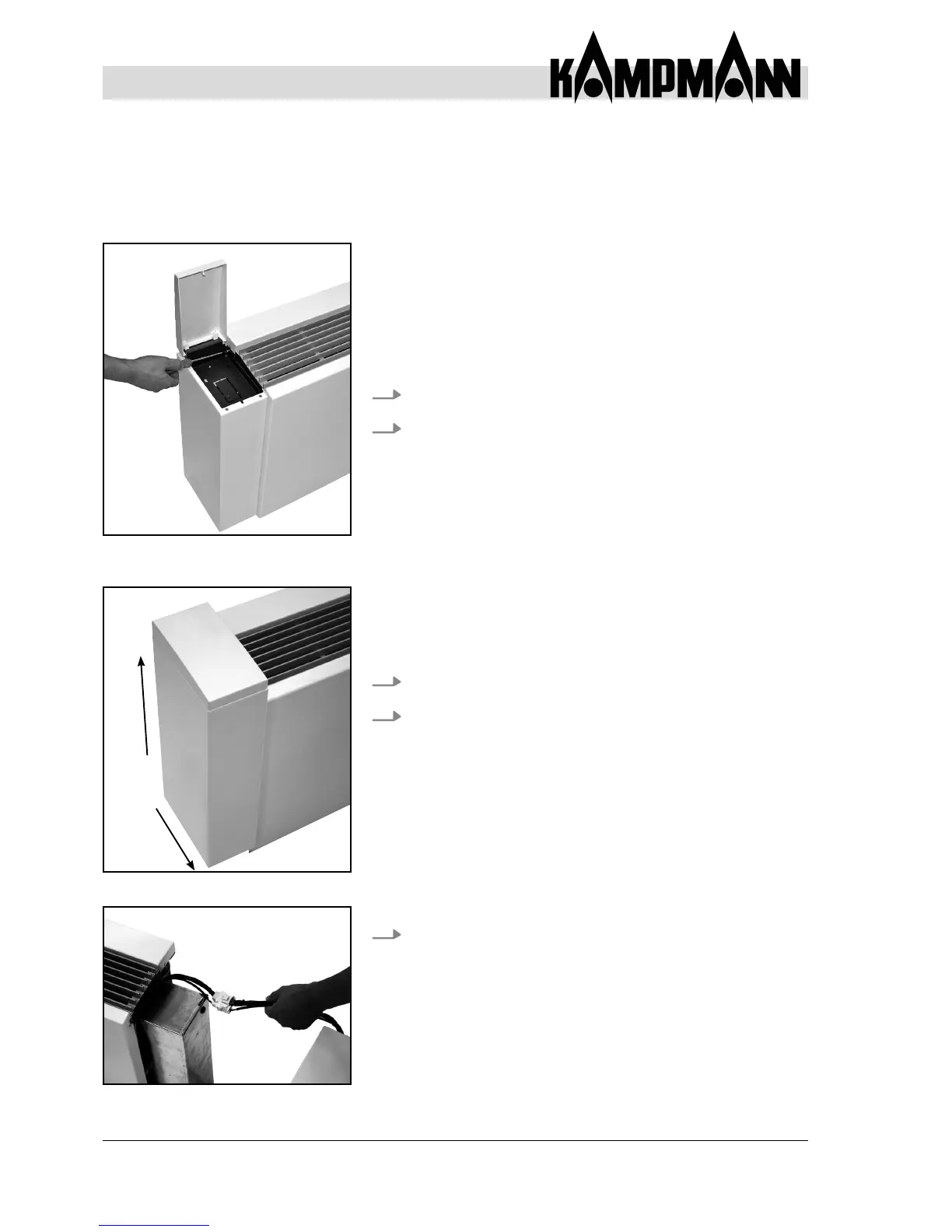
1. Open the control opening on the side panel
2. Use a screwdriver to loosen tapping screw.
3. Carefully lift side panel by approx. 2 cm.
4. Move side panel away from the unit towards the room.
5. If a control (optional accessory) is integrated in the
casing, manually disconnect the cable links from the
reverse polarity protected plug.
1.
2.
Fig. 55: Loosen tapping crew in the
side panel
Fig. 56: Remove side panel
Fig. 57: Separate cable connectors


 To Next Page