3 Unit description
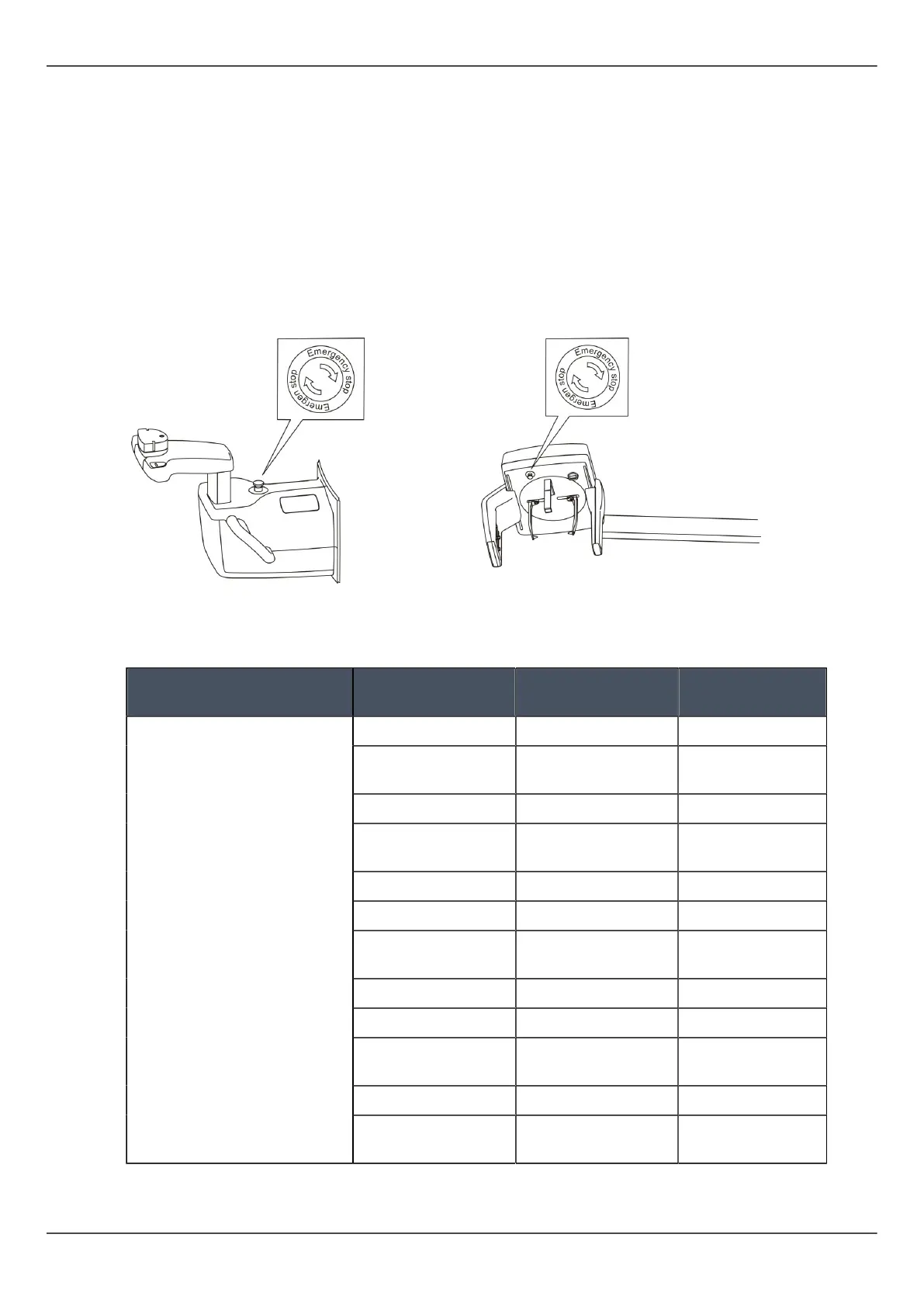
3.7 Emergency stop switch
In case of malfunction of the exposure button or other protective devices of the unit, an
emergency stop switches are located near the handles and on the cephalostat unit, so
that the patient can easily reach them.
If the emergency stop switch is pressed during an exposure, the exposure is terminated
immediately and the x-ray unit is completely stopped. An interrupted exposure cannot
be continued later, but has to be retaken from the beginning after the emergency stop
switch is released.
Press to stop the unit, rotate to release.
3.8 Patient contacting parts
Applied parts/parts in
contact with patient
Part type Type of contact Contact
duration
Chin support Skin <5 min
Disposable cover
for chin support
Skin <5 min
Bite block Mucosal membrane <5 min
Disposable cover
for bite block
Mucosal membrane <5 min
Handle Skin <5 min
Ear rod Skin <5 min
Disposable cover
for ear rod
Skin <5 min
Sinus/Chin rest Skin <5 min
Nose support Skin <5 min
Disposable cover
for Nose support
Skin <5 min
Temple support Skin <5 min
Disposable cover
for Temple support
Skin <5 min
20 ORTHOPANTOMOGRAPH
™
OP 3D Pro















 To Next Page