6 Using the unit
8. Ask the patient to remove any spectacles, hearing aids, removable dentures,
jewellery and hair clips and pins. Place a protective lead apron on the patient.
6.4.2 Patient positioning
6.4.2.1 Pediatric lateral and Lateral projection
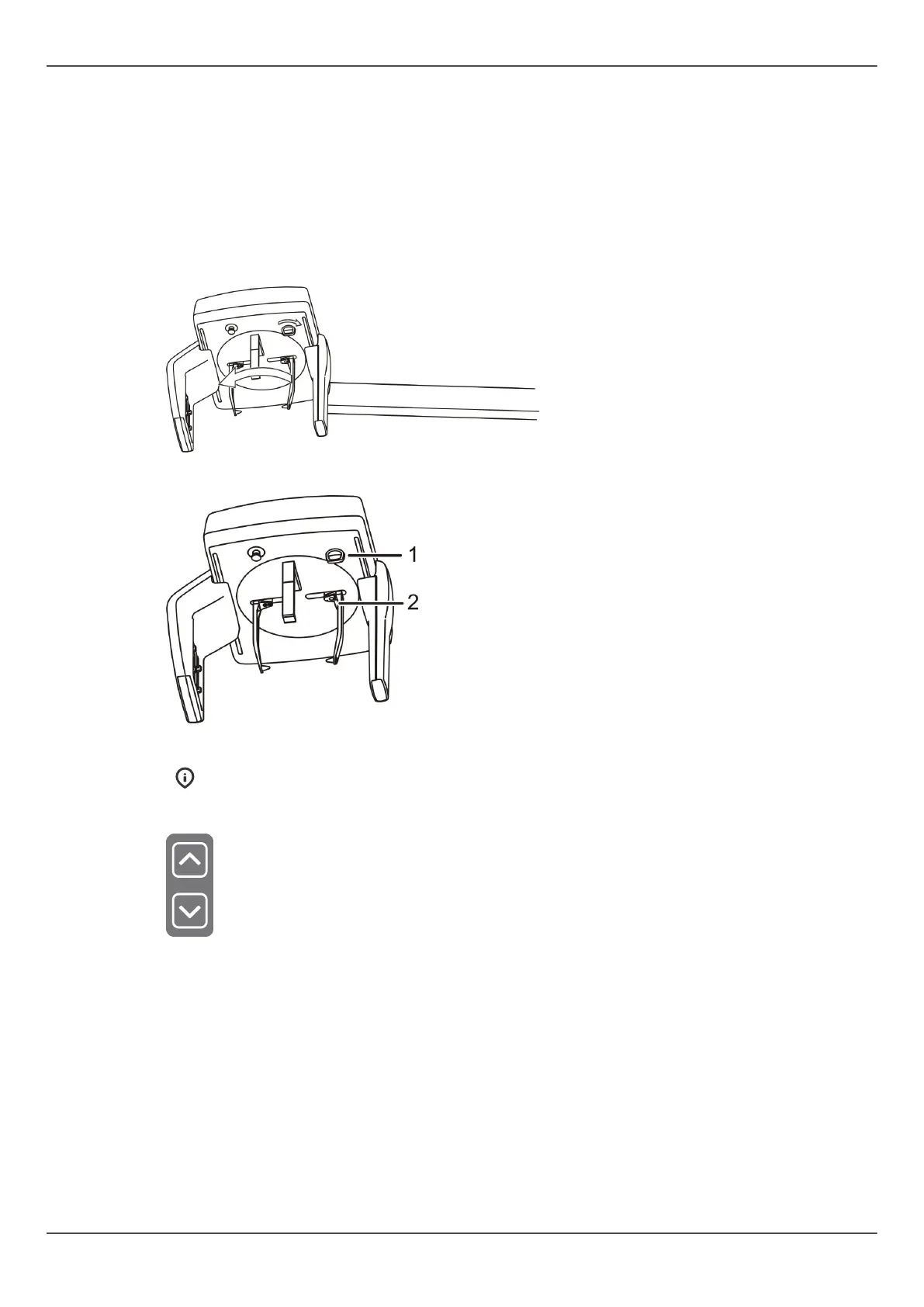
1. Unlock the lever and turn the ear rods to the lateral projection position. Lock the
position. Tilt the nasion support aside. Place the disposable covers.
Unlock first the lever, turn the ear rods and lock the lever again.
Locking lever (1), ear rod brake (2).
NOTICE! Use a new disposable cover for every patient.
2. Adjust the unit height.
3. Guide the patient to the unit. Instruct the patient to stand as straight and tall as
possible under the cephalostat head. Slide the ear rods towards to patient’s ears. Tall
patients can also sit on a chair.
ORTHOPANTOMOGRAPH
™
OP 3D Pro 59















 To Next Page