6 Using the unit
6.3.2 General instructions
1. PC: Click Image Capture
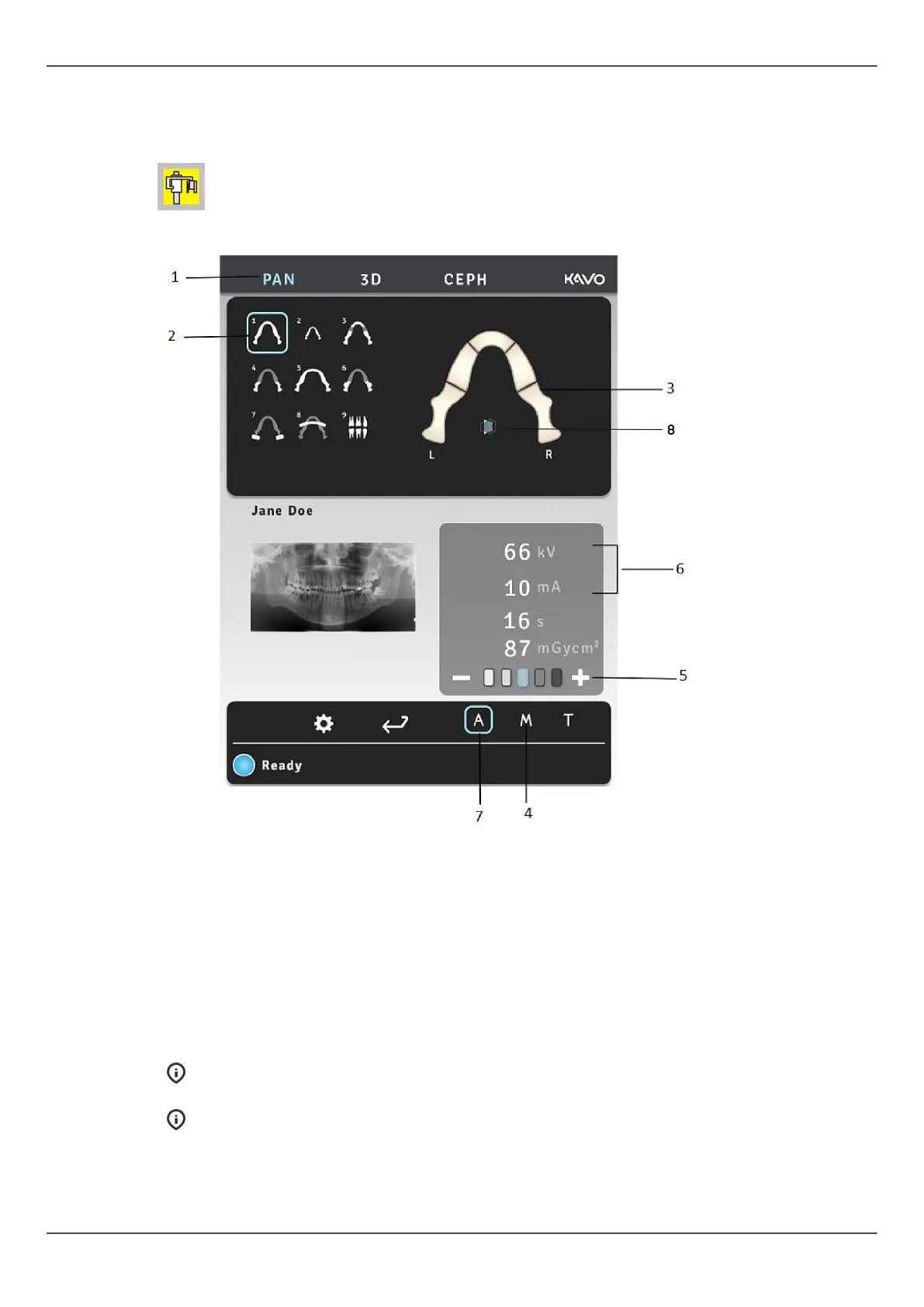
2. Select PAN tab (1).
3. Select the imaging program (2).
4. Any section of the tooth arch can be selected for the partial panoramic imaging to
reduce the radiation (3).
5. Select the Manual mode (4). Select the patient size (child, juvenile, adult, large
adult) (5) and adjust the kV and mA values (6) if needed, or select Automatic Dose
Control (7) for automatic setting of exposure values.
6. To activate the ORTHOfocus
™
, select the icon (8) on the screen.
NOTICE! The ORTHOfocus
™
can be selected for panoramic programs 1, 2, 4
and 5.
NOTICE! The ORTHOfocus
™
will stay activated until you unselect it.
48 ORTHOPANTOMOGRAPH
™
OP 3D Pro















 To Next Page