Page
15
3
Playing the Piano
2) Dual Mode
Another feature of the CA piano is the ability to layer two preset sounds together to create a more complex
sound. For example, piano layered with strings, electric piano with choir sound, and so on.
Settings made in the dual mode can be saved by using the registration function (page 25).
Step 1
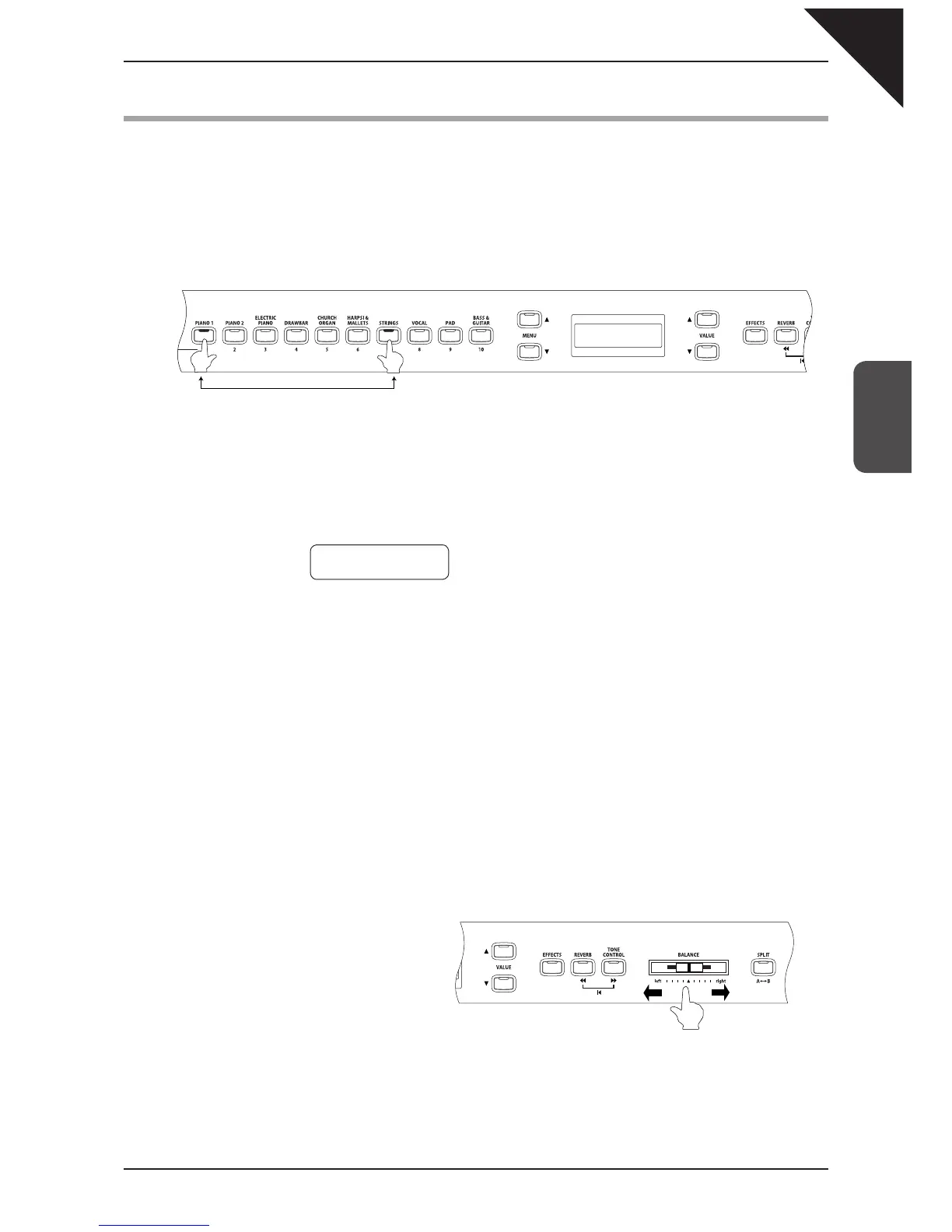
To layer two sounds, press the SOUND SELECT buttons for both sounds simultaneously.
The LED indicators for each button will be turned on to indicate the two sounds you have chosen. You will fi nd
the selected sound names are also shown in the LCD display. (the sound assigned to the button that is pressed
fi rst will be displayed in the top line).
For example, To layer a piano sound and a string sound, press the PIANO 1 and STRINGS buttons simultane-
ously as shown in the diagram.
Pressing either of the SOUND buttons again will select the other sounds assigned to that button. For example if
you want to change the String Ensemble sound to Slow Strings, while holding down the PIANO 1 button press
the STRINGS button again until Slow Strings is displayed in the LCD.
If you want to layer two sounds assigned to the same SOUND SELECT button, while pressing the desired
SOUND SELECT button use the VALUE buttons to select your desired layered sound.
For example, if you wish to layer Concert Grand and Mellow Grand, fi rst press the PIANO 1 button to select
Concert Grand, and then use the VALUE buttons to select Mellow Grand while still holding down the PIANO 1
button.
Step 2
Try playing the keyboard.
Two different sounds are played at the same time.
Step 3
Use the BALANCE slider to adjust the
volume balance between the two sounds.
Step 4
To exit dual mode, simply press any individual SOUND SELECT button and dual mode will be cancelled.
Press them at the same time
Increases the volume of the
sound assigned to the leftmost
selected SOUND button.
Increases the volume of
the sound assigned to the
rightmost selected SOUND
button.
Concert Grand
String Ensemble



 To Next Page