Page
26
3
Playing the Piano
Memorizing a registration
Step 1
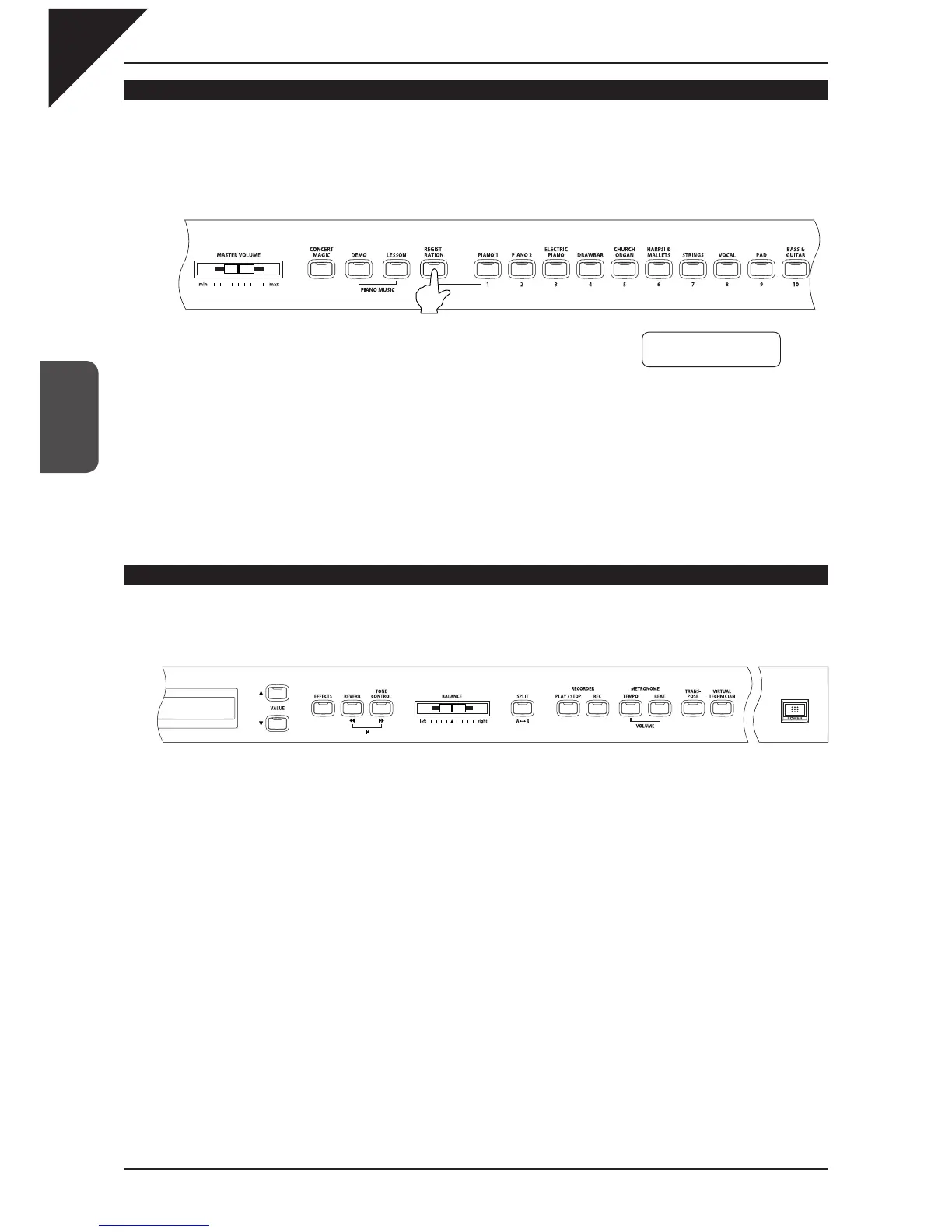
To memorize the current panel settings, press and hold the REGISTRATION button for a few seconds
until the REGISTRATION/SOUND SELECT buttons start fl ashing.
Step 2
Press any one of the REGISTRATION/SOUND SELECT buttons marked 1-10 to select a location for
your new registration.
A beep sound confi rms that your registration has been memorized to your selected location.
Resetting the registration settings
Step 1
Turn on the power while holding down the TRANSPOSE and VIRTUAL TECHNICIAN buttons.
The registrations will be reset to the factory default settings.
Hold them down at the same time.
⎧
⎪
⎪
⎪
⎪
⎪
⎪
⎪
⎪
⎪
⎨
⎪
⎪
⎪
⎪
⎪
⎪
⎪
⎪
⎪
⎪
⎩
Hold it down for a few seconds.
Buttons fl ash
Save Regist to
Select
1 -10



 To Next Page