Page
56
7
Using the Virtual
Technician Functions
Using the user touch curve function
The user touch curve function analyzes your playing and creates a custom touch curve for you based upon your
playing style.
Step 1
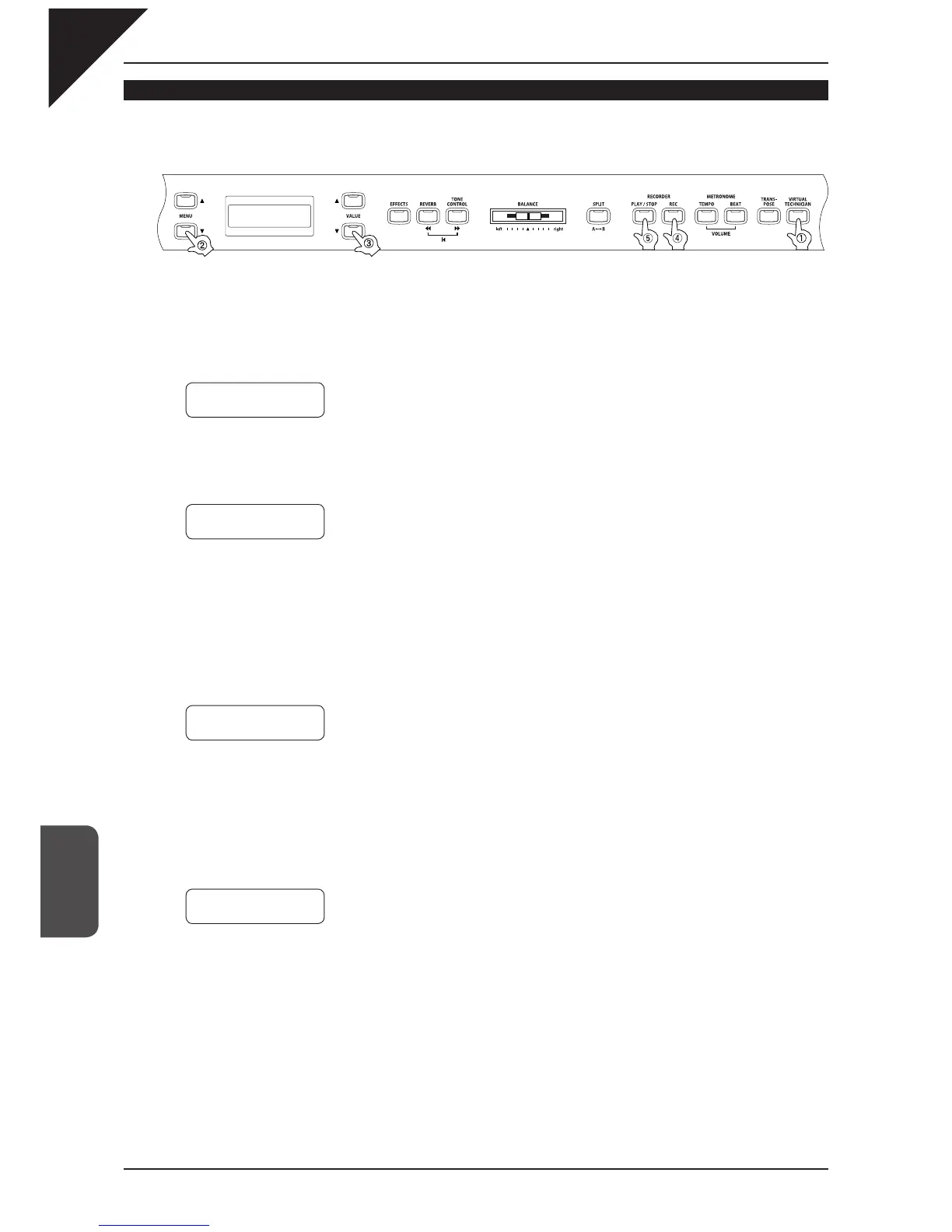
After pressing the VIRTUAL TECHNICIAN button, use the MENU buttons to select the touch curve
function. Then, use the VALUE buttons to select User 1 or User 2.
Step 2
Press the REC button.
Step 3
Play the keys.
Begin playing the piano dynamically from soft to loud in order to let the CA piano analyze you playing style.
The screen shown below will be displayed a few seconds after the REC button is pressed. While you are play-
ing, a musical note will blink in the right corner of the display.
Proceed to Step 4 when you are fi nished playing.
Step 4
Press the PLAY / STOP button.
Once the CA piano has analyzed your playing the message shown above will be displayed and your new user
touch curve is ready to be used.
Both user touch curves will be saved even after the power is turned off.
5 Touch
=User1≥Press
REC
Start Playing
Soft
≥ Loud
Press STOP
when
f
i
nished Œ
Analyze
Completed



 To Next Page