Page
43
5
Using
the Lesson Function
Playing along with an exercise, recording your own performance, and checking the evaluation result
After playing along with an exercise while recording, when you are fi nished your performance will be evaluated
and the result will be displayed.
Loop cannot be used when you are recording your performance.
Step 1
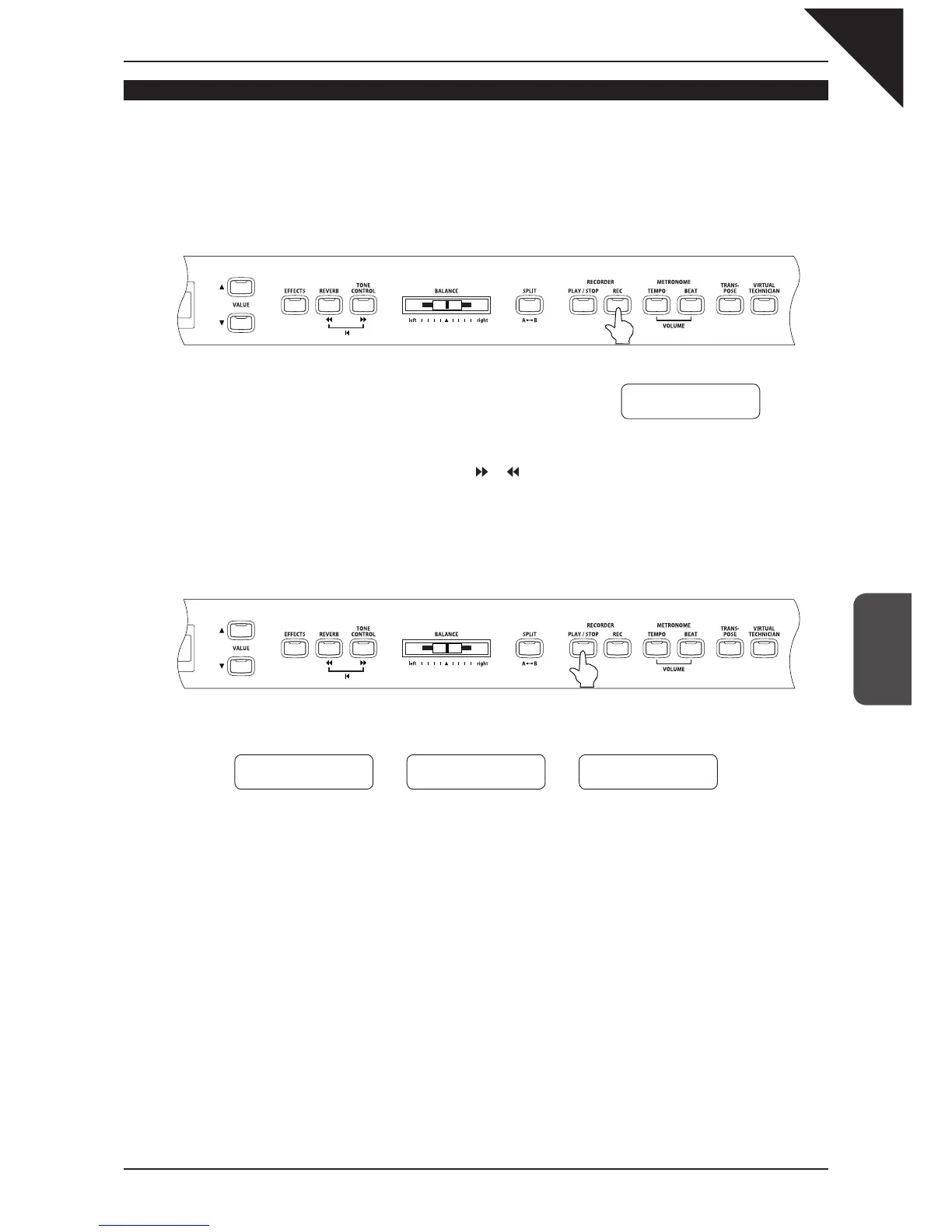
Press the REC button.
The LED indicators for the REC and PLAY / STOP buttons turn on. After
the one bar count-in, the exercise plays and the CA piano begins record-
ing.
To change the start bar for your recording, use the or button to select the desired bar before starting to re-
cord.
The volume of the left / right-hand part of the exercise can be adjusted with the BALANCE slider.
Step 2
To stop recording, press the PLAY / STOP button.
Exercise play back and recording stops, and the LED indicators for the REC and PLAY / STOP buttons turn off.
Three different evaluation points as shown below will be displayed alternately.
The recorded performance can be deleted by pressing the REC and PLAY / STOP buttons at the same time.
The recorded performance will also be deleted when a different exercise is selected.
Step 3
Press the PLAY / STOP button again.
After the one bar count-in, the exercise and recorded performance play back begins.
You can listen to the recorded performance and review it while the evaluation results are displayed.
You can adjust the volume of the exercise by using the BALANCE slider.
Step 4
Press the PLAY / STOP button.
Exercise playback and the recorded performance stops.
Hanon -12
Bar=
7- 1 Œ=060
Æ
Æ
Wrong notes
2 of 32 notes
Play more evenly
Evenness 40%
Timing problems
3 of 32 notes



 To Next Page