Page
28
3
Playing the Piano
Step 2
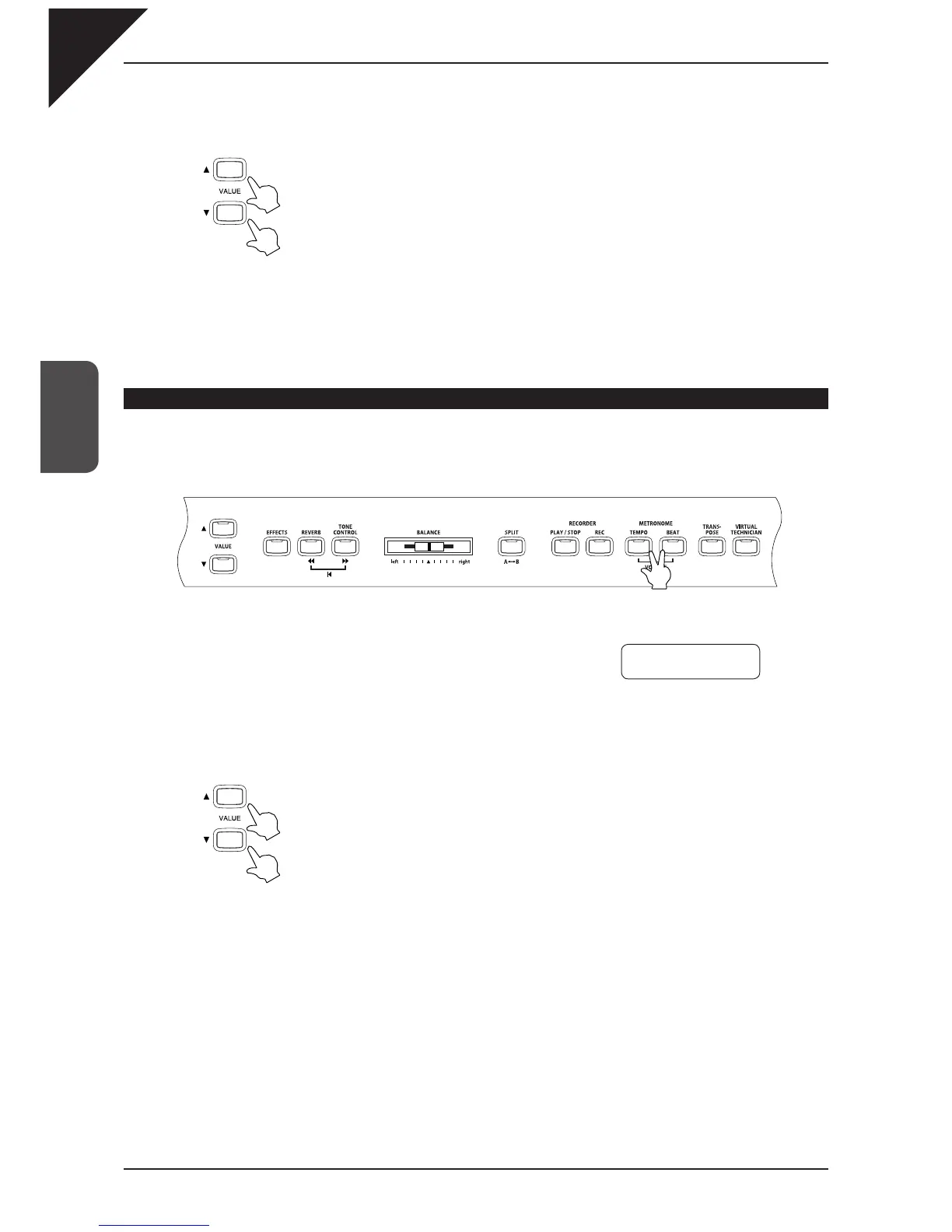
Use the VALUE buttons to change the beat / rhythm.
The beat can be selected from 1/4, 2/4, 3/4, 4/4, 5/4, 3/8, 6/8, 7/8, 9/8, 12/8.
The rhythm can be selected from 100 patterns (see page 29 for the rhythm list).
Step 3
To stop the metronome or rhythm, press the BEAT button again. The LED indicator for the BEAT button
will be turned off.
Setting the sound volume for the metronome / rhythm
Step 1
Press the TEMPO and BEAT buttons at the simultaneously.
You will see the LED indicators for these buttons turn on and hear
the metronome begin counting.
The Metronome volume is displayed on the LCD display.
Step 2
Use the VALUE buttons to set the volume.
The volume can be set within a range of 1 to 10.
Step 3
To stop the metronome or rhythm, press the TEMPO and BEAT buttons simultaneously again. The LED
indicators for the TEMPO and BEAT button will be turned off.
Volume = 5
~|||



 To Next Page