Page
22
3
Playing the Piano
Using TONE CONTROL
*CA91/CA71 only
Tone control allows you to adjust the sound character of the CA piano to your taste. It can also be used to opti-
mize the sound of the CA piano for the best sound quality within the area that it is located.
The following preset EQ settings and one user setting are provided:
Loudness : Use this EQ to help retain the normal sound character of the CA piano when listening at lower vol-
umes.
Bass boost : Low frequencies are emphasized.
Treble boost : High frequencies are emphasized.
Mid cut : Mid frequencies are reduced creating a clearer sound.
User : The three available frequency bands can be separately adjusted to your taste.
Step 1
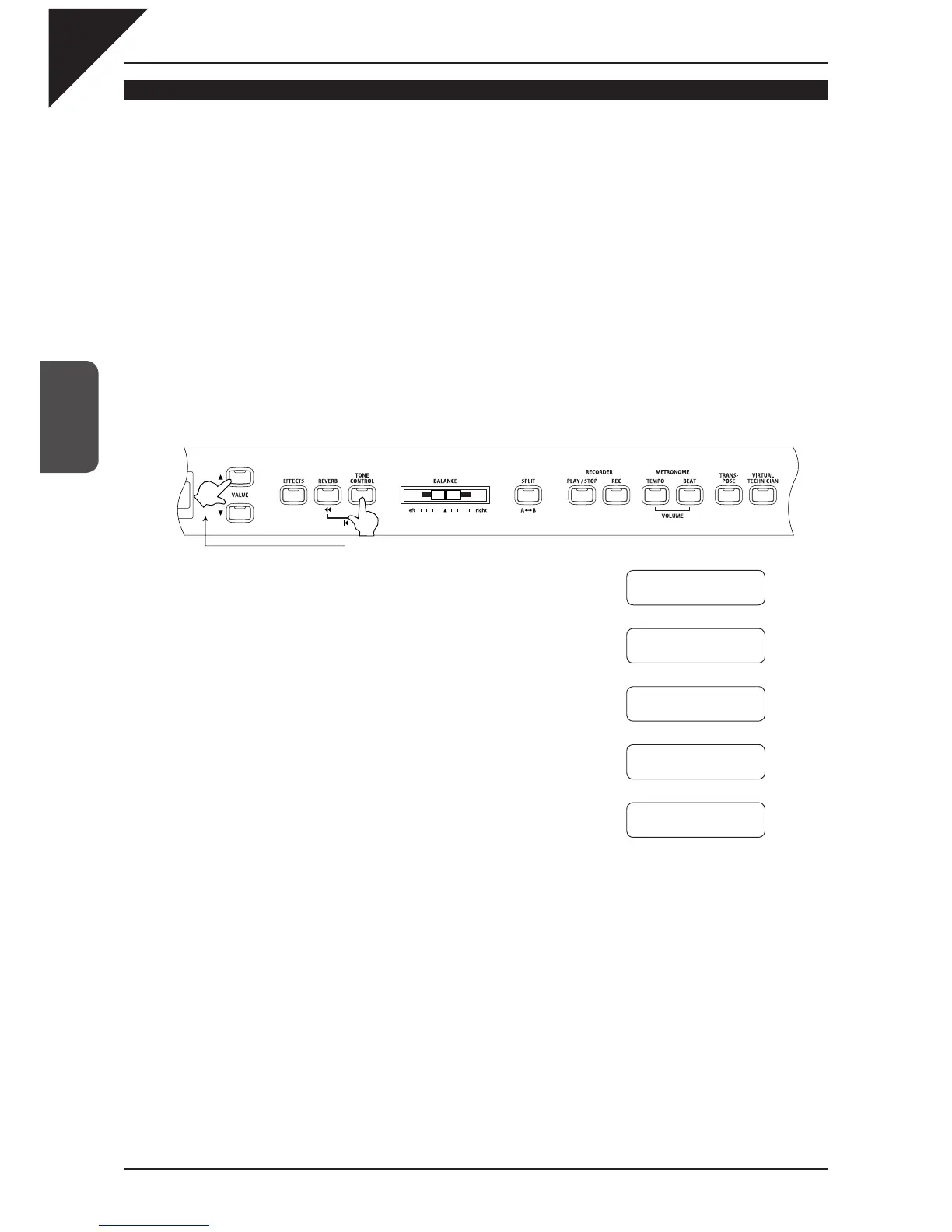
To change the EQ setting, while holding the TONE CONTROL button use the VALUE buttons to select an
EQ type.
Release the TONE CONTROL button once the desired EQ type is displayed.
The currently selected setting is displayed while the TONE CON-
TROL button is held down.
The tone control EQ will be turned off when the TONE CONTROL
button is pressed and its LED indicator turns off.
To turn the selected tone control EQ on, press the TONE CONTROL
button once again to turn its LED indicator on.
If you wish to adjust the each frequency band separately refer to "
User
tone control settings" (page 23).
Hold down the button.
Ç
È
Ç
È
Ç
È
Ç
È
Tone
Control
= Loudness
Tone Control
= Bass Boost
Tone Control
= Treble Boost
Tone Control
= Mid Reduce
Tone Control
= User



 To Next Page