Page
32
4
Using the Recorder
2)
Playing Back a Song (PLAY/STOP Button)
The PLAY/STOP button is used to select a song and part to play, and to start and stop play back of the recorded
songs.
To play back a recorded performance immediately after recording, proceed to Step 2.
Step 1
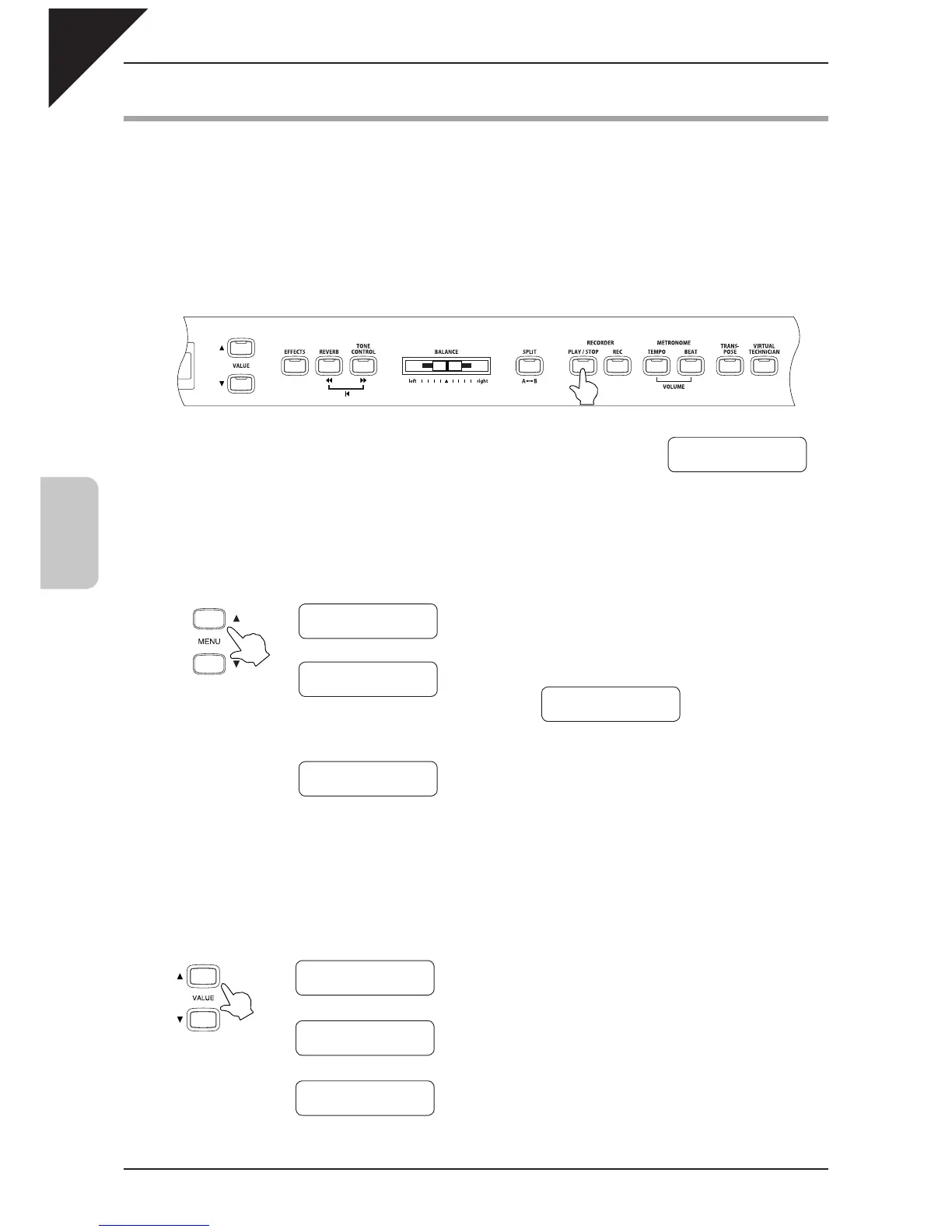
Press the PLAY / STOP button.
The currently selected song and parts are displayed, and the CA
piano is ready to play back the song.
Step 2
Use the MENU buttons to select a song.
The
symbol appears on the second line on the
display if the selected part has already been re-
corded.
Step 3
Use the VALUE buttons to select a part.
Part 1 & 2 : Both parts will be played back.
Part 1 : Only the fi rst part will be played back.
Part 2 : Only the second part will be played
back.
Ç
È
Ç
È
VALUE buttons
Select Song/Part
Song
1 Part=1&2*
Select Song/Part
Song
1 Part=1*
Select Song/Part
Song 1 Part=2*
Select Song/Part
Song
1 Part=1&2*
Ç
È
Ç
È
Ç
È
…
MENU buttons
Select Song/Part
Song
1 Part=1&2*
Select Song/Part
Song
2 Part=1&2
Select Song/Part
Song
5 Part=1&2
Select Song/Part
Song
1 Part=1&2*
Å



 To Next Page