Page
25
3
Playing the Piano
7)
Using the Registration Function
*CA91/CA71 Only
A registration is a special set up that memorizes most of the panel settings such as sounds and effect settings
so that you can recall them at the touch of a button.
10 Registrations can be memorized and saved. The settings and functions below can be memorized to a regis-
tration.
x
Sound type (including settings made in dual or split
mode)
x
Dual / split balance, split point
x
Effect, reverb, tone control settings
Virtual technician functions (page 51)
x
Voicing
x
Damper Resonance
x
String resonance
x
Key-off effect
x
Touch curve
x
Temperament
x
Stretch tuning
Menu functions (page 61)
x
Wall EQ (CA91 only)
x
Brilliance (CA51 only)
x
Lower octave shift
x
Lower pedal
x
Layer octave shift
x
Layer dynamics
x
Damper hold
x
Tuning
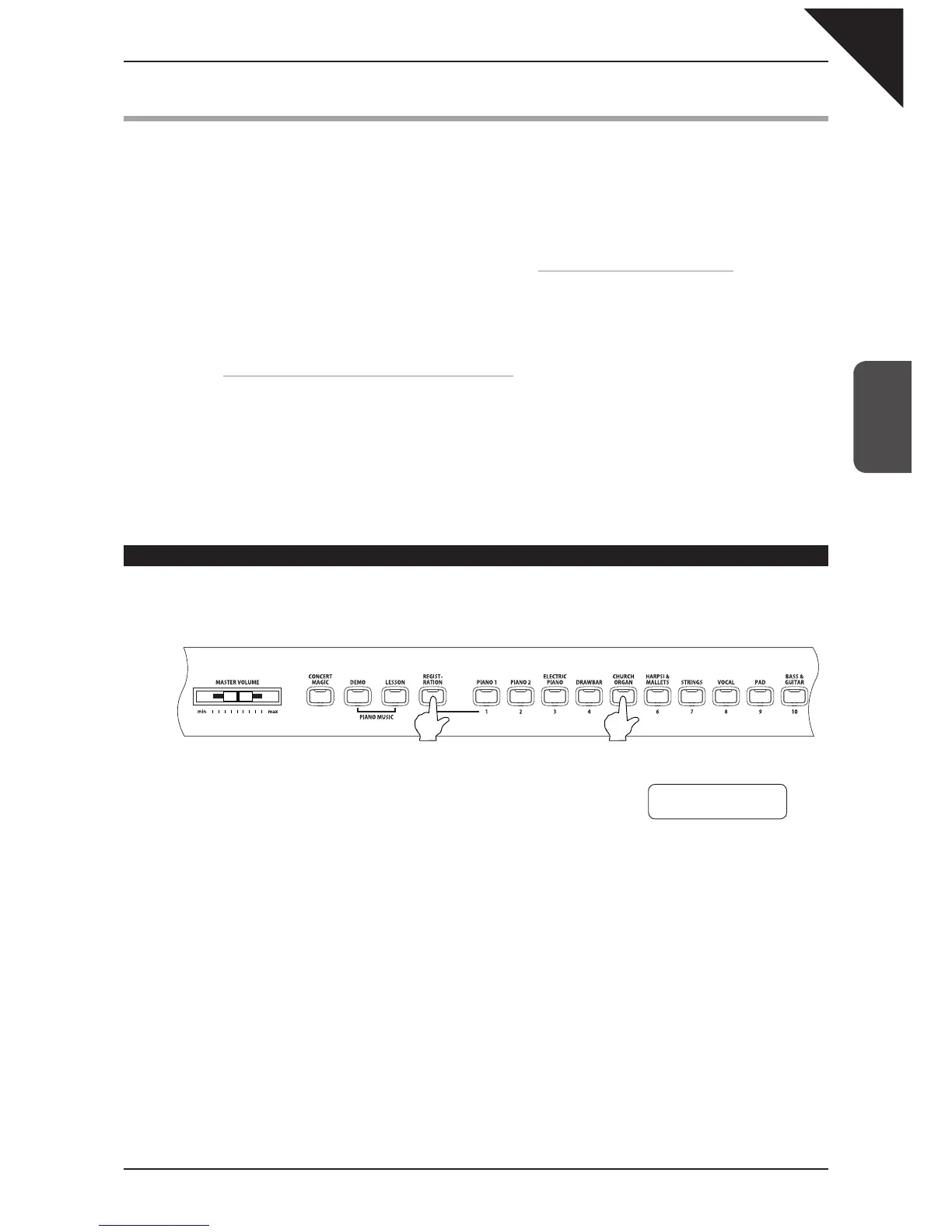
Selecting a registration
Step 1
Press the REGISTRATION button.
The REGISTRATION button LED indicator will be turned on, and the
display will show the sound or sounds for the currently active regis-
tration.
Step 2
To select a different registration, press any one of the REGISTRATION SELECT buttons (= SOUND
SELECT buttons) numbered from 1 to 10.
Step 3
Press the REGISTRATION button again to return to normal operation. The LED indicator for the
REGISTRATION button will be turned off.
⎧
⎪
⎪
⎪
⎪
⎪
⎪
⎪
⎪
⎪
⎨
⎪
⎪
⎪
⎪
⎪
⎪
⎪
⎪
⎪
⎪
⎩
Press one of them.
Concert Grand
Slow Strings



 To Next Page