Chapter 2. Installing and Using RF ValProbe Software
30 RF ValProbe® User’s Manual
2.5.2 Creating Operator Accounts (cont.)
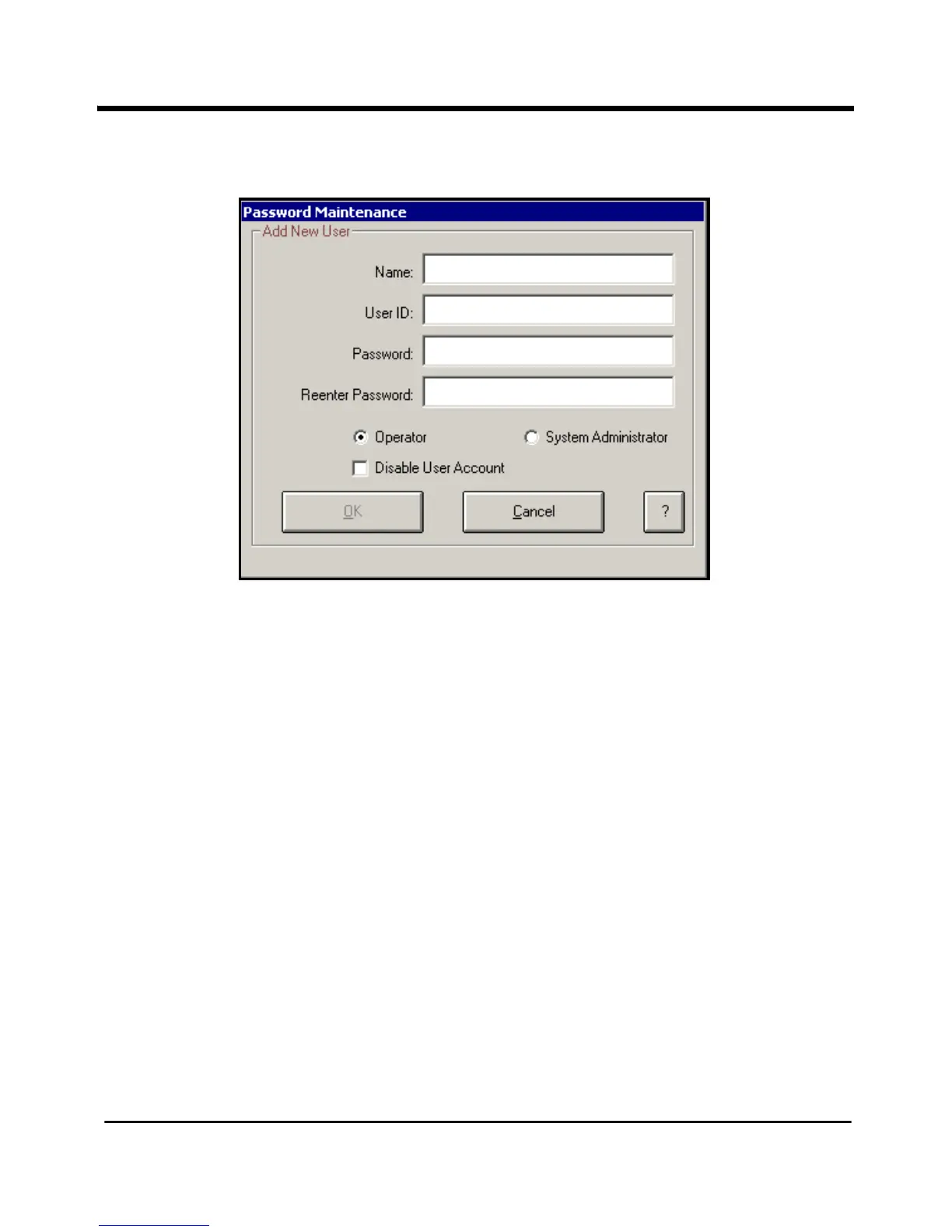
Figure 11: Password Maintenance Add New User Screen
2. Enter the new user name (up to 32 characters) in the Name field.
The user name is associated with the user ID/password combination that you enter in steps
3 and 4. The user ID/password combination is used to identify the user to the RF ValProbe
software. The name you enter here appears in the active user list.
Note: User names must be unique. Once a name has been used, it cannot be used again.
You should keep a separate record of all user names that you assign to avoid
future problems.
3. Enter the new user identification in the
User ID field. The user ID can be any
combination of numbers and characters, up to a maximum of 16. The user ID and
password are case sensitive. A user ID may not be used by more than one active
account.
4. Enter the new user password in the
Password field. The password can be any
combination of numbers and characters, up to a maximum of 16. The user will change
this password when they first log in to the Kaye RF ValProbe software.



 To Next Page