Features of your vehicle
764
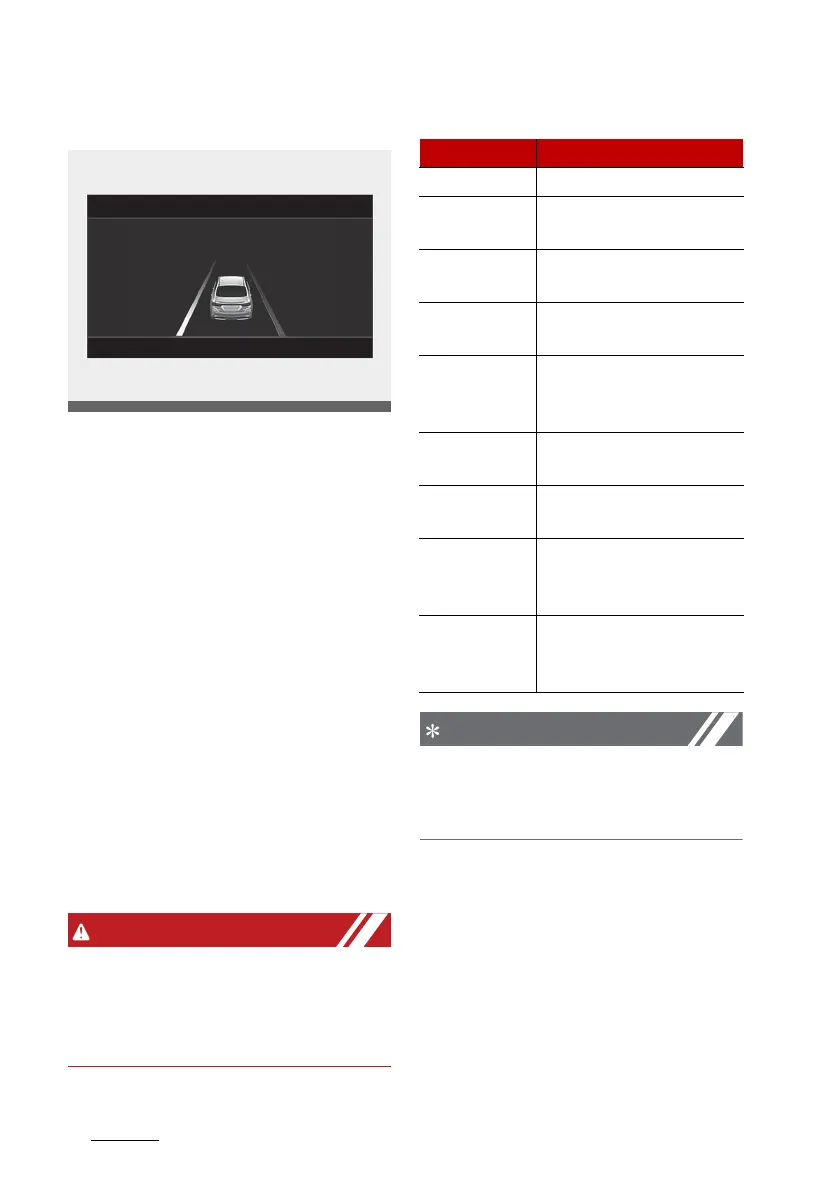
LCD display
Driving Assist mode
䳜 Lane Departure Warning (if
equipped)
Lane Keeping Assist (if equipped)
Lane Following Assist (if
equipped)
Smart Cruise Control (if equipped)
䳜 Driver Attention Warning (if
equipped)
* For more details, refer to each
system information in "Driving
your vehicle" on page 6-6.
Setting (if equipped)
To change the Driver Assistance
settings, press the OK button on the
steering wheel for more than 1 sec
-
ond when the Driving Assist mode is
displayed.
whilst driving, please do not change
the setting mode. It may distract
your attention and cause the acci
-
dent.
The information provided may dif
-
fer depending on which functions
are applicable to your vehicle.
Item Explanation
SCC Reaction Fast/Normal/Slow
Warning
Timing
Normal/Late
Warning Vol
-
ume
High/Medium/Low/Off
Haptic
Warning
On/Off
Driver
Attention
Warning
Leading Vehicle Depar
-
ture Alert/Inattentive
Driving Warning
Forward
Safety
Active Assist/Warning
Only/Off
Lane Safety Active Assist/Assist/
Warning Only/Off
Blind-Spot
Safety
Safe Exit Warning/
Active Assist/Warning
Only/Off
Parking
Safety
Parking Distance Warn
-
ing Auto ON/Rear
Cross-Traffic Safety


 To Next Page