Features of your vehicle
1124
Rear View Monitor (RVM)
Off conditions
䳜 Driving view button is pressed
again.
䳜 One of the infotainment system
button is pressed.
䳜 If the gear is shifted to P (park),
the function is turned off.
When operating
䳜 If the gear is shifted to R
(Reverse), whilst Rear view whilst
driving is displayed on the screen,
the screen will change to rear
view
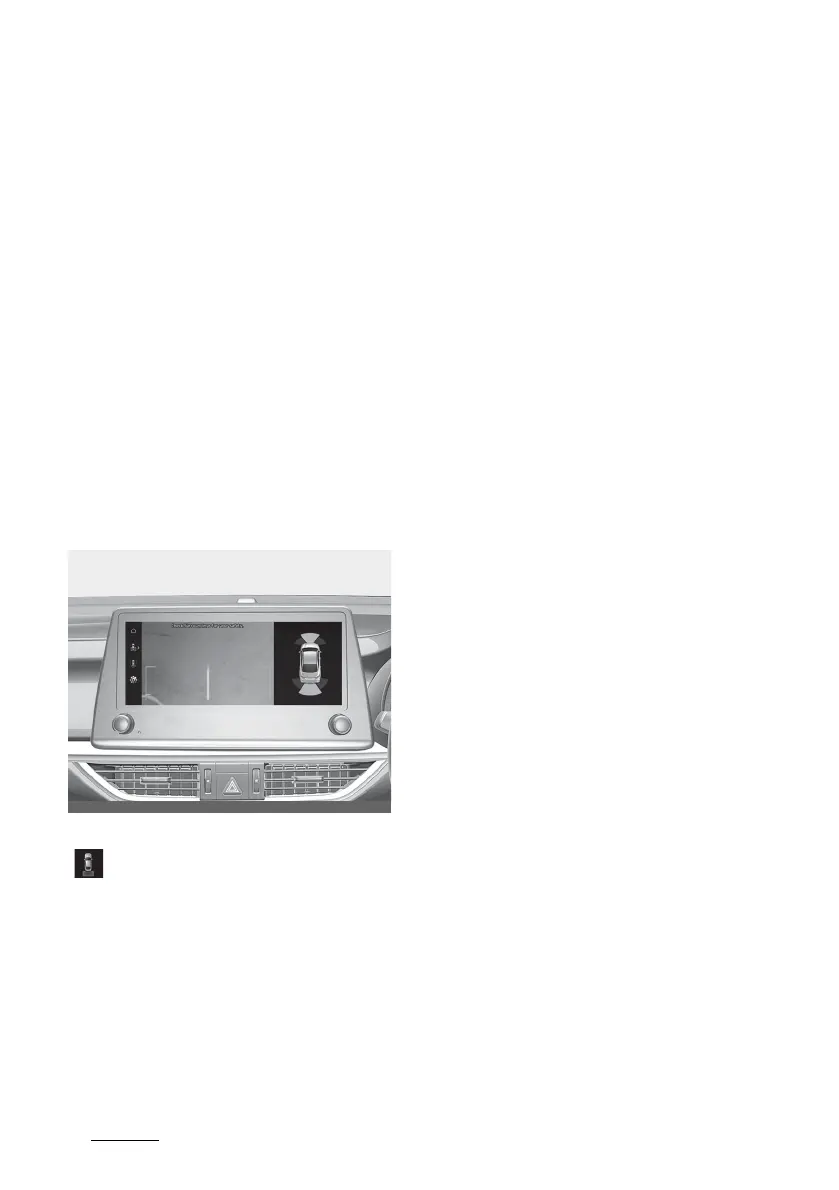
Rear top view (if equipped)
When you touch the Soft button
( ), the top view is displayed on
the screen and shows the distance
from the vehicle in the back of your
vehicle whilst parking.
Extended rear view
If the gear is shifted from R
(Reverse) to N (Neutral) or D (Drive),
the rear view will be maintained to
park the vehicle safely.
Operating conditions
䳜 If the gear is shifted from R
(Reverse) to N (Neutral) or D
(Drive), the rear view will be
turned on.
Off conditions
䳜 The rear view will turn off when
vehicle speed is above 10 km/h.
䳜 If the gear is shifted to P (Park),
the function is turned off.
Function malfunction and limita
-
tions
Function malfunction
䳜 When Rear View Monitor is not
working properly, or the screen
flickers, or the camera image
does not display normally, We
recommend that you have your
vehicle inspected by an authorised
Kia dealer/service partner.
Limitations of the function
䳜 When the vehicle is stopped for a
long time in winter or when the
vehicle is parked in an indoor
parking lot, the exhaust fumes
may temporarily blur the image.



 To Next Page