71
6
6
Driving your vehicle Forward Collision䳍Avoidance Assist (FCA) (Front
view camera only)
䳜 Never place any reflective objects
(i.e. white paper, mirror) over the
dashboard. Any light reflection
may prevent the function from
functioning properly.
Function Settings
Setting
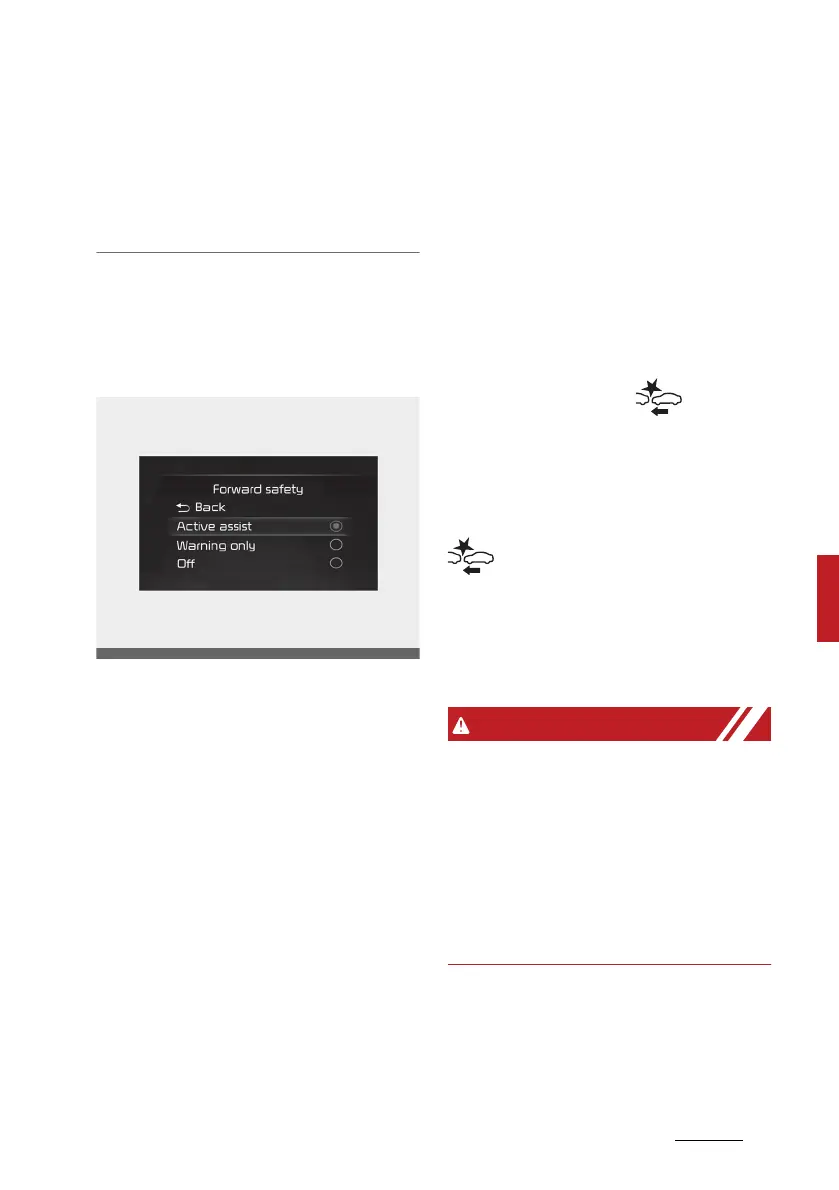
Forward safety
With the ignition switch or ENGINE
START/STOP button in the ON posi
-
tion, select 'Driver assistance →
Forward safety' from the 'Setup →
Vehicle (LCD Display) or Settings →
Vehicle (Infotainment System
screen)' menu to set whether or not
to use each function.
䳜 If 'Active assist' is selected, the
function will warn the driver with
a warning message and an audible
warning and steering wheel vibra
-
tion depending on the collision risk
levels. Braking assist will be
applied depending on the collision
risk.
䳜 If 'Warning only' is selected, the
function will warn the driver with
a warning message and an audible
warning and steering wheel vibra
-
tion depending on the collision risk
levels. Braking and steering (if
equipped) will not be assisted.
䳜 If 'Off' is selected, the function will
be turned off. The warning
light will illuminate on the cluster.
The driver can monitor Forward Col
-
lision-Avoidance Assist ON/OFF sta
-
tus from the settings menu. If the
warning light remains ON
when the function is ON, we recom
-
mend that the function be inspected
by an authorised Kia dealer/service
partner.
䳜 When the engine is restarted,
Forward Collision-Avoidance
Assist will always turn on.
䳜 If 'Off' is selected from the set
-
tings menu, the Forward Collision
Assist will not operate so the
driver should always be aware of
the surroundings and drive safely.



 To Next Page