Features of your vehicle
1784
Interior features
䳜 Push the plug in as far as it will
go. If good contact is not made,
the plug may overheat and the
fuse may open.
䳜 Plug in battery equipped elec
-
tronic devices with reverse cur
-
rent protection. The current from
the battery may flow into the
vehicle's electrical/electronic sys
-
tem and cause system malfunc
-
tion.
Electric shock
Do not put a finger or a foreign
object (pen, etc.) into a power outlet
and do not touch with a wet hand.
You may get an electric shock.
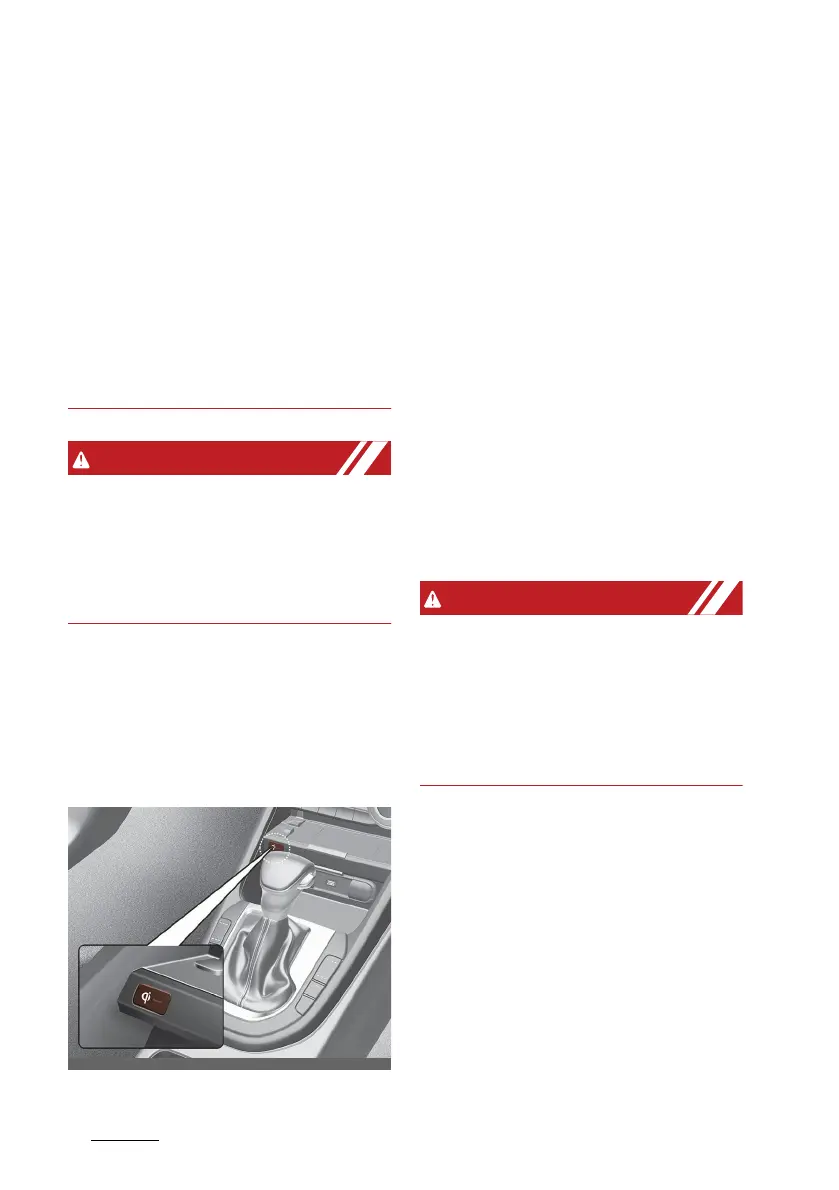
Wireless smart phone charging
system (if equipped)
A wireless smart phone charging
system is located in front of the
centre console.
Firmly close all doors, and the ignition
switch or ENGINE START/STOP but
-
ton is ON. To start wireless charging,
place the smart phone equipped with
wireless charging function on the
wireless charging pad.
For best wireless charging results,
place the smart phone on the centre
of the charging pad.
The wireless charging system is
designed for one smart phone
equipped with QI only. Please refer
to the smart phone accessory cover
or the smart phone manufacturer
homepage to check whether your
smart phone supports QI function.
If any metallic object such as coins is
located between the wireless
charging system and the smart
phone, the charging may be dis
-
rupted. Also, the metallic object may
heat up.
Wireless smart phone charging
1. Remove any object on the smart
phone charging pad including the
smart key. If there is any foreign
object on the pad other than a
smart phone, the wireless
charging function may not oper
-
ate properly.
2. Place the smart phone on the
centre of the wireless charging
pad.



 To Next Page