Features of your vehicle
1104
Rear View Monitor (RVM)
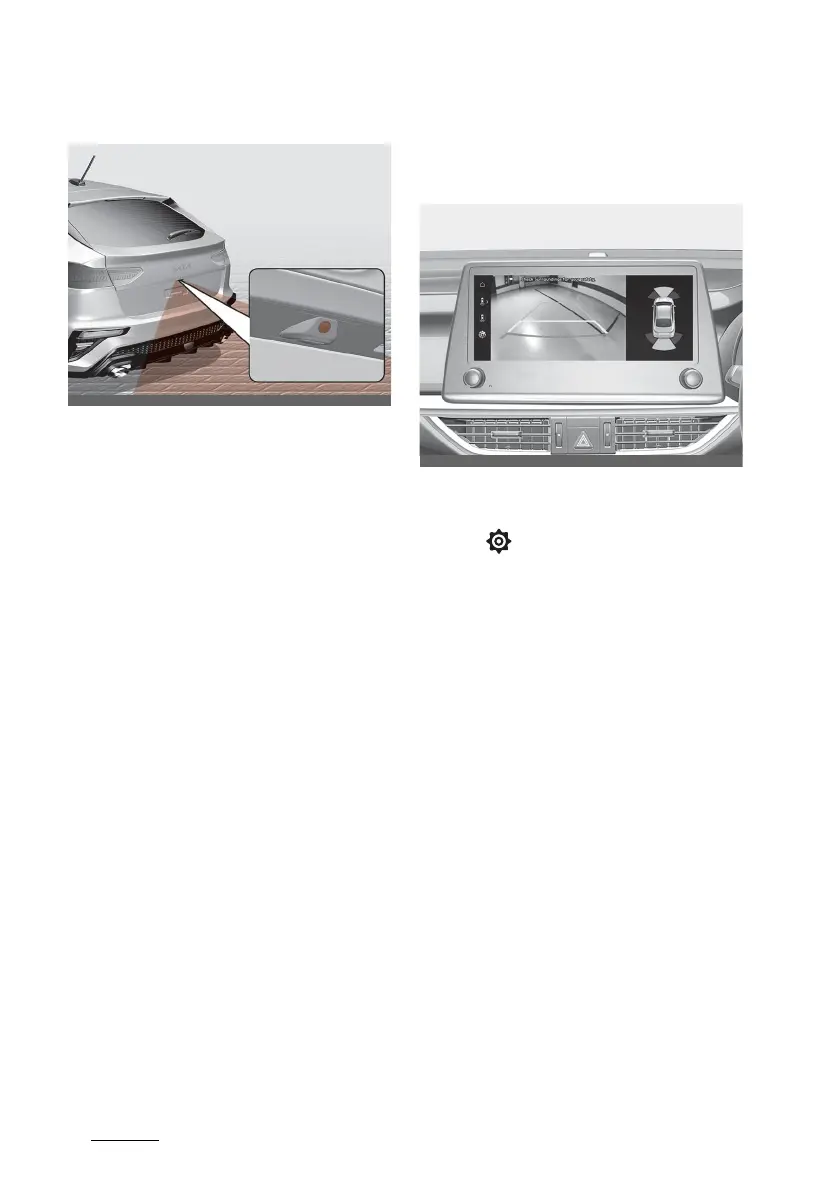
Rear view camera-Type B
Refer to the picture above for the
detailed location of the detecting
sensor.
If your vehicle is equipped with addi
-
tional Infotainment System, please
scan the QR code in a separately
supplied Car Infotainment System
Quick Reference Guide.
Function settings
Camera Setting
䳜 You can change Rear View Moni
-
tor settings by pressing the setup
icon ( ) on the screen whilst the
function is operating, or select
䳒Setup → Vehicle (Infotainment
System screen) → Parking safety
→ Camera settings䳓 from the Set
-
tings menu in the Settings in the
Infotainment System screen
whilst the ENGINE START/STOP
button is in the ON position.
䳜 Rear view parking guide line set
-
tings can be changed in the dis
-
play information and the screen
brightness/contrast value can be
changed in the screen settings.
䳜 Extended rear view is activated or
deactivated when you select
䳒Setup → Display → Keep rear
camera on䳓 from the Infotainment
System screen.



 To Next Page