133
6
6
Driving your vehicle Smart Cruise Control (SCC)
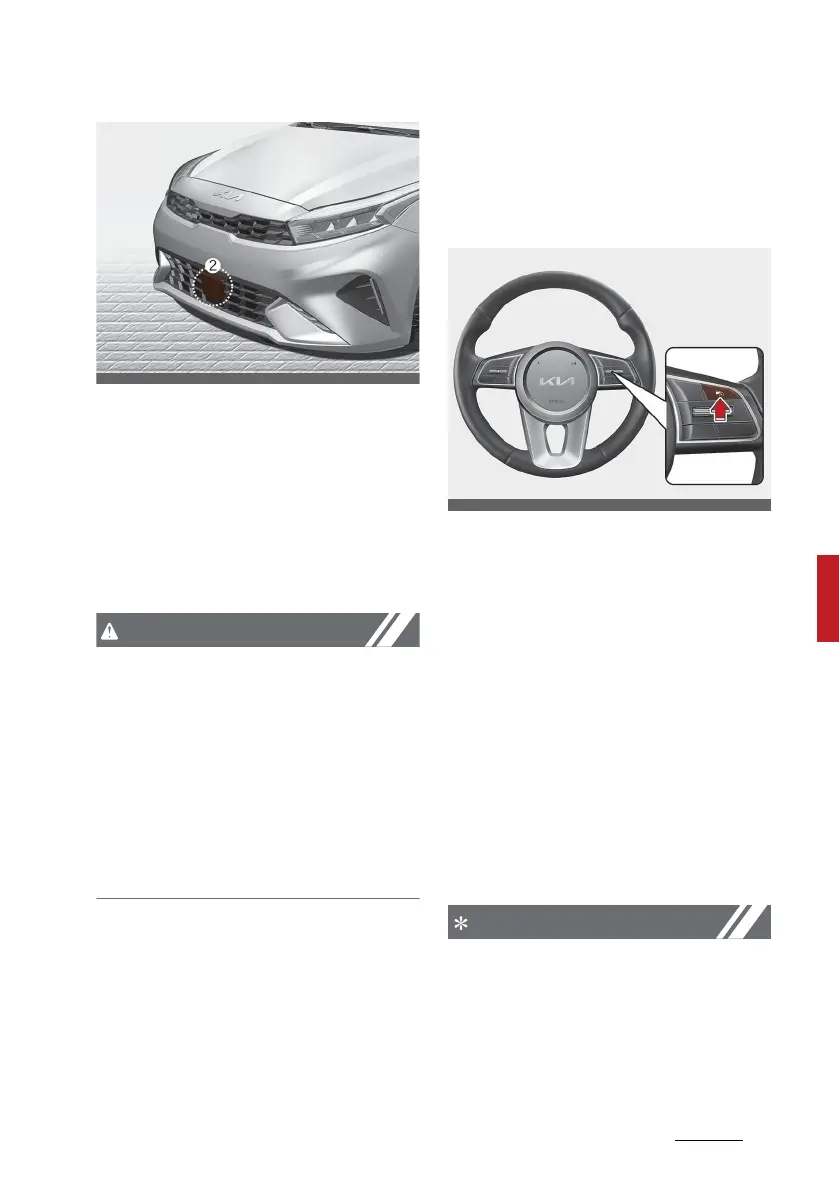
[1]: Front view camera, [2]: Front radar
The front view camera and front
radar are used as a detecting sensor
to detect front vehicles.
Refer to the picture above for the
detailed location of the detecting
sensor.
Always keep the front view camera
and front radar in good condition to
maintain optimal performance of
Smart Cruise Control.
For more details on the precautions
of the front view camera and front
radar, refer to "Forward Collision-
Avoidance Assist (FCA) (Sensor
fusion) (if equipped)" on page 6-83.
Function settings
Setting
To turn on the function
䳜 Press the Driving Assist button to
turn on the function. The speed
will be set to the current speed on
the cluster.
䳜 If there is no vehicle in front of
you, the set speed will be main
-
tained, but if there is a vehicle in
front of you, the speed may
decrease to maintain the distance
to the vehicle ahead. If the vehicle
ahead accelerates, your vehicle
will travel at a steady cruising
speed after accelerating to the
set speed.
䳜 If your vehicle speed is between
0~30 km/h (0~20 mph) when you
press the Driving Assist button,
the Smart Cruise Control speed
will be set to 30 km/h (20 mph).



 To Next Page