99
6
6
Driving your vehicle Lane Keeping Assist (LKA)
For more details on the precautions
of the front view camera, refer to
"Forward Collision-Avoidance Assist
(FCA) (Sensor fusion) (if equipped)"
on page 6-83.
Function settings
Setting
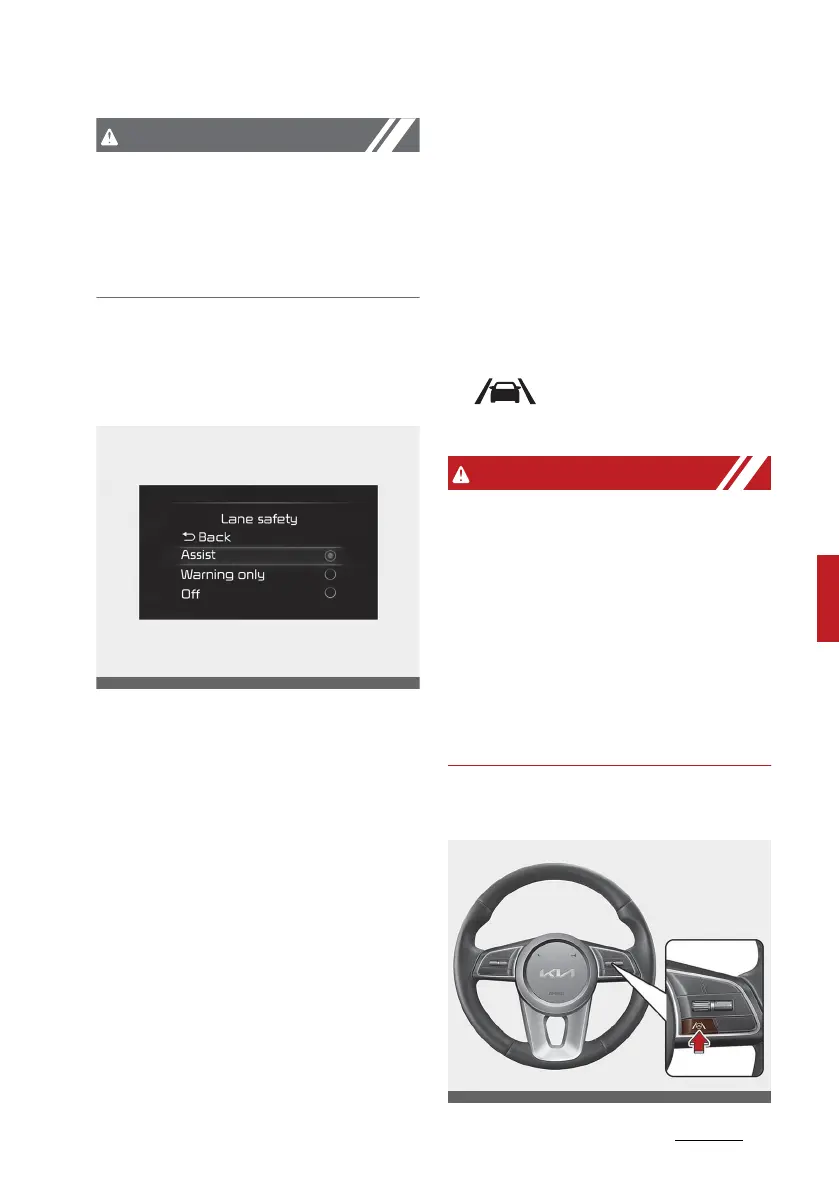
Lane safety
With the ignition switch or ENGINE
START/STOP button in the ON posi
-
tion, select 'Driver assistance →
Lane safety' from the 'Setup →
Vehicle (LCD Display) or Settings →
Vehicle (Infotainment System
screen)' menu to set whether or not
to use each function.
䳜 If 䳒Assist䳓 is selected, the function
will automatically assist the
driver䳓s steering when lane
departure is detected to help pre
-
vent the vehicle from moving out
of its lane.
䳜 If 䳒Warning only䳓 is selected, the
function will warn the driver with
an audible warning and steering
wheel vibration when lane depar
-
ture is detected. The driver must
steer the vehicle.
䳜 If 䳒Off䳓 is selected, the function will
turn off. The indicator light
( ) will turn off on the clus
-
ter.
䳜 If 䳒Warning only䳓 is selected,
steering is not assisted.
䳜 Lane Keeping Assist does not con
-
trol the steering wheel when the
vehicle is driven in the middle of
the lane.
䳜 The driver should always be
aware of the surroundings and
steer the vehicle if 䳒Off䳓 is
selected.
Turning the function ON/OFF



 To Next Page