Driving your vehicle
866
Forward Collision-Avoidance Assist (FCA) (Sensor
fusion)
䳜 If 'Warning only' is selected, brak
-
ing is not assisted.
䳜 Steering wheel vibration can be
turned on or off. Select or dese
-
lect 䳒Driver assistance → Haptic
Warning䳓 from the Settings menu.
Forward Collision-Avoidance Assist
will turn off when ESC is turned off
by pressing and holding the ESC OFF
button and the warning light
will illuminate.
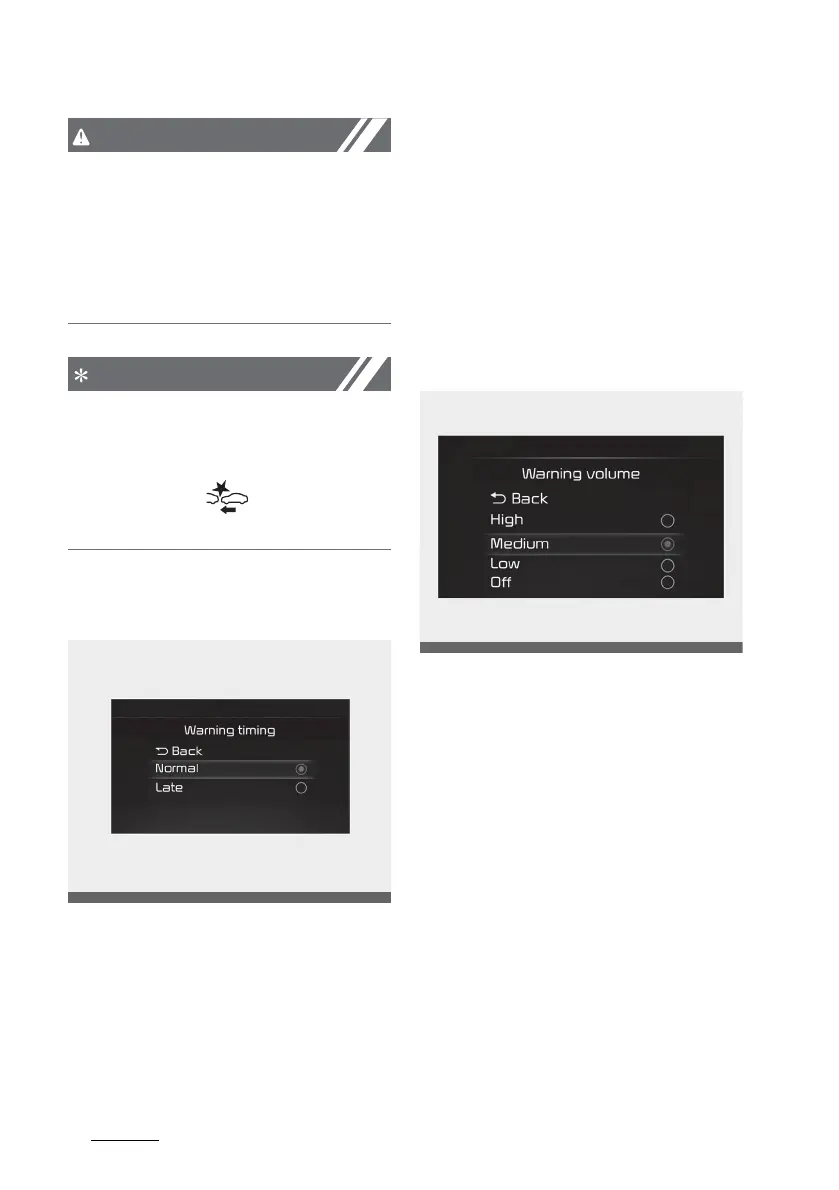
Warning timing
With the ignition switch or ENGINE
START/STOP button in the ON posi
-
tion, select 'Driver assistance →
Warning timing' from the 'Setup →
Vehicle (LCD Display) or Settings →
Vehicle (Infotainment System
screen)' menu to change the initial
warning activation time for Forward
Collision-Avoidance Assist.
When the vehicle is first delivered,
Warning Timing is set to 䳒Normal䳓. If
you change the Warning Timing, the
warning time of other Driver Assis
-
tance functions may change.
Warning volume
With the ignition switch or ENGINE
START/STOP button in the ON posi
-
tion, select 'Driver assistance →
Warning volume' from the 'Setup →
Vehicle (LCD Display) or Settings →
Vehicle (Infotainment System
screen)' menu to change the Warn
-
ing Volume to 'High', 䳒Medium䳓, 䳒Low䳓
or 䳒Off䳓 for Forward Collision-Avoid
-
ance Assist. However, even if 䳒Off䳓 is
selected, the Warning volume of
Forward Collision Avoidance Assist
will not turn off but the volume will
sound as 䳒Low䳓.



 To Next Page