SECTION 2 - SET-UP
1-2-4
2-4
© 2018 Konami Gaming Inc. P/N 810352
CONCERTO CRESCENT
(Original Instructions)
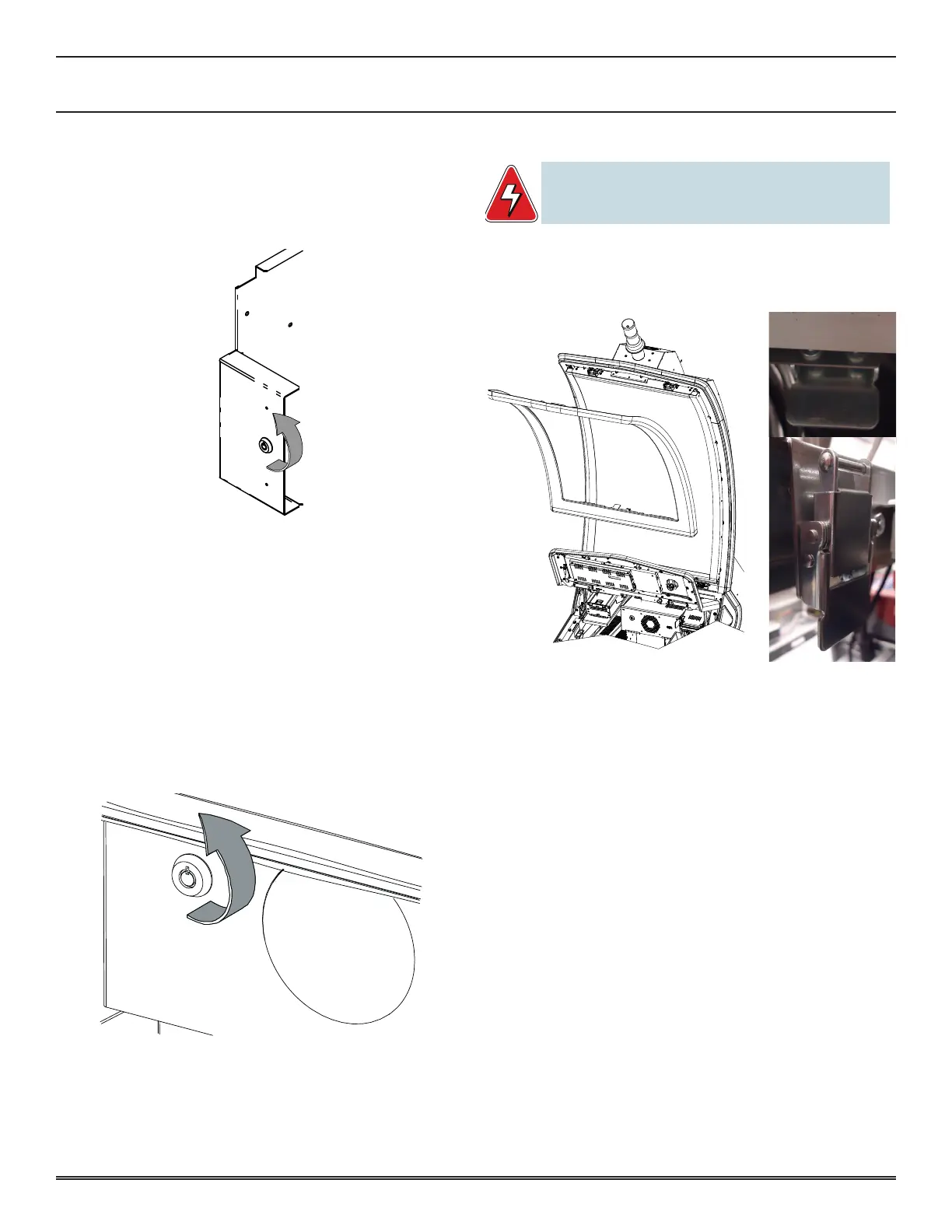
bill validator door
1� To open the Bill Validator Door, insert the key into the
cylinder on the Bill Stacker Door�
2� Turn the key 90° counter-clockwise�
3� Open the Bill Stacker Door�
4� To close the Bill Validator Door, close the Bill Stacker Door�
5� Turn the key 90° clockwise�
6� Remove the Bill Stacker Door key from the cylinder�
logic unit door
The following describes how to open and close the Logic Unit
Door with the Main Door open�
1� To open the Logic Unit Door, insert the Logic Unit door
key into the cylinder on the front of the Logic Unit�
2� Turn the key 90° counter-clockwise�
3� Open the Logic Unit door by pulling the logic door toward
you and up to clear the mounting tabs�
4� To close the Logic Unit Door, insert the Logic Unit door
tabs into the slots and pivot into the locking position�
5� Turn the logic door key 90° clockwise�
6� Remove the Logic Unit Door key from the cylinder�
disPlay door
WARNING: When servicing or replacing the Crescent LCD unit,
two people are required to lift the unit to prevent injury
or damage.
1� To remove display door, open main deck door (see above)
and press display door latch to unlatch�
2� Close main deck door and remove display door�
3� Install display door on frame�
4� Open main deck door and secure latch�
5� Close and lock main deck door�















 To Next Page