100
© 2019 Konami Gaming Inc.P/N 810497 KXP Setup Manual
DIAGNOSTIC
KMS
LED ILLUMINATIONS
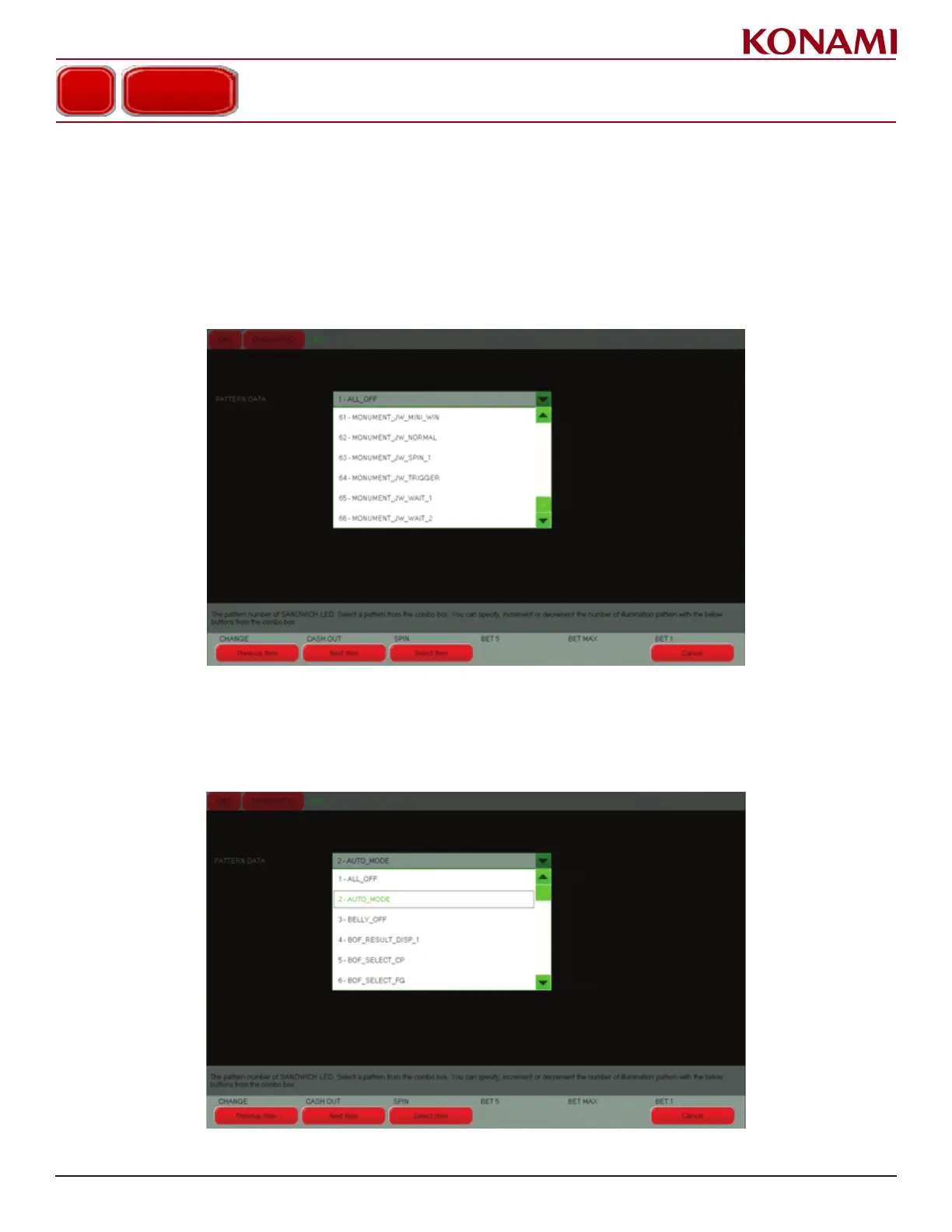
monument Bezel ligHt diagnoStic teSting
1. Press LED ILLUMINATIONS or SANDWICH LED (international) to enter the LED ILLUMINATIONS or
SANDWICH LED (international) diagnostic screen.
2. To Test the Monument Bezel Lights, select from one of the “Monument_ xxxx” settings found near the bottom
of the Pattern Data list.
This pattern will only work when the Cabinet Style is congured for MONUMENT in the Game Common Setup
Page. Diagnostic will not work if Cabinet Style is set to Standard.
3. Press ENTER.
4. If Cabinet Style is set to Standard, in the Pattern Data Field select AUTO_MODE. (This method is not preferred).
This pattern will only work when the Cabinet Style is congured for STANDARD in the Game Common Setup
Page. Diagnostic will not work if Cabinet Style is set to Monument.
5. Press EXIT to return to the DIAGNOSTIC menu.














 To Next Page