66
© 2019 Konami Gaming Inc.P/N 810497 KXP Setup Manual
KMS
SETUP
GAME COMMON SETUP
e-aRt
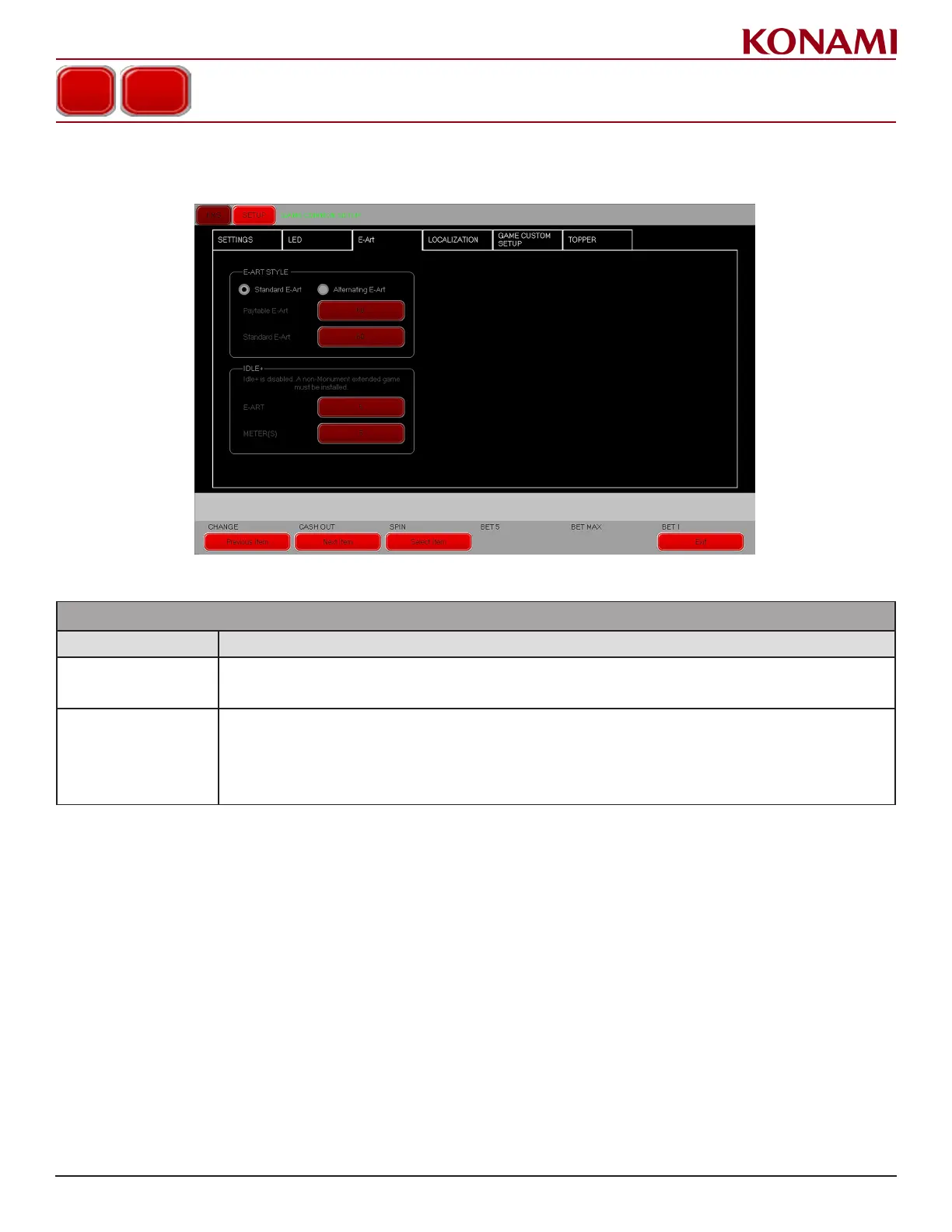
1. Press the E-ART tab to enter the E-ART screen. The following screen is displayed.
2. The following table describes the functions for each item in the E-ART screen.
GAME COMMON SETUP
ITEM DESCRIPTION
E-ART
When standard e-art is chosen, only standard image is displayed. When alternating e-art is chosen, the display may al-
ternate between standard image and paytable image. When clicking red buttons beside the e-art options, a keyboard will
appear to enter number of seconds to run each art screen.
IDLE+
When a non-Monument and non-Family extended game is installed, the primary game E-Art is now shown periodically dur-
ing idle. The two new settings for this (“E-ART” and “METER(S)” determine how long (in seconds) each screen is shown.
For instance, if “E-ART” is set to 5 and “METER(S)” is set to 7, then the primary game E-Art will display for 5 seconds
before switching to the extended game meters which will be shown for 7 seconds before switching back to the primary
game E-Art. If an extended game is not installed, a monument cabinet is being used, or a family game is installed then
these options will be greyed out and will display the message “Idle+ is disabled.














 To Next Page