54
© 2019 Konami Gaming Inc.P/N 810497 KXP Setup Manual
KMS
SETUP
contRolleR SetuP
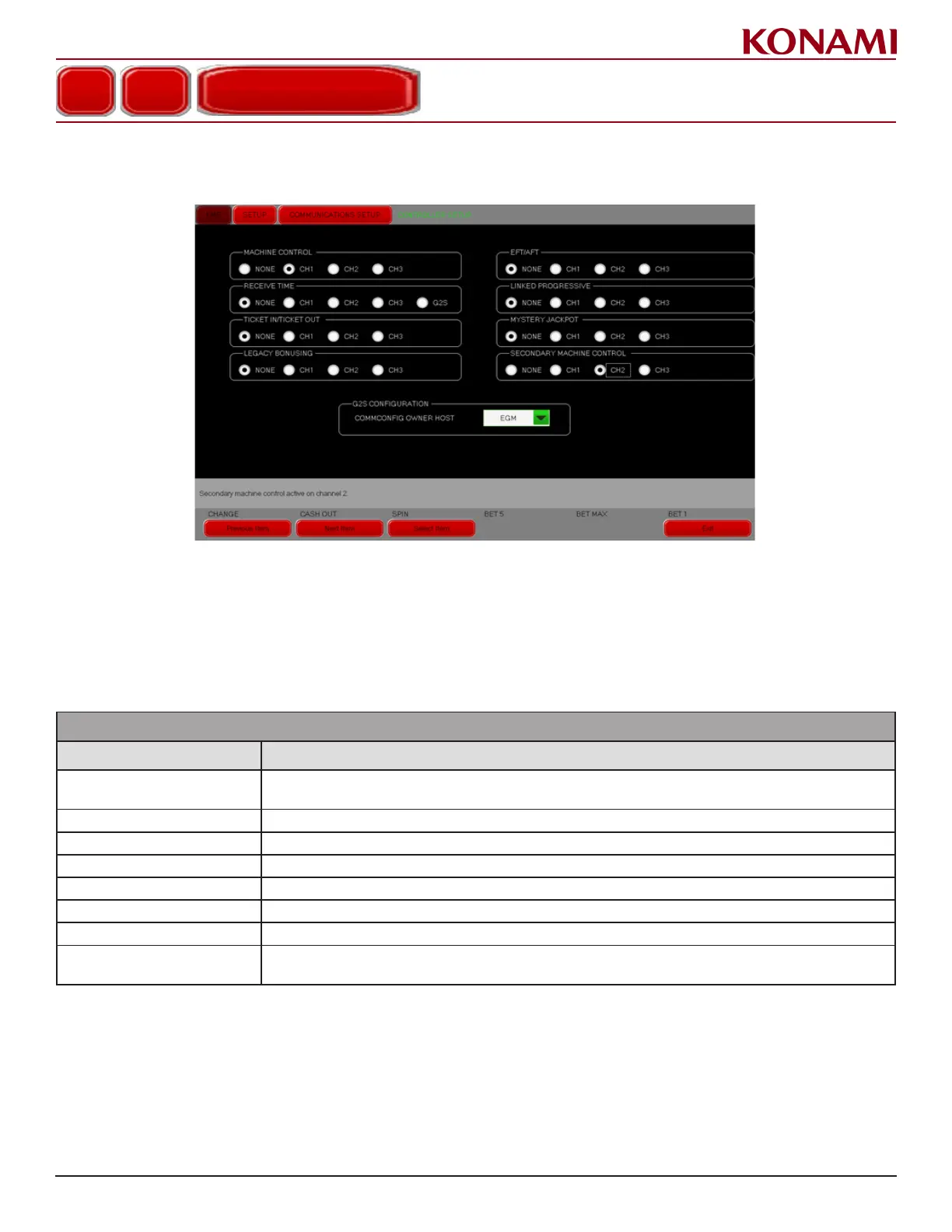
1. Press CONTROLLER SETUP to enter the CONTROLLER SETUP screen. The following screen is displayed.
The G2S conguration option on this screen, if shown, is only available for Engineering and Development use.
2. Secondary machine control allows another host to have machine control functionality for a specied EGM. To
select a secondary machine control port on the EGM, select the appropriate channel in the CONTROLLER
SETUP screen.
3. The following table describes the functions for each item in the CONTROLLER SETUP screen.
CONTROLLER SETUP
ITEM DESCRIPTION
MACHINE CONTROL
Sets the communication channel the machine will use to receive machine control commands, such as
Enable/Disable the Bill Acceptor.
RECEIVE TIME Sets the communication channel for receive item from the host.
TICKET IN/TICKET OUT Sets the communication channel for ticket in/ticket out.
LEGACY BONUSING Sets the communication channel for legacy bonusing.
EFT/AFT Sets the communication channel to EFT/AFT.
LINKED PROGRESSIVE Sets the communication channel for a linked progressive.
MYSTERY JACKPOT Sets the communication channel for the mystery jackpot.
SECONDARY MACHINE
CONTROL
Sets the communication channel for a secondary port that the machine will use to receive machine
control commands.
4. To enable/disable an option, press the radio button next to the corresponding selection.
5. Press EXIT to return to the COMMUNICATIONS SETUP menu.
COMMUNICATIONS SETUP
CONTROLLER SETUP














 To Next Page